<!DOCTYPE html>
    <html lang="vi" xmlns="http://www.w3.org/1999/xhtml" prefix="og: http://ogp.me/ns#">
    <head>
<title>Lỗi thường gặp khi dùng Bootstrap</title>
<meta name="description" content="Lỗi thường gặp khi dùng Bootstrap - Savefile - Tin Tức - https&#x3A;&#x002F;&#x002F;www.nguoicodonvn2008.info&#x002F;vi&#x002F;news&#x002F;savefile&#x002F;kien-thuc-may-tinh&#x002F;loi-thuong-gap-khi-dung-bootstrap-6565.html">
<meta name="author" content=".: Nguoicodonvn2008.info - Cõi lòng người cô đơn :.">
<meta name="copyright" content=".: Nguoicodonvn2008.info - Cõi lòng người cô đơn :. [admin@nguoicodonvn2008.info]">
<meta name="robots" content="index, archive, follow, noodp">
<meta name="googlebot" content="index,archive,follow,noodp">
<meta name="msnbot" content="all,index,follow">
<meta name="generator" content="NukeViet v4.5">
<meta http-equiv="Content-Type" content="text/html; charset=utf-8">
<meta property="og:title" content="Lỗi thường gặp khi dùng Bootstrap">
<meta property="og:type" content="website">
<meta property="og:description" content="Savefile - Tin Tức - https&#x3A;&#x002F;&#x002F;www.nguoicodonvn2008.info&#x002F;vi&#x002F;news&#x002F;savefile&#x002F;kien-thuc-may-tinh&#x002F;loi-thuong-gap-khi-dung-bootstrap-6565.html">
<meta property="og:site_name" content=".&#x3A; Nguoicodonvn2008.info - Cõi lòng người cô đơn &#x3A;.">
<meta property="og:url" content="https://www.nguoicodonvn2008.info/vi/news/savefile/kien-thuc-may-tinh/loi-thuong-gap-khi-dung-bootstrap-6565.html">
<link rel="shortcut icon" href="https://nguoicodonvn2008.info/favicon.ico">
<link rel="canonical" href="https://www.nguoicodonvn2008.info/vi/news/savefile/kien-thuc-may-tinh/loi-thuong-gap-khi-dung-bootstrap-6565.html">
<link rel="alternate" href="https://nguoicodonvn2008.info/vi/news/rss/" title="Tin Tức" type="application/rss+xml">
<link rel="alternate" href="https://nguoicodonvn2008.info/vi/news/rss/karaoke-dual/" title="Tin Tức - Karaoke Dual" type="application/rss+xml">
<link rel="alternate" href="https://nguoicodonvn2008.info/vi/news/rss/nhac-tre/" title="Tin Tức - Nhạc trẻ" type="application/rss+xml">
<link rel="alternate" href="https://nguoicodonvn2008.info/vi/news/rss/tru-tinh/" title="Tin Tức - Trữ tình" type="application/rss+xml">
<link rel="alternate" href="https://nguoicodonvn2008.info/vi/news/rss/nuoc-ngoai/" title="Tin Tức - Nước ngoài" type="application/rss+xml">
<link rel="alternate" href="https://nguoicodonvn2008.info/vi/news/rss/remix/" title="Tin Tức - Remix" type="application/rss+xml">
<link rel="alternate" href="https://nguoicodonvn2008.info/vi/news/rss/tam-su-tinh-yeu/" title="Tin Tức - Tâm sự tình yêu" type="application/rss+xml">
<link rel="alternate" href="https://nguoicodonvn2008.info/vi/news/rss/tho-suu-tam/" title="Tin Tức - Thơ sưu tầm" type="application/rss+xml">
<link rel="alternate" href="https://nguoicodonvn2008.info/vi/news/rss/cuoc-song/" title="Tin Tức - Cuộc sống" type="application/rss+xml">
<link rel="alternate" href="https://nguoicodonvn2008.info/vi/news/rss/phan-mem/" title="Tin Tức - Phần mềm" type="application/rss+xml">
<link rel="alternate" href="https://nguoicodonvn2008.info/vi/news/rss/kien-thuc-may-tinh/" title="Tin Tức - Kiến thức máy tính" type="application/rss+xml">
<link rel="alternate" href="https://nguoicodonvn2008.info/vi/news/rss/hoc-tap/" title="Tin Tức - Học tập" type="application/rss+xml">
<link rel="alternate" href="https://nguoicodonvn2008.info/vi/news/rss/tai-lieu/" title="Tin Tức - Tài liệu" type="application/rss+xml">
<link rel="alternate" href="https://nguoicodonvn2008.info/vi/news/rss/de-thi/" title="Tin Tức - Đề thi" type="application/rss+xml">
<link rel="preload" as="style" href="https://nguoicodonvn2008.info/assets/css/font-awesome.min.css" type="text/css">
<link rel="preload" as="style" href="https://nguoicodonvn2008.info/themes/default/css/bootstrap.non-responsive.css" type="text/css">
<link rel="preload" as="style" href="https://nguoicodonvn2008.info/themes/default/css/style.css" type="text/css">
<link rel="preload" as="style" href="https://nguoicodonvn2008.info/themes/default/css/style.non-responsive.css" type="text/css">
<link rel="preload" as="style" href="https://nguoicodonvn2008.info/themes/default/css/news.css" type="text/css">
<link rel="preload" as="style" href="https://nguoicodonvn2008.info/themes/default/css/custom.css" type="text/css">
<link rel="preload" as="script" href="https://nguoicodonvn2008.info/assets/js/jquery/jquery.min.js" type="text/javascript">
<link rel="preload" as="script" href="https://nguoicodonvn2008.info/assets/js/language/vi.js" type="text/javascript">
<link rel="preload" as="script" href="https://nguoicodonvn2008.info/assets/js/DOMPurify/purify3.js" type="text/javascript">
<link rel="preload" as="script" href="https://nguoicodonvn2008.info/assets/js/global.js" type="text/javascript">
<link rel="preload" as="script" href="https://nguoicodonvn2008.info/assets/js/site.js" type="text/javascript">
<link rel="preload" as="script" href="https://nguoicodonvn2008.info/themes/default/js/news.js" type="text/javascript">
<link rel="preload" as="script" href="https://nguoicodonvn2008.info/themes/default/js/main.js" type="text/javascript">
<link rel="preload" as="script" href="https://nguoicodonvn2008.info/themes/default/js/custom.js" type="text/javascript">
<link rel="preload" as="script" href="https://nguoicodonvn2008.info/themes/default/js/bootstrap.min.js" type="text/javascript">
<link rel="stylesheet" href="https://nguoicodonvn2008.info/assets/css/font-awesome.min.css">
<link rel="stylesheet" href="https://nguoicodonvn2008.info/themes/default/css/bootstrap.non-responsive.css">
<link rel="stylesheet" href="https://nguoicodonvn2008.info/themes/default/css/style.css">
<link rel="stylesheet" href="https://nguoicodonvn2008.info/themes/default/css/style.non-responsive.css">
<link rel="StyleSheet" href="https://nguoicodonvn2008.info/themes/default/css/news.css">
<link rel="stylesheet" href="https://nguoicodonvn2008.info/themes/default/css/custom.css">
<style type="text/css">
	body{background: #fff;}
</style>
    </head>
    <body>
<div id="print">
	<div id="hd_print">
		<h2 class="pull-left">.&#x3A; Nguoicodonvn2008.info - Cõi lòng người cô đơn &#x3A;.</h2>
		<p class="pull-right"><a title=".&#x3A; Nguoicodonvn2008.info - Cõi lòng người cô đơn &#x3A;." href="https://nguoicodonvn2008.info/">https://nguoicodonvn2008.info</a></p>
	</div>
	<div class="clear"></div>
	<hr />
	<div id="content">
		<h1>Lỗi thường gặp khi dùng Bootstrap</h1>
		<ul class="list-inline">
			<li>Thứ năm - 05/01/2023 23:06</li>
			<li class="hidden-print txtrequired"><em class="fa fa-print">&nbsp;</em><a title="In ra" href="javascript:;" onclick="window.print()">In ra</a></li>
			<li class="hidden-print txtrequired"><em class="fa fa-power-off">&nbsp;</em><a title="Đóng cửa sổ này" href="javascript:;" onclick="window.close()">Đóng cửa sổ này</a></li>
		</ul>
		<div class="clear"></div>
		<div id="hometext">
		</div>
				<div class="imghome">
			<img alt="Lỗi thường gặp khi dùng Bootstrap" src="https://st.quantrimang.com/photos/image/2023/01/06/loi-can-tranh-khi-dung-bootstrap.png" width="460" class="img-thumbnail" />
		</div>
		<div class="clear"></div>
		<div id="bodytext" class="clearfix">
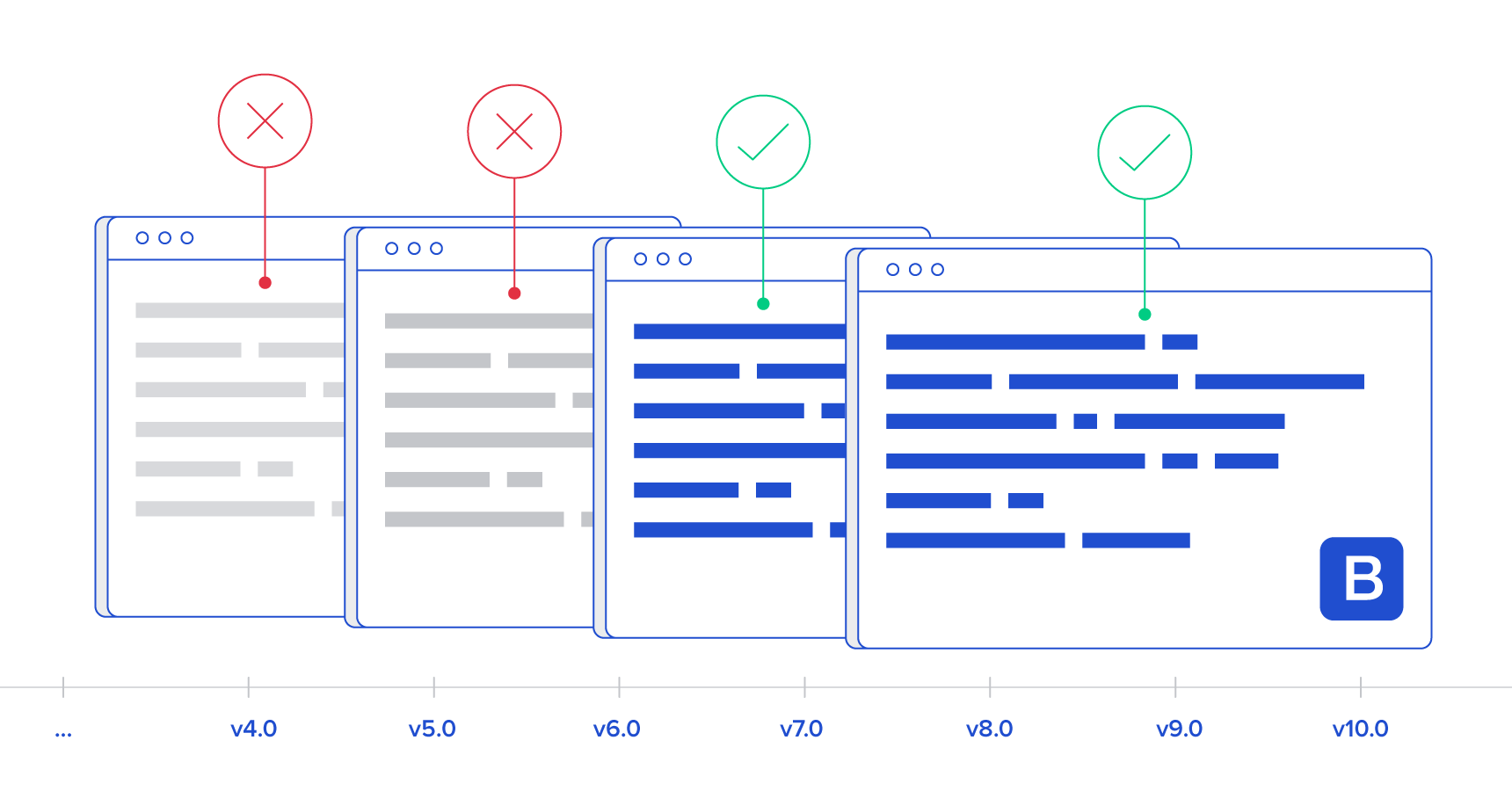
			<p><strong>Bootstrap&nbsp;</strong>là một bộ công cụ mạnh mẽ. Nó đi kèm với các mẫu thiết kế HTML và CSS, bao gồm nhiều thành phần UI. Về cơ bản,<strong>&nbsp;sử dụng Bootstrap</strong>&nbsp;rất dễ nhưng nhiều người vẫn mắc phải những lỗi phổ biến dưới đây.</p>

<p><img alt="Lỗi cần tránh khi dùng Bootstrap" data-i="0" data-src="https://st.quantrimang.com/photos/image/2023/01/06/loi-can-tranh-khi-dung-bootstrap.png" data-was-processed="true" height="340" src="https://st.quantrimang.com/photos/image/2023/01/06/loi-can-tranh-khi-dung-bootstrap.png" width="650" /></p>

<h2>Quan niệm sai lầm cơ bản về framework</h2>

<p>Vấn đề này thường xảy ra do quảng cáo không rõ ràng trên trang Bootstrap hay người dùng chưa đọc kỹ tài liệu. Nhìn chung, để dùng Bootstrap đúng cách, bạn cần nắm được các thông tin cơ bản sau:</p>

<p>Bootstrap là framework toàn diện nhưng nó không quá lớn. Bootstrap bao gồm các mẫu thiết kế HTML và CSS cơ bản với rất nhiều phần tử UI thông dụng. Bạn sẽ thấy có ypography, Tables, Forms, Buttons, Glyphicons, Dropdowns, Buttons and Input Groups, Navigation, Pagination, Labels và Badges, Alerts, Progress Bars, Modals, Tabs, Accordions, Carousels… Bạn có thể chọn một vài trong số chúng và cùng với cấu hình mặc định cho bạn tạo nhanh UI chạy trên nhiều trình duyệt, thiết bị và độ phân giải ở định dạng đẹp mắt.</p>

<p>Bootstrap không làm mọi thứ cho bạn nhưng nó cung cấp một tập hợp các giá trị mặc định hợp lí để lựa chọn, đồng thời, giúp lập trình viên tập trung nhiều hơn vào công việc chính thay vì lo lắng về thiết kế.</p>

<p>Bootstrap có đủ khả năng mở rộng mà bất kỳ ai cũng có thể điều chỉnh nó phù hợp với nhu cầu.</p>

<h2>Cho rằng không cần biết CSS để dùng Bootstrap và không cần tới một nhà thiết kế</h2>

<p>Đây là quan niệm sai lần. Bất kỳ lập trình viên front-end nào cũng cần học cách dùng CSS và HTML5. Bootstrap hiện đang cung cấp các kiểu mặc định cơ bản nhưng bạn vẫn cần hiểu CSS. Bạn không cần biết cách truy vấn media hoạt động nhưng cần hiểu cách thiết kế đáp ứng hoạt động. Bootstrap không dạy bạn CSS nhưng có thể trợ giúp bạn hoàn thành việc này. Thử nghiệm mã nguồn trong LESS và SASS là một điểm khởi đầu tuyệt vời.</p>

<p>Không cần tới thiết kế cũng là quan niệm sai lầm. Những mẫu thiết kế sẵn trên Bootstrap có thể đẹp nhưng còn một số hạn chế. Nếu muốn thiết kế web, ứng dụng độc lạ, hãy nhờ tới thiết kế chuyên nghiệp.</p>

<h2>Thay đổi file CSS</h2>

<p>Để làm mọi thứ đơn giản, đừng chỉnh sửa file bootstrap.css. Nếu không, mọi thứ sẽ nhanh chóng trở lên phức tạp. Toàn bộ thiết kế sẽ bị “vỡ” khi bạn muốn nâng cấp file Bootstrap Bạn có thể ghi đè lên stylesheet các màu bootstrap mặc định, kiểu, lề, padding và mọi thứ. Bạn không hề cần động vào stylesheet bootstrap.css.</p>

<p>Không hiểu LESS hay SASS? Không vấn đề, bạn có thể tạo file CSS riêng và ghi đè bất kỳ nội dung bạn muốn từ stylesheet ban đầu bootstrap.css.</p>

<h2>Dùng mọi thứ Bootstrap cung cấp</h2>

<p>Như đã nhắc tới từ đầu, Bootstrap là một framework hoàn chỉnh. Nó cung cấp rất nhiều phần tử UI, HTML và các mẫu thiết kế CSS cùng plugin JavaScript. Thế nhưng, bạn cần lựa chọn kỹ. Bạn không phải dùng mọi tính năng của Bootstrap.</p>

<p>Điều này đặc biệt đúng với các plugin. Chỉ cần chọn plugin phù hợp, đừng dùng mọi thứ chỉ vì nó đẹp mắt bởi điều đó chỉ khiến web của bạn trở nên rối mắt. Bắt đầu bằng cách tạo HTML, CSS đơn giản. Sau đó, lần lượt thêm các thành phần cần thiết.</p>

<h2>Lạm dụng dấu nhắc modal</h2>

<p>Bootstrap modal cung cấp các phần tử nhắc hộp thoại linh hoạt với yêu cầu tối thiểu. Nó đi kèm với các mặc định thông minh. Dù modal dễ dùng với các tùy biến phong phú, bạn cần ghi nhớ một số điều để tránh mắc lỗi.</p>

<ul>
	<li>Hiện nhiều hơn một modal prompt tại một thời điểm</li>
	<li>Hiện bootstrap modal ở trên nền</li>
	<li>Modal trên thiết bị mobile</li>
</ul>

<p>Trên đây là một số lỗi cần tránh khi dùng Bootstrap. Hi vọng bài viết hữu ích với các bạn.</p>
		</div>
				<div id="author">
						<p>
				<strong>Nguồn tin:</strong>
				Quantrimang.com
			</p>
		</div>
	</div>
	<div id="footer" class="clearfix">
		<div id="url">
			<strong>URL của bản tin này: </strong><a href="https://www.nguoicodonvn2008.info/vi/news/savefile/kien-thuc-may-tinh/loi-thuong-gap-khi-dung-bootstrap-6565.html" title="Lỗi thường gặp khi dùng Bootstrap">https://www.nguoicodonvn2008.info/vi/news/savefile/kien-thuc-may-tinh/loi-thuong-gap-khi-dung-bootstrap-6565.html</a>

		</div>
		<div class="clear"></div>
		<div class="copyright">
			&copy; .&#x3A; Nguoicodonvn2008.info - Cõi lòng người cô đơn &#x3A;.
		</div>
		<div id="contact">
			<a href="mailto:admin@nguoicodonvn2008.info">admin@nguoicodonvn2008.info</a>
		</div>
	</div>
</div>
        <div id="timeoutsess" class="chromeframe">
            Bạn đã không sử dụng Site, <a onclick="timeoutsesscancel();" href="https://nguoicodonvn2008.info/#">Bấm vào đây để duy trì trạng thái đăng nhập</a>. Thời gian chờ: <span id="secField"> 60 </span> giây
        </div>
        <div id="openidResult" class="nv-alert" style="display:none"></div>
        <div id="openidBt" data-result="" data-redirect=""></div>
		</script>
		<div class="car-top">
  <span><img src="https://nguoicodonvn2008.info/themes/default/images/car.png" alt=""></span>
</div>
<script src="https://nguoicodonvn2008.info/assets/js/jquery/jquery.min.js"></script>
<script>var nv_base_siteurl="/",nv_lang_data="vi",nv_lang_interface="vi",nv_name_variable="nv",nv_fc_variable="op",nv_lang_variable="language",nv_module_name="news",nv_func_name="savefile",nv_is_user=0, nv_my_ofs=-4,nv_my_abbr="EDT",nv_cookie_prefix="nv4c_e856T",nv_check_pass_mstime=1738000,nv_area_admin=0,nv_safemode=0,theme_responsive=0,nv_recaptcha_ver=2,nv_recaptcha_sitekey="",nv_recaptcha_type="image",XSSsanitize=1;</script>
<script src="https://nguoicodonvn2008.info/assets/js/language/vi.js"></script>
<script src="https://nguoicodonvn2008.info/assets/js/DOMPurify/purify3.js"></script>
<script src="https://nguoicodonvn2008.info/assets/js/global.js"></script>
<script src="https://nguoicodonvn2008.info/assets/js/site.js"></script>
<script src="https://nguoicodonvn2008.info/themes/default/js/news.js"></script>
<script src="https://nguoicodonvn2008.info/themes/default/js/main.js"></script>
<script src="https://nguoicodonvn2008.info/themes/default/js/custom.js"></script>
<script type="application/ld+json">
        {
            "@context": "https://schema.org",
            "@type": "Organization",
            "url": "https://nguoicodonvn2008.info",
            "logo": "https://nguoicodonvn2008.info/uploads/angel.gif"
        }
        </script>
<script src="https://nguoicodonvn2008.info/themes/default/js/bootstrap.min.js"></script>
<script type="text/javascript">
var $scrolltop = $('.car-top');
$scrolltop.on('click', function () {
    $('html,body').animate({
        scrollTop: 0
    }, 800);
    $(this).addClass("car-run");
    setTimeout(function(){ $scrolltop.removeClass('car-run');}, 1000);
    return false;
});
$(window).on('scroll', function ()
{ 
    if($(window).scrollTop() >= 200)
    {
        $scrolltop.addClass("show");
        $scrolltop.addClass("car-down");
    }
    else
    {
       $scrolltop.removeClass("show");
       setTimeout(function(){ $scrolltop.removeClass('car-down');}, 300);
    }
});
</script>
</body>
</html>