<!DOCTYPE html>
    <html lang="vi" xmlns="http://www.w3.org/1999/xhtml" prefix="og: http://ogp.me/ns#">
    <head>
<title>File FLV là gì? Làm thế nào để mở file FLV trên máy tính?</title>
<meta name="description" content="File FLV là gì? Làm thế nào để mở file FLV trên máy tính? - Savefile - Tin Tức -...">
<meta name="author" content=".: Nguoicodonvn2008.info - Cõi lòng người cô đơn :.">
<meta name="copyright" content=".: Nguoicodonvn2008.info - Cõi lòng người cô đơn :. [admin@nguoicodonvn2008.info]">
<meta name="robots" content="index, archive, follow, noodp">
<meta name="googlebot" content="index,archive,follow,noodp">
<meta name="msnbot" content="all,index,follow">
<meta name="generator" content="NukeViet v4.5">
<meta http-equiv="Content-Type" content="text/html; charset=utf-8">
<meta property="og:title" content="File FLV là gì? Làm thế nào để mở file FLV trên máy tính?">
<meta property="og:type" content="website">
<meta property="og:description" content="Savefile - Tin Tức - https&#x3A;&#x002F;&#x002F;www.nguoicodonvn2008.info&#x002F;vi&#x002F;news&#x002F;savefile&#x002F;kien-thuc-may-tinh&#x002F;file-flv-la-gi-lam-the-nao-de-mo-file-flv-tren-may-tinh-2988.html">
<meta property="og:site_name" content=".&#x3A; Nguoicodonvn2008.info - Cõi lòng người cô đơn &#x3A;.">
<meta property="og:url" content="https://www.nguoicodonvn2008.info/vi/news/savefile/kien-thuc-may-tinh/file-flv-la-gi-lam-the-nao-de-mo-file-flv-tren-may-tinh-2988.html">
<link rel="shortcut icon" href="https://nguoicodonvn2008.info/favicon.ico">
<link rel="canonical" href="https://www.nguoicodonvn2008.info/vi/news/savefile/kien-thuc-may-tinh/file-flv-la-gi-lam-the-nao-de-mo-file-flv-tren-may-tinh-2988.html">
<link rel="alternate" href="https://nguoicodonvn2008.info/vi/news/rss/" title="Tin Tức" type="application/rss+xml">
<link rel="alternate" href="https://nguoicodonvn2008.info/vi/news/rss/karaoke-dual/" title="Tin Tức - Karaoke Dual" type="application/rss+xml">
<link rel="alternate" href="https://nguoicodonvn2008.info/vi/news/rss/nhac-tre/" title="Tin Tức - Nhạc trẻ" type="application/rss+xml">
<link rel="alternate" href="https://nguoicodonvn2008.info/vi/news/rss/tru-tinh/" title="Tin Tức - Trữ tình" type="application/rss+xml">
<link rel="alternate" href="https://nguoicodonvn2008.info/vi/news/rss/nuoc-ngoai/" title="Tin Tức - Nước ngoài" type="application/rss+xml">
<link rel="alternate" href="https://nguoicodonvn2008.info/vi/news/rss/remix/" title="Tin Tức - Remix" type="application/rss+xml">
<link rel="alternate" href="https://nguoicodonvn2008.info/vi/news/rss/tam-su-tinh-yeu/" title="Tin Tức - Tâm sự tình yêu" type="application/rss+xml">
<link rel="alternate" href="https://nguoicodonvn2008.info/vi/news/rss/tho-suu-tam/" title="Tin Tức - Thơ sưu tầm" type="application/rss+xml">
<link rel="alternate" href="https://nguoicodonvn2008.info/vi/news/rss/cuoc-song/" title="Tin Tức - Cuộc sống" type="application/rss+xml">
<link rel="alternate" href="https://nguoicodonvn2008.info/vi/news/rss/phan-mem/" title="Tin Tức - Phần mềm" type="application/rss+xml">
<link rel="alternate" href="https://nguoicodonvn2008.info/vi/news/rss/kien-thuc-may-tinh/" title="Tin Tức - Kiến thức máy tính" type="application/rss+xml">
<link rel="alternate" href="https://nguoicodonvn2008.info/vi/news/rss/hoc-tap/" title="Tin Tức - Học tập" type="application/rss+xml">
<link rel="alternate" href="https://nguoicodonvn2008.info/vi/news/rss/tai-lieu/" title="Tin Tức - Tài liệu" type="application/rss+xml">
<link rel="alternate" href="https://nguoicodonvn2008.info/vi/news/rss/de-thi/" title="Tin Tức - Đề thi" type="application/rss+xml">
<link rel="preload" as="style" href="https://nguoicodonvn2008.info/assets/css/font-awesome.min.css" type="text/css">
<link rel="preload" as="style" href="https://nguoicodonvn2008.info/themes/default/css/bootstrap.non-responsive.css" type="text/css">
<link rel="preload" as="style" href="https://nguoicodonvn2008.info/themes/default/css/style.css" type="text/css">
<link rel="preload" as="style" href="https://nguoicodonvn2008.info/themes/default/css/style.non-responsive.css" type="text/css">
<link rel="preload" as="style" href="https://nguoicodonvn2008.info/themes/default/css/news.css" type="text/css">
<link rel="preload" as="style" href="https://nguoicodonvn2008.info/themes/default/css/custom.css" type="text/css">
<link rel="preload" as="script" href="https://nguoicodonvn2008.info/assets/js/jquery/jquery.min.js" type="text/javascript">
<link rel="preload" as="script" href="https://nguoicodonvn2008.info/assets/js/language/vi.js" type="text/javascript">
<link rel="preload" as="script" href="https://nguoicodonvn2008.info/assets/js/DOMPurify/purify3.js" type="text/javascript">
<link rel="preload" as="script" href="https://nguoicodonvn2008.info/assets/js/global.js" type="text/javascript">
<link rel="preload" as="script" href="https://nguoicodonvn2008.info/assets/js/site.js" type="text/javascript">
<link rel="preload" as="script" href="https://nguoicodonvn2008.info/themes/default/js/news.js" type="text/javascript">
<link rel="preload" as="script" href="https://nguoicodonvn2008.info/themes/default/js/main.js" type="text/javascript">
<link rel="preload" as="script" href="https://nguoicodonvn2008.info/themes/default/js/custom.js" type="text/javascript">
<link rel="preload" as="script" href="https://nguoicodonvn2008.info/themes/default/js/bootstrap.min.js" type="text/javascript">
<link rel="stylesheet" href="https://nguoicodonvn2008.info/assets/css/font-awesome.min.css">
<link rel="stylesheet" href="https://nguoicodonvn2008.info/themes/default/css/bootstrap.non-responsive.css">
<link rel="stylesheet" href="https://nguoicodonvn2008.info/themes/default/css/style.css">
<link rel="stylesheet" href="https://nguoicodonvn2008.info/themes/default/css/style.non-responsive.css">
<link rel="StyleSheet" href="https://nguoicodonvn2008.info/themes/default/css/news.css">
<link rel="stylesheet" href="https://nguoicodonvn2008.info/themes/default/css/custom.css">
<style type="text/css">
	body{background: #fff;}
</style>
    </head>
    <body>
<div id="print">
	<div id="hd_print">
		<h2 class="pull-left">.&#x3A; Nguoicodonvn2008.info - Cõi lòng người cô đơn &#x3A;.</h2>
		<p class="pull-right"><a title=".&#x3A; Nguoicodonvn2008.info - Cõi lòng người cô đơn &#x3A;." href="https://nguoicodonvn2008.info/">https://nguoicodonvn2008.info</a></p>
	</div>
	<div class="clear"></div>
	<hr />
	<div id="content">
		<h1>File FLV là gì? Làm thế nào để mở file FLV trên máy tính?</h1>
		<ul class="list-inline">
			<li>Thứ sáu - 30/10/2020 00:51</li>
			<li class="hidden-print txtrequired"><em class="fa fa-print">&nbsp;</em><a title="In ra" href="javascript:;" onclick="window.print()">In ra</a></li>
			<li class="hidden-print txtrequired"><em class="fa fa-power-off">&nbsp;</em><a title="Đóng cửa sổ này" href="javascript:;" onclick="window.close()">Đóng cửa sổ này</a></li>
		</ul>
		<div class="clear"></div>
		<div id="hometext">
		</div>
				<div class="imghome">
			<img alt="File FLV là gì? Làm thế nào để mở file FLV trên máy tính?" src="https://st.quantrimang.com/photos/image/2015/12/11/FLV-klite-codec.jpg" width="460" class="img-thumbnail" />
		</div>
		<div class="clear"></div>
		<div id="bodytext" class="clearfix">
			<p style="text-align: justify;">Bạn thường hay tải video trên Internet về máy để xem ngoại tuyến và không ít lần thấy file FLV. Bạn đang &quot;loay hoay&quot; không biết nên mở chúng như thế nào? Hôm nay, chúng tôi sẽ cung cấp thông tin về tập tin video FLV cho các bạn trong bài viết dưới đây.</p>

<h2 style="text-align: justify;">1. Khái niệm file FLV</h2>

<p style="text-align: justify;"><img alt="Tập tin FLV" data-i="0" data-src="https://st.quantrimang.com/photos/image/2015/12/11/FLV-tap-tin-.jpg" data-was-processed="true" height="258" src="https://st.quantrimang.com/photos/image/2015/12/11/FLV-tap-tin-.jpg" title="Tập tin FLV" width="323" /></p>

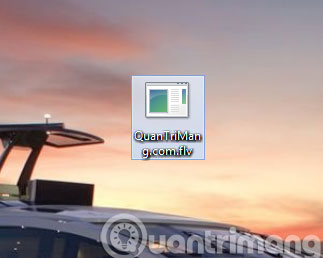
<p style="text-align: justify;">FLV (Flash Video) là một định dạng video được phát triển bởi hãng Adobe Systems, với ưu điểm ít tốn băng thông đường truyền nên được sử dụng rộng rãi trên mạng Internet (<em>trên YouTube và nhiều trang web chia sẻ video khác</em>).</p>

<div style="text-align: justify;">&nbsp;</div>

<h2 style="text-align: justify;">2. Làm thế nào để mở file FLV trên máy tính?</h2>

<p style="text-align: justify;"><img alt="Phần mềm K-Lite Codec Pack" data-i="1" data-src="https://st.quantrimang.com/photos/image/2015/12/11/FLV-klite-codec.jpg" data-was-processed="true" height="258" src="https://st.quantrimang.com/photos/image/2015/12/11/FLV-klite-codec.jpg" title="Phần mềm K-Lite Codec Pack" width="450" /></p>

<p style="text-align: justify;">Để mở file FLV, các bạn có thể sử dụng các phần mềm như&nbsp;<strong>Free FLV Player</strong>,&nbsp;<strong>K-Lite Codec Pack</strong>,&nbsp;<strong>Need4 Free FLV Player</strong>.</p>

<h2 style="text-align: justify;">3. Cách chuyển đổi file FLV</h2>

<figure>
<div style="text-align: justify;"><img alt="File FLV có thể chuyển đổi thành nhiều định dạng khác nhau" data-i="2" data-src="https://st.quantrimang.com/photos/image/2020/10/29/file-flv.jpg" data-was-processed="true" height="429" src="https://st.quantrimang.com/photos/image/2020/10/29/file-flv.jpg" width="650" /></div>

<figcaption>
<div style="text-align: justify;">File FLV có thể chuyển đổi thành nhiều định dạng khác nhau</div>
</figcaption>
</figure>

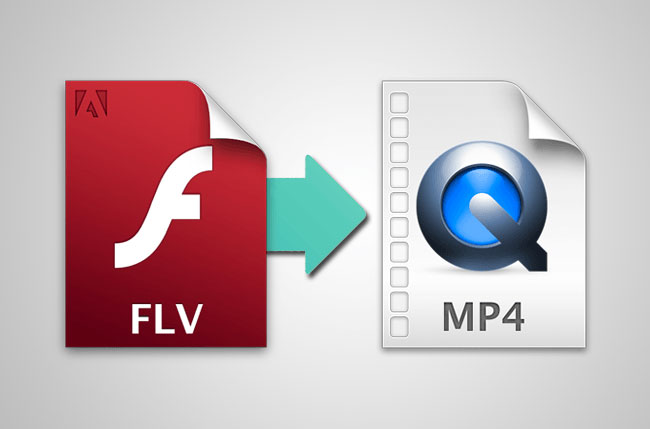
<p style="text-align: justify;">Hãy chuyển đổi file FLV sang định dạng khác nếu một thiết bị cụ thể, trình phát video, trang web, v.v..., không hỗ trợ FLV. Ví dụ, iOS không sử dụng Adobe Flash và do đó sẽ không phát các file FLV.</p>

<p style="text-align: justify;">Nhiều trình chuyển đổi file miễn phí chuyển đổi file FLV sang các định dạng khác có thể được nhận dạng bởi nhiều loại thiết bị và trình phát.&nbsp;<strong>Freemake Video Converter</strong>&nbsp;và<strong>&nbsp;Any Video Converter</strong>&nbsp;chuyển đổi FLV sang MP4, AVI, WMV và MP3, cùng nhiều định dạng file khác.</p>

<p style="text-align: justify;">Để chuyển đổi một file FLV nhỏ, hãy upload file đó lên&nbsp;<strong>Zamzar.com</strong>, một công cụ chuyển đổi file trực tuyến miễn phí. Các file FLV không chỉ có thể chuyển sang nhiều định dạng như MOV, 3GP, MP4, FLAC, AC3, AVI và GIF, v.v..., mà còn có thể chuyển sang một số preset video như PSP, iPhone, Kindle Fire, BlackBerry, Apple TV, DVD, v.v...</p>

<p style="text-align: justify;"><strong>CloudConvert.com</strong>&nbsp;là một công cụ chuyển đổi FLV trực tuyến miễn phí khác thực sự dễ sử dụng và hỗ trợ lưu các file FLV sang một số định dạng khác nhau, như SWF, MKV và RM.</p>

<div style="text-align: justify;">&nbsp;</div>

<h2 style="text-align: justify;">4. Thông tin thêm về định dạng file Flash Video</h2>

<p style="text-align: justify;">FLV không phải là định dạng file Flash Video duy nhất. Các ứng dụng khác có thể sử dụng phần mở rộng file F4V, F4A, F4B hoặc F4P để biểu thị Flash Video.</p>

<p style="text-align: justify;">Một số trang web cung cấp nội dung phát trực tuyến, như Facebook, Netflix, YouTube, Hulu, v.v..., từng hỗ trợ Flash làm định dạng file video mặc định, nhưng đã chuyển đổi hoặc loại bỏ hoàn toàn. Tất cả các file Flash Video được chuyển sang định dạng HTML5 mới hơn.</p>

<p style="text-align: justify;">Thay đổi này được thúc đẩy bởi thực tế là Adobe sẽ không còn hỗ trợ Flash sau năm 2020. Ngoài ra, vì Flash không được hỗ trợ trên một số thiết bị, nên cần phải cài đặt plugin trình duyệt để nội dung Flash phát trong trang web. Việc cập nhật nội dung Flash mất nhiều thời gian hơn so với các định dạng khác như HTML5.</p>
		</div>
				<div id="author">
						<p>
				<strong>Nguồn tin:</strong>
				Quantrimang.com
			</p>
		</div>
	</div>
	<div id="footer" class="clearfix">
		<div id="url">
			<strong>URL của bản tin này: </strong><a href="https://www.nguoicodonvn2008.info/vi/news/savefile/kien-thuc-may-tinh/file-flv-la-gi-lam-the-nao-de-mo-file-flv-tren-may-tinh-2988.html" title="File FLV là gì? Làm thế nào để mở file FLV trên máy tính?">https://www.nguoicodonvn2008.info/vi/news/savefile/kien-thuc-may-tinh/file-flv-la-gi-lam-the-nao-de-mo-file-flv-tren-may-tinh-2988.html</a>

		</div>
		<div class="clear"></div>
		<div class="copyright">
			&copy; .&#x3A; Nguoicodonvn2008.info - Cõi lòng người cô đơn &#x3A;.
		</div>
		<div id="contact">
			<a href="mailto:admin@nguoicodonvn2008.info">admin@nguoicodonvn2008.info</a>
		</div>
	</div>
</div>
        <div id="timeoutsess" class="chromeframe">
            Bạn đã không sử dụng Site, <a onclick="timeoutsesscancel();" href="https://nguoicodonvn2008.info/#">Bấm vào đây để duy trì trạng thái đăng nhập</a>. Thời gian chờ: <span id="secField"> 60 </span> giây
        </div>
        <div id="openidResult" class="nv-alert" style="display:none"></div>
        <div id="openidBt" data-result="" data-redirect=""></div>
		</script>
		<div class="car-top">
  <span><img src="https://nguoicodonvn2008.info/themes/default/images/car.png" alt=""></span>
</div>
<div id="run_cronjobs" style="visibility:hidden;display:none;"><img alt="cron" src="/index.php?second=cronjobs&amp;p=u8xk82MQ" width="1" height="1" /></div>
<script src="https://nguoicodonvn2008.info/assets/js/jquery/jquery.min.js"></script>
<script>var nv_base_siteurl="/",nv_lang_data="vi",nv_lang_interface="vi",nv_name_variable="nv",nv_fc_variable="op",nv_lang_variable="language",nv_module_name="news",nv_func_name="savefile",nv_is_user=0, nv_my_ofs=-4,nv_my_abbr="EDT",nv_cookie_prefix="nv4c_e856T",nv_check_pass_mstime=1738000,nv_area_admin=0,nv_safemode=0,theme_responsive=0,nv_recaptcha_ver=2,nv_recaptcha_sitekey="",nv_recaptcha_type="image",XSSsanitize=1;</script>
<script src="https://nguoicodonvn2008.info/assets/js/language/vi.js"></script>
<script src="https://nguoicodonvn2008.info/assets/js/DOMPurify/purify3.js"></script>
<script src="https://nguoicodonvn2008.info/assets/js/global.js"></script>
<script src="https://nguoicodonvn2008.info/assets/js/site.js"></script>
<script src="https://nguoicodonvn2008.info/themes/default/js/news.js"></script>
<script src="https://nguoicodonvn2008.info/themes/default/js/main.js"></script>
<script src="https://nguoicodonvn2008.info/themes/default/js/custom.js"></script>
<script type="application/ld+json">
        {
            "@context": "https://schema.org",
            "@type": "Organization",
            "url": "https://nguoicodonvn2008.info",
            "logo": "https://nguoicodonvn2008.info/uploads/angel.gif"
        }
        </script>
<script src="https://nguoicodonvn2008.info/themes/default/js/bootstrap.min.js"></script>
<script type="text/javascript">
var $scrolltop = $('.car-top');
$scrolltop.on('click', function () {
    $('html,body').animate({
        scrollTop: 0
    }, 800);
    $(this).addClass("car-run");
    setTimeout(function(){ $scrolltop.removeClass('car-run');}, 1000);
    return false;
});
$(window).on('scroll', function ()
{ 
    if($(window).scrollTop() >= 200)
    {
        $scrolltop.addClass("show");
        $scrolltop.addClass("car-down");
    }
    else
    {
       $scrolltop.removeClass("show");
       setTimeout(function(){ $scrolltop.removeClass('car-down');}, 300);
    }
});
</script>
</body>
</html>