<!DOCTYPE html>
    <html lang="vi" xmlns="http://www.w3.org/1999/xhtml" prefix="og: http://ogp.me/ns#">
    <head>
<title>Cấu trúc trong Golang</title>
<meta name="description" content="Cấu trúc trong Golang - Savefile - Tin Tức - https&#x3A;&#x002F;&#x002F;www.nguoicodonvn2008.info&#x002F;vi&#x002F;news&#x002F;savefile&#x002F;kien-thuc-may-tinh&#x002F;cau-truc-trong-golang-10206.html">
<meta name="author" content=".: Nguoicodonvn2008.info - Cõi lòng người cô đơn :.">
<meta name="copyright" content=".: Nguoicodonvn2008.info - Cõi lòng người cô đơn :. [admin@nguoicodonvn2008.info]">
<meta name="robots" content="index, archive, follow, noodp">
<meta name="googlebot" content="index,archive,follow,noodp">
<meta name="msnbot" content="all,index,follow">
<meta name="generator" content="NukeViet v4.5">
<meta http-equiv="Content-Type" content="text/html; charset=utf-8">
<meta property="og:title" content="Cấu trúc trong Golang">
<meta property="og:type" content="website">
<meta property="og:description" content="Savefile - Tin Tức - https&#x3A;&#x002F;&#x002F;www.nguoicodonvn2008.info&#x002F;vi&#x002F;news&#x002F;savefile&#x002F;kien-thuc-may-tinh&#x002F;cau-truc-trong-golang-10206.html">
<meta property="og:site_name" content=".&#x3A; Nguoicodonvn2008.info - Cõi lòng người cô đơn &#x3A;.">
<meta property="og:url" content="https://www.nguoicodonvn2008.info/vi/news/savefile/kien-thuc-may-tinh/cau-truc-trong-golang-10206.html">
<link rel="shortcut icon" href="https://nguoicodonvn2008.info/favicon.ico">
<link rel="canonical" href="https://www.nguoicodonvn2008.info/vi/news/savefile/kien-thuc-may-tinh/cau-truc-trong-golang-10206.html">
<link rel="alternate" href="https://nguoicodonvn2008.info/vi/news/rss/" title="Tin Tức" type="application/rss+xml">
<link rel="alternate" href="https://nguoicodonvn2008.info/vi/news/rss/karaoke-dual/" title="Tin Tức - Karaoke Dual" type="application/rss+xml">
<link rel="alternate" href="https://nguoicodonvn2008.info/vi/news/rss/nhac-tre/" title="Tin Tức - Nhạc trẻ" type="application/rss+xml">
<link rel="alternate" href="https://nguoicodonvn2008.info/vi/news/rss/tru-tinh/" title="Tin Tức - Trữ tình" type="application/rss+xml">
<link rel="alternate" href="https://nguoicodonvn2008.info/vi/news/rss/nuoc-ngoai/" title="Tin Tức - Nước ngoài" type="application/rss+xml">
<link rel="alternate" href="https://nguoicodonvn2008.info/vi/news/rss/remix/" title="Tin Tức - Remix" type="application/rss+xml">
<link rel="alternate" href="https://nguoicodonvn2008.info/vi/news/rss/tam-su-tinh-yeu/" title="Tin Tức - Tâm sự tình yêu" type="application/rss+xml">
<link rel="alternate" href="https://nguoicodonvn2008.info/vi/news/rss/tho-suu-tam/" title="Tin Tức - Thơ sưu tầm" type="application/rss+xml">
<link rel="alternate" href="https://nguoicodonvn2008.info/vi/news/rss/cuoc-song/" title="Tin Tức - Cuộc sống" type="application/rss+xml">
<link rel="alternate" href="https://nguoicodonvn2008.info/vi/news/rss/phan-mem/" title="Tin Tức - Phần mềm" type="application/rss+xml">
<link rel="alternate" href="https://nguoicodonvn2008.info/vi/news/rss/kien-thuc-may-tinh/" title="Tin Tức - Kiến thức máy tính" type="application/rss+xml">
<link rel="alternate" href="https://nguoicodonvn2008.info/vi/news/rss/hoc-tap/" title="Tin Tức - Học tập" type="application/rss+xml">
<link rel="alternate" href="https://nguoicodonvn2008.info/vi/news/rss/tai-lieu/" title="Tin Tức - Tài liệu" type="application/rss+xml">
<link rel="alternate" href="https://nguoicodonvn2008.info/vi/news/rss/de-thi/" title="Tin Tức - Đề thi" type="application/rss+xml">
<link rel="preload" as="style" href="https://nguoicodonvn2008.info/assets/css/font-awesome.min.css" type="text/css">
<link rel="preload" as="style" href="https://nguoicodonvn2008.info/themes/default/css/bootstrap.non-responsive.css" type="text/css">
<link rel="preload" as="style" href="https://nguoicodonvn2008.info/themes/default/css/style.css" type="text/css">
<link rel="preload" as="style" href="https://nguoicodonvn2008.info/themes/default/css/style.non-responsive.css" type="text/css">
<link rel="preload" as="style" href="https://nguoicodonvn2008.info/themes/default/css/news.css" type="text/css">
<link rel="preload" as="style" href="https://nguoicodonvn2008.info/themes/default/css/custom.css" type="text/css">
<link rel="preload" as="script" href="https://nguoicodonvn2008.info/assets/js/jquery/jquery.min.js" type="text/javascript">
<link rel="preload" as="script" href="https://nguoicodonvn2008.info/assets/js/language/vi.js" type="text/javascript">
<link rel="preload" as="script" href="https://nguoicodonvn2008.info/assets/js/DOMPurify/purify3.js" type="text/javascript">
<link rel="preload" as="script" href="https://nguoicodonvn2008.info/assets/js/global.js" type="text/javascript">
<link rel="preload" as="script" href="https://nguoicodonvn2008.info/assets/js/site.js" type="text/javascript">
<link rel="preload" as="script" href="https://nguoicodonvn2008.info/themes/default/js/news.js" type="text/javascript">
<link rel="preload" as="script" href="https://nguoicodonvn2008.info/themes/default/js/main.js" type="text/javascript">
<link rel="preload" as="script" href="https://nguoicodonvn2008.info/themes/default/js/custom.js" type="text/javascript">
<link rel="preload" as="script" href="https://nguoicodonvn2008.info/themes/default/js/bootstrap.min.js" type="text/javascript">
<link rel="stylesheet" href="https://nguoicodonvn2008.info/assets/css/font-awesome.min.css">
<link rel="stylesheet" href="https://nguoicodonvn2008.info/themes/default/css/bootstrap.non-responsive.css">
<link rel="stylesheet" href="https://nguoicodonvn2008.info/themes/default/css/style.css">
<link rel="stylesheet" href="https://nguoicodonvn2008.info/themes/default/css/style.non-responsive.css">
<link rel="StyleSheet" href="https://nguoicodonvn2008.info/themes/default/css/news.css">
<link rel="stylesheet" href="https://nguoicodonvn2008.info/themes/default/css/custom.css">
<style type="text/css">
	body{background: #fff;}
</style>
    </head>
    <body>
<div id="print">
	<div id="hd_print">
		<h2 class="pull-left">.&#x3A; Nguoicodonvn2008.info - Cõi lòng người cô đơn &#x3A;.</h2>
		<p class="pull-right"><a title=".&#x3A; Nguoicodonvn2008.info - Cõi lòng người cô đơn &#x3A;." href="https://nguoicodonvn2008.info/">https://nguoicodonvn2008.info</a></p>
	</div>
	<div class="clear"></div>
	<hr />
	<div id="content">
		<h1>Cấu trúc trong Golang</h1>
		<ul class="list-inline">
			<li>Thứ năm - 17/04/2025 00:28</li>
			<li class="hidden-print txtrequired"><em class="fa fa-print">&nbsp;</em><a title="In ra" href="javascript:;" onclick="window.print()">In ra</a></li>
			<li class="hidden-print txtrequired"><em class="fa fa-power-off">&nbsp;</em><a title="Đóng cửa sổ này" href="javascript:;" onclick="window.close()">Đóng cửa sổ này</a></li>
		</ul>
		<div class="clear"></div>
		<div id="hometext">
		</div>
				<div class="imghome">
			<img alt="Cấu trúc trong Golang" src="https://st.quantrimang.com/photos/image/2025/04/16/Golang-struct-7.jpg" width="460" class="img-thumbnail" />
		</div>
		<div class="clear"></div>
		<div id="bodytext" class="clearfix">
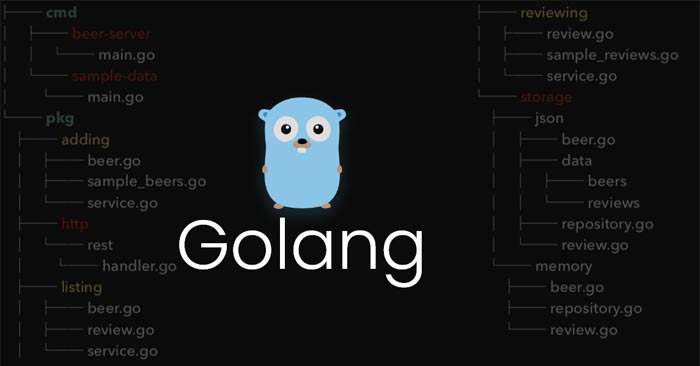
			<h1 style="text-align: justify;"><strong>Cấu trúc hoặc struct trong&nbsp;Golang&nbsp;</strong>là một kiểu do người dùng định nghĩa cho phép nhóm/kết hợp các mục có thể có các kiểu khác nhau thành một kiểu duy nhất. Bất kỳ thực thể nào trong thế giới thực có một số thuộc tính/trường nào đó đều có thể được biểu diễn dưới dạng&nbsp;<em>struct</em>. Khái niệm này thường được so sánh với các lớp trong lập trình hướng đối tượng.</h1>

<p style="text-align: justify;"><img alt="Struct trong Golang" data-i="0" data-src="https://st.quantrimang.com/photos/image/2025/04/16/Golang-struct-7.jpg" data-was-processed="true" height="340" src="https://st.quantrimang.com/photos/image/2025/04/16/Golang-struct-7.jpg" width="650" /></p>

<p style="text-align: justify;">Nó có thể được gọi là một lớp nhẹ không hỗ trợ kế thừa nhưng hỗ trợ thành phần. Ví dụ, một địa chỉ có tên, phố, thành phố, tiểu bang, mã pin. Việc nhóm ba thuộc tính này thành một địa chỉ cấu trúc duy nhất như được hiển thị bên dưới là hợp lý.</p>

<pre id="pre0" style="text-align: justify;">
 type Address struct {
      name string 
      street string
      city string
      state string
      Pincode int
}</pre>

<p style="text-align: justify;">Ở trên, từ khóa&nbsp;<strong>type&nbsp;</strong>giới thiệu một kiểu mới. Theo sau là tên của kiểu (Address) và từ khóa struct để minh họa rằng chúng ta đang định nghĩa một<em>&nbsp;struct</em>. Struct chứa danh sách các trường khác nhau bên trong dấu ngoặc nhọn. Mỗi trường có một tên và một kiểu.</p>

<p style="text-align: justify;">Lưu ý: Bạn cũng có thể làm cho chúng gọn lại bằng cách kết hợp các trường khác nhau với cùng kiểu như trong ví dụ bên dưới:</p>

<pre id="pre1" style="text-align: justify;">
type Address struct {
    name, street, city, state string
    Pincode int
}</pre>

<p style="text-align: justify;"><strong>Để định nghĩa một cấu trúc:&nbsp;</strong>Bạn dùng cú pháp khai báo sau:</p>

<pre id="pre2" style="text-align: justify;">
var a Address</pre>

<p style="text-align: justify;">Đoạn code trên tạo ra một biến có kiểu<em>&nbsp;Address</em>, theo mặc định được đặt thành zero. Đối với một&nbsp;<em>struct</em>,<em>&nbsp;zero</em>&nbsp;có nghĩa là tất cả các trường được đặt thành giá trị zero tương ứng của chúng. Vì vậy, các trường&nbsp;<em>name, street, city, state</em>&nbsp;được đặt thành&nbsp;<em>“”</em>, và Pincode được đặt thành<em>&nbsp;0</em>. Bạn cũng có thể khởi tạo một biến có kiểu&nbsp;<em>struct</em>&nbsp;bằng cách sử dụng<em>&nbsp;struct literal&nbsp;</em>như minh họa bên dưới:</p>

<pre id="pre3" style="text-align: justify;">
var a = Address{&quot;Akshay&quot;, &quot;PremNagar&quot;, &quot;Dehradun&quot;, &quot;Uttarakhand&quot;, 252636}</pre>

<p style="text-align: justify;"><strong>Lưu ý:</strong></p>

<ul>
	<li style="text-align: justify;">Luôn truyền các giá trị trường theo cùng thứ tự mà chúng được khai báo trong struct. Ngoài ra, bạn không thể khởi tạo chỉ một tập hợp con các trường với cú pháp trên.</li>
	<li style="text-align: justify;">Go cũng hỗ trợ cú pháp&nbsp;<em>name: value</em>&nbsp;để khởi tạo một&nbsp;<em>struct&nbsp;</em>(thứ tự các trường không liên quan khi sử dụng cú pháp này). Và điều này cho phép bạn chỉ khởi tạo một tập hợp con các trường. Tất cả các trường chưa được khởi tạo được đặt thành giá trị số không tương ứng của chúng. Ví dụ:</li>
</ul>

<pre id="pre4" style="text-align: justify;">
var a = Address{Name:”Akshay”, street:”PremNagar”, state:”Uttarakhand”, Pincode:252636} //city:””</pre>

<pre id="pre5" style="text-align: justify;">
// Chương trình Go cho thấy cách
// khai báo và định nghĩa cấu trúc

package main

import &quot;fmt&quot;

// Định nghĩa một kiểu struct
type Address struct {
	Name string
	city string
	Pincode int
}

func main() {

	// Khai báo một biến của kiểu `struct` 
	// Khởi tạo toàn bộ các trường struct
	// với giá trị zero của chúng
	var a Address 
	fmt.Println(a)

	// Khai báo và khởi tạo một struct
	// bằng một struct literal
	a1 := Address{&quot;Akshay&quot;, &quot;Dehradun&quot;, 3623572}

	fmt.Println(&quot;Address1: &quot;, a1)

	// Đặt tên các trường trong khi  
	// khởi tạo một struct
	a2 := Address{Name: &quot;Anikaa&quot;, city: &quot;Ballia&quot;,
								Pincode: 277001}

	fmt.Println(&quot;Address2: &quot;, a2)

	// Các trường chưa được khởi tạo được đặt thành
	// giá trị zero tương ứng của chúng
	a3 := Address{Name: &quot;Delhi&quot;}
	fmt.Println(&quot;Address3: &quot;, a3)
}
</pre>

<p style="text-align: justify;">Kết quả:</p>

<pre id="pre6" style="text-align: justify;">
{  0}
Address1:  {Akshay Dehradun 3623572}
Address2:  {Anikaa Ballia 277001}
Address3:  {Delhi  0}</pre>

<h3 style="text-align: justify;">Cách truy cập các trường của một struct</h3>

<p style="text-align: justify;">Để truy cập vào từng trường riêng lẻ của một struct, bạn phải sử dụng toán tử dot (.).</p>

<p style="text-align: justify;">Ví dụ:</p>

<pre id="pre7" style="text-align: justify;">
// Golang program to show how to
// access the fields of struct
package main

import &quot;fmt&quot;

// defining the struct
type Car struct {
	Name, Model, Color string
	WeightInKg		 float64
}

// Hàm chính
func main() {
	c := Car{Name: &quot;Ferrari&quot;, Model: &quot;GTC4&quot;,
			Color: &quot;Red&quot;, WeightInKg: 1920}

	// Truy cập các trường struct
	// dùng toán tử dot
	fmt.Println(&quot;Car Name: &quot;, c.Name)
	fmt.Println(&quot;Car Color: &quot;, c.Color)

	// Gán một giá trị mới
	// cho trường struct
	c.Color = &quot;Black&quot;
	// Hiện kết quả
	fmt.Println(&quot;Car: &quot;, c)
}
</pre>

<p style="text-align: justify;">Kết quả:</p>

<pre id="pre8" style="text-align: justify;">
Car Name:  Ferrari
Car Color:  Red
Car:  {Ferrari GTC4 Black 1920}
Pointers to a s</pre>

<h3 style="text-align: justify;">Con trỏ tới một struct</h3>

<p style="text-align: justify;">Con trỏ trong ngôn ngữ lập trình Go hoặc Golang là một biến được sử dụng để lưu trữ địa chỉ bộ nhớ của một biến khác. Bạn cũng có thể tạo một con trỏ đến một struct như trong ví dụ dưới đây:</p>

<pre id="pre9" style="text-align: justify;">
// Golang program to illustrate
// the pointer to struct
package main

import &quot;fmt&quot;

// định nghĩa một cấu trúc
type Employee struct {
	firstName, lastName string
	age, salary int
}

func main() {

	// chuyển địa chỉ của biến struct
	// emp8 là một con trỏ tới struct Employee 
	emp8 := &amp;Employee{&quot;Sam&quot;, &quot;Anderson&quot;, 55, 6000}

	// (*emp8).firstName là cú pháp để truy cập
	// trường firstName của struct emp8 
	fmt.Println(&quot;First Name:&quot;, (*emp8).firstName)
	fmt.Println(&quot;Age:&quot;, (*emp8).age)
}
</pre>

<p style="text-align: justify;">Kết quả:</p>

<pre id="pre10" style="text-align: justify;">
First Name: Sam
Age: 55</pre>

<p style="text-align: justify;">Golang cung cấp cho chúng ta tùy chọn sử dụng emp8.firstName thay vì tham chiếu rõ ràng (*emp8).firstName để truy cập trường firstName. Ví dụ để hiển thị điều này như sau:</p>

<pre id="pre11" style="text-align: justify;">
// Chương trình Go minh họa
// con trỏ tới struct
package main

import &quot;fmt&quot;

// Định nghĩa một struct
type Employee struct {
	firstName, lastName string
	age, salary		 int
}

// Hàm chính
func main() {

	// dẫn con trỏ tới struct
	emp8 := &amp;Employee{&quot;Sam&quot;, &quot;Anderson&quot;, 55, 6000}

	// emp8.firstName được dùng để truy cập
	// ttrường firstName
	fmt.Println(&quot;First Name: &quot;, emp8.firstName)
	fmt.Println(&quot;Age: &quot;, emp8.age)
}
</pre>

<p style="text-align: justify;">Kết quả:</p>

<pre id="pre12" style="text-align: justify;">
First Name:  Sam
Age:  55</pre>

<p style="text-align: justify;">Trong Go, một cấu trúc là một kiểu dữ liệu tổng hợp nhóm lại với nhau không hoặc nhiều giá trị của các kiểu khác nhau. Các cấu trúc được định nghĩa bằng từ khóa&nbsp;<em>type</em>, theo sau là tên của kiểu mới và từ khóa<em>&nbsp;struct</em>. Sau đây là một ví dụ:</p>

<p style="text-align: justify;">Trong ví dụ này, chúng ta định nghĩa một kiểu&nbsp;<em>Person&nbsp;</em>mới có ba trường:&nbsp;<em>Name&nbsp;</em>kiểu<em>&nbsp;string</em>,&nbsp;<em>Age</em>&nbsp;kiểu<em>&nbsp;int</em>&nbsp;và&nbsp;<em>Address</em>&nbsp;kiểu&nbsp;<em>string</em>. Sau đó, chúng ta có thể tạo các thể hiện mới của kiểu&nbsp;<em>Person&nbsp;</em>và đặt giá trị cho các trường của nó:</p>

<pre id="pre13" style="text-align: justify;">
func main() {
	person := Person{
		Name: &quot;John Doe&quot;,
		Age:	 30,
		Address: &quot;123 Main St&quot;,
	}
	fmt.Println(person)
}
</pre>

<p style="text-align: justify;">Kết quả:</p>

<pre id="pre14" style="text-align: justify;">
{John Doe 30 123 Main St}</pre>
		</div>
				<div id="author">
						<p>
				<strong>Nguồn tin:</strong>
				Quantrimang.com:
			</p>
		</div>
	</div>
	<div id="footer" class="clearfix">
		<div id="url">
			<strong>URL của bản tin này: </strong><a href="https://www.nguoicodonvn2008.info/vi/news/savefile/kien-thuc-may-tinh/cau-truc-trong-golang-10206.html" title="Cấu trúc trong Golang">https://www.nguoicodonvn2008.info/vi/news/savefile/kien-thuc-may-tinh/cau-truc-trong-golang-10206.html</a>

		</div>
		<div class="clear"></div>
		<div class="copyright">
			&copy; .&#x3A; Nguoicodonvn2008.info - Cõi lòng người cô đơn &#x3A;.
		</div>
		<div id="contact">
			<a href="mailto:admin@nguoicodonvn2008.info">admin@nguoicodonvn2008.info</a>
		</div>
	</div>
</div>
        <div id="timeoutsess" class="chromeframe">
            Bạn đã không sử dụng Site, <a onclick="timeoutsesscancel();" href="https://nguoicodonvn2008.info/#">Bấm vào đây để duy trì trạng thái đăng nhập</a>. Thời gian chờ: <span id="secField"> 60 </span> giây
        </div>
        <div id="openidResult" class="nv-alert" style="display:none"></div>
        <div id="openidBt" data-result="" data-redirect=""></div>
		</script>
		<div class="car-top">
  <span><img src="https://nguoicodonvn2008.info/themes/default/images/car.png" alt=""></span>
</div>
<script src="https://nguoicodonvn2008.info/assets/js/jquery/jquery.min.js"></script>
<script>var nv_base_siteurl="/",nv_lang_data="vi",nv_lang_interface="vi",nv_name_variable="nv",nv_fc_variable="op",nv_lang_variable="language",nv_module_name="news",nv_func_name="savefile",nv_is_user=0, nv_my_ofs=-4,nv_my_abbr="EDT",nv_cookie_prefix="nv4c_e856T",nv_check_pass_mstime=1738000,nv_area_admin=0,nv_safemode=0,theme_responsive=0,nv_recaptcha_ver=2,nv_recaptcha_sitekey="",nv_recaptcha_type="image",XSSsanitize=1;</script>
<script src="https://nguoicodonvn2008.info/assets/js/language/vi.js"></script>
<script src="https://nguoicodonvn2008.info/assets/js/DOMPurify/purify3.js"></script>
<script src="https://nguoicodonvn2008.info/assets/js/global.js"></script>
<script src="https://nguoicodonvn2008.info/assets/js/site.js"></script>
<script src="https://nguoicodonvn2008.info/themes/default/js/news.js"></script>
<script src="https://nguoicodonvn2008.info/themes/default/js/main.js"></script>
<script src="https://nguoicodonvn2008.info/themes/default/js/custom.js"></script>
<script type="application/ld+json">
        {
            "@context": "https://schema.org",
            "@type": "Organization",
            "url": "https://nguoicodonvn2008.info",
            "logo": "https://nguoicodonvn2008.info/uploads/angel.gif"
        }
        </script>
<script src="https://nguoicodonvn2008.info/themes/default/js/bootstrap.min.js"></script>
<script type="text/javascript">
var $scrolltop = $('.car-top');
$scrolltop.on('click', function () {
    $('html,body').animate({
        scrollTop: 0
    }, 800);
    $(this).addClass("car-run");
    setTimeout(function(){ $scrolltop.removeClass('car-run');}, 1000);
    return false;
});
$(window).on('scroll', function ()
{ 
    if($(window).scrollTop() >= 200)
    {
        $scrolltop.addClass("show");
        $scrolltop.addClass("car-down");
    }
    else
    {
       $scrolltop.removeClass("show");
       setTimeout(function(){ $scrolltop.removeClass('car-down');}, 300);
    }
});
</script>
</body>
</html>