<!DOCTYPE html>
    <html lang="vi" xmlns="http://www.w3.org/1999/xhtml" prefix="og: http://ogp.me/ns#">
    <head>
<title>Cách xóa an toàn các flie nhạy cảm trên Windows 11</title>
<meta name="description" content="Cách xóa an toàn các flie nhạy cảm trên Windows 11 - Savefile - Tin Tức -...">
<meta name="author" content=".: Nguoicodonvn2008.info - Cõi lòng người cô đơn :.">
<meta name="copyright" content=".: Nguoicodonvn2008.info - Cõi lòng người cô đơn :. [admin@nguoicodonvn2008.info]">
<meta name="robots" content="index, archive, follow, noodp">
<meta name="googlebot" content="index,archive,follow,noodp">
<meta name="msnbot" content="all,index,follow">
<meta name="generator" content="NukeViet v4.5">
<meta http-equiv="Content-Type" content="text/html; charset=utf-8">
<meta property="og:title" content="Cách xóa an toàn các flie nhạy cảm trên Windows 11">
<meta property="og:type" content="website">
<meta property="og:description" content="Savefile - Tin Tức - https&#x3A;&#x002F;&#x002F;www.nguoicodonvn2008.info&#x002F;vi&#x002F;news&#x002F;savefile&#x002F;kien-thuc-may-tinh&#x002F;cach-xoa-an-toan-cac-flie-nhay-cam-tren-windows-11-9432.html">
<meta property="og:site_name" content=".&#x3A; Nguoicodonvn2008.info - Cõi lòng người cô đơn &#x3A;.">
<meta property="og:url" content="https://www.nguoicodonvn2008.info/vi/news/savefile/kien-thuc-may-tinh/cach-xoa-an-toan-cac-flie-nhay-cam-tren-windows-11-9432.html">
<link rel="shortcut icon" href="https://nguoicodonvn2008.info/favicon.ico">
<link rel="canonical" href="https://www.nguoicodonvn2008.info/vi/news/savefile/kien-thuc-may-tinh/cach-xoa-an-toan-cac-flie-nhay-cam-tren-windows-11-9432.html">
<link rel="alternate" href="https://nguoicodonvn2008.info/vi/news/rss/" title="Tin Tức" type="application/rss+xml">
<link rel="alternate" href="https://nguoicodonvn2008.info/vi/news/rss/karaoke-dual/" title="Tin Tức - Karaoke Dual" type="application/rss+xml">
<link rel="alternate" href="https://nguoicodonvn2008.info/vi/news/rss/nhac-tre/" title="Tin Tức - Nhạc trẻ" type="application/rss+xml">
<link rel="alternate" href="https://nguoicodonvn2008.info/vi/news/rss/tru-tinh/" title="Tin Tức - Trữ tình" type="application/rss+xml">
<link rel="alternate" href="https://nguoicodonvn2008.info/vi/news/rss/nuoc-ngoai/" title="Tin Tức - Nước ngoài" type="application/rss+xml">
<link rel="alternate" href="https://nguoicodonvn2008.info/vi/news/rss/remix/" title="Tin Tức - Remix" type="application/rss+xml">
<link rel="alternate" href="https://nguoicodonvn2008.info/vi/news/rss/tam-su-tinh-yeu/" title="Tin Tức - Tâm sự tình yêu" type="application/rss+xml">
<link rel="alternate" href="https://nguoicodonvn2008.info/vi/news/rss/tho-suu-tam/" title="Tin Tức - Thơ sưu tầm" type="application/rss+xml">
<link rel="alternate" href="https://nguoicodonvn2008.info/vi/news/rss/cuoc-song/" title="Tin Tức - Cuộc sống" type="application/rss+xml">
<link rel="alternate" href="https://nguoicodonvn2008.info/vi/news/rss/phan-mem/" title="Tin Tức - Phần mềm" type="application/rss+xml">
<link rel="alternate" href="https://nguoicodonvn2008.info/vi/news/rss/kien-thuc-may-tinh/" title="Tin Tức - Kiến thức máy tính" type="application/rss+xml">
<link rel="alternate" href="https://nguoicodonvn2008.info/vi/news/rss/hoc-tap/" title="Tin Tức - Học tập" type="application/rss+xml">
<link rel="alternate" href="https://nguoicodonvn2008.info/vi/news/rss/tai-lieu/" title="Tin Tức - Tài liệu" type="application/rss+xml">
<link rel="alternate" href="https://nguoicodonvn2008.info/vi/news/rss/de-thi/" title="Tin Tức - Đề thi" type="application/rss+xml">
<link rel="preload" as="style" href="https://nguoicodonvn2008.info/assets/css/font-awesome.min.css" type="text/css">
<link rel="preload" as="style" href="https://nguoicodonvn2008.info/themes/default/css/bootstrap.non-responsive.css" type="text/css">
<link rel="preload" as="style" href="https://nguoicodonvn2008.info/themes/default/css/style.css" type="text/css">
<link rel="preload" as="style" href="https://nguoicodonvn2008.info/themes/default/css/style.non-responsive.css" type="text/css">
<link rel="preload" as="style" href="https://nguoicodonvn2008.info/themes/default/css/news.css" type="text/css">
<link rel="preload" as="style" href="https://nguoicodonvn2008.info/themes/default/css/custom.css" type="text/css">
<link rel="preload" as="script" href="https://nguoicodonvn2008.info/assets/js/jquery/jquery.min.js" type="text/javascript">
<link rel="preload" as="script" href="https://nguoicodonvn2008.info/assets/js/language/vi.js" type="text/javascript">
<link rel="preload" as="script" href="https://nguoicodonvn2008.info/assets/js/DOMPurify/purify3.js" type="text/javascript">
<link rel="preload" as="script" href="https://nguoicodonvn2008.info/assets/js/global.js" type="text/javascript">
<link rel="preload" as="script" href="https://nguoicodonvn2008.info/assets/js/site.js" type="text/javascript">
<link rel="preload" as="script" href="https://nguoicodonvn2008.info/themes/default/js/news.js" type="text/javascript">
<link rel="preload" as="script" href="https://nguoicodonvn2008.info/themes/default/js/main.js" type="text/javascript">
<link rel="preload" as="script" href="https://nguoicodonvn2008.info/themes/default/js/custom.js" type="text/javascript">
<link rel="preload" as="script" href="https://nguoicodonvn2008.info/themes/default/js/bootstrap.min.js" type="text/javascript">
<link rel="stylesheet" href="https://nguoicodonvn2008.info/assets/css/font-awesome.min.css">
<link rel="stylesheet" href="https://nguoicodonvn2008.info/themes/default/css/bootstrap.non-responsive.css">
<link rel="stylesheet" href="https://nguoicodonvn2008.info/themes/default/css/style.css">
<link rel="stylesheet" href="https://nguoicodonvn2008.info/themes/default/css/style.non-responsive.css">
<link rel="StyleSheet" href="https://nguoicodonvn2008.info/themes/default/css/news.css">
<link rel="stylesheet" href="https://nguoicodonvn2008.info/themes/default/css/custom.css">
<style type="text/css">
	body{background: #fff;}
</style>
    </head>
    <body>
<div id="print">
	<div id="hd_print">
		<h2 class="pull-left">.&#x3A; Nguoicodonvn2008.info - Cõi lòng người cô đơn &#x3A;.</h2>
		<p class="pull-right"><a title=".&#x3A; Nguoicodonvn2008.info - Cõi lòng người cô đơn &#x3A;." href="https://nguoicodonvn2008.info/">https://nguoicodonvn2008.info</a></p>
	</div>
	<div class="clear"></div>
	<hr />
	<div id="content">
		<h1>Cách xóa an toàn các flie nhạy cảm trên Windows 11</h1>
		<ul class="list-inline">
			<li>Thứ ba - 26/11/2024 22:45</li>
			<li class="hidden-print txtrequired"><em class="fa fa-print">&nbsp;</em><a title="In ra" href="javascript:;" onclick="window.print()">In ra</a></li>
			<li class="hidden-print txtrequired"><em class="fa fa-power-off">&nbsp;</em><a title="Đóng cửa sổ này" href="javascript:;" onclick="window.close()">Đóng cửa sổ này</a></li>
		</ul>
		<div class="clear"></div>
		<div id="hometext">
		</div>
				<div class="imghome">
			<img alt="Cách xóa an toàn các flie nhạy cảm trên Windows 11" src="https://st.quantrimang.com/photos/image/2024/11/27/xoa-an-toan-flie-tren-windows-112.jpg" width="460" class="img-thumbnail" />
		</div>
		<div class="clear"></div>
		<div id="bodytext" class="clearfix">
			<div class="ckeditor-html5-audio" style="text-align: center;">
<audio controls="controls" controlslist="nodownload" src="https://st.quantrimang.com/photos/media/2024/11/27/206125-20241127845.mp3">&nbsp;</audio>
</div>

<p style="text-align: justify;">Khi bạn yêu cầu Windows xóa một tệp, thường là bạn sẽ muốn tệp đó sẽ biến mất mãi mãi. Tuy nhiên, một một số ứng dụng, dịch vụ hỗ trợ phục hồi dữ liệu có thể khôi phục những tệp đó ngay cả khi bạn tưởng chừng nó đã bị xóa hoàn toàn. Vì vậy, điều quan trọng là phải biết cách xóa những tệp tin “nhạy cảm” này một cách triệt để, vĩnh viễn không thể khôi phục.</p>

<h2 style="text-align: justify;">Tại sao “Delete” nhưng lại không hẳn là xóa</h2>

<p style="text-align: justify;">Trên thực tế, khi bạn xóa một tệp trên Windows, tệp đó không biến mất khỏi ổ cứng của hệ thống ngay lập tức. Thay vào đó, Windows đánh dấu không gian lưu trữ của tệp là trống, báo hiệu rằng tệp đó có thể bị ghi đè bởi dữ liệu mới trong tương lai. Cho đến khi điều này xảy ra, các bit của tệp của bạn vẫn tồn tại trên ổ đĩa, giúp bạn có thể khôi phục chúng tương đối dễ dàng bằng các công cụ và kiến ​​thức phù hợp.</p>

<h2 style="text-align: justify;">Mã hóa file để ngăn chặn phục hồi</h2>

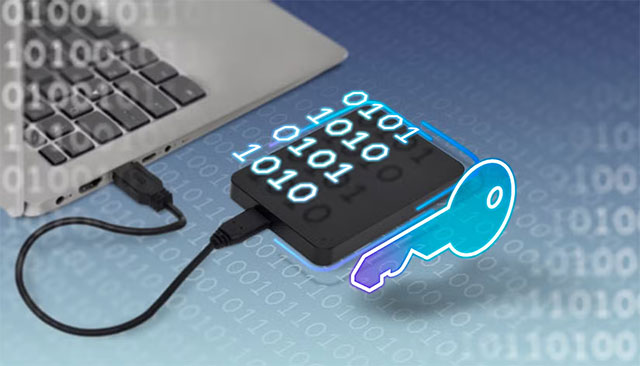
<p style="text-align: justify;">Một cách dễ dàng để giải quyết vấn đề này là mã hóa ổ cứng hoặc các tệp và thư mục riêng lẻ mà bạn muốn xóa. Bạn có thể sử dụng Bitlocker hoặc các ứng dụng của bên thứ ba như Veracrypt để thực hiện công việc. Điều này không giúp ngăn cản ai đó khôi phục dữ liệu đã xóa, nhưng tất cả đều vô nghĩa nếu không có key giải mã, vì vậy cũng có thể coi như là đã “đào sâu chôn chặt”.</p>

<p style="text-align: justify;"><img alt="Mã hóa file để ngăn chặn phục hồi" data-i="0" data-src="https://st.quantrimang.com/photos/image/2024/11/27/xoa-an-toan-flie-tren-windows-111.jpg" data-was-processed="true" height="366" src="https://st.quantrimang.com/photos/image/2024/11/27/xoa-an-toan-flie-tren-windows-111.jpg" width="640" /></p>

<div style="text-align: justify;">&nbsp;</div>

<h2 style="text-align: justify;">Lệnh Cipher ghi đè lên không gian trống</h2>

<p style="text-align: justify;">Windows có một công cụ tích hợp có tên là &quot;Cipher&quot; sẽ ghi đè lên tất cả không gian trống bằng dữ liệu ngẫu nhiên. Điều này ngăn không cho các tệp bị &quot;hủy xóa&quot;, mặc dù có thể mất nhiều thời gian nếu bạn có nhiều không gian trống, và bạn cũng không nên thực hiện trên ổ SSD vì sẽ làm tăng mức hao mòn. Cipher thực sự là một công cụ mã hóa, như tên gọi của nó, nhưng nếu bạn sử dụng công tắc &quot;/w&quot;, nó sẽ ghi đè lên không gian chưa phân bổ.</p>

<p style="text-align: justify;">Tất cả những gì bạn phải làm là mở ứng dụng Command Prompt hoặc Terminal với tư cách quản trị viên (admin) và nhập:</p>

<pre id="pre0" style="text-align: justify;">
cipher /w:c:</pre>

<p style="text-align: justify;">Thao tác này sẽ ghi đè lên toàn bộ dung lượng trống trên ổ C của bạn. Thay đổi ký tự ổ đĩa khi cần. Bạn cũng không cần phải thực hiện trên toàn bộ ổ đĩa, thay vào đó có thể sử dụng đường dẫn đầy đủ như &quot;C:\secretstuff&quot; sẽ nhanh hơn vì chỉ ghi đè lên những thứ đã bị xóa khỏi thư mục đó. Lưu ý rằng thao tác này chỉ hoạt động với các ổ đĩa sử dụng hệ thống tệp NTFS.</p>

<h2 style="text-align: justify;">Xóa an toàn toàn bộ ổ cứng</h2>

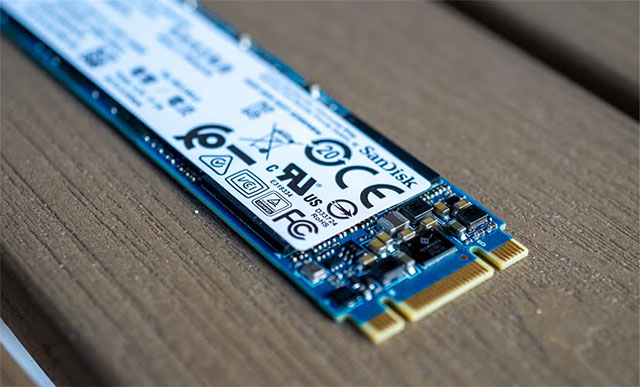
<p style="text-align: justify;">Đối với ổ SSD, phương pháp tốt nhất để đảm bảo dữ liệu không thể khôi phục được là chức năng &quot;xóa an toàn&quot;. Hiện tại, cách thức hoạt động của quá trình dọn dẹp ổ SSD (đặc biệt là lệnh TRIM) khiến dữ liệu đã xóa khó có thể khôi phục được, nhưng đôi khi bạn có thể tìm thấy chức năng xóa an toàn ổ SSD trong BIOS của máy tính, hoặc thậm chí tốt hơn là sử dụng phần mềm do nhà sản xuất ổ đĩa cung cấp.</p>

<div style="text-align: justify;"><br />
<img alt="Xóa an toàn toàn bộ ổ cứng" data-adbro-processed="true" data-i="1" data-src="https://st.quantrimang.com/photos/image/2024/11/27/xoa-an-toan-flie-tren-windows-112.jpg" data-was-processed="true" height="387" src="https://st.quantrimang.com/photos/image/2024/11/27/xoa-an-toan-flie-tren-windows-112.jpg" width="640" /><br />
&nbsp;&nbsp;&nbsp;</div>

<p style="text-align: justify;">Ví dụ, phần mềm Magician của Samsung cung cấp tùy chọn &quot;xóa an toàn&quot;. Trước khi sử dụng BIOS hoặc công cụ của bên thứ ba khác để xóa an toàn ổ SSD, hãy kiểm tra xem nhà sản xuất có cung cấp công cụ chính thức riêng cho mục đích này không.</p>

<h2 style="text-align: justify;">Hãy thử Recovery như một bài kiểm tra</h2>

<p style="text-align: justify;">Một bước kiểm tra cần thiết sau khi bạn đã xóa an toàn ổ cứng của mình là tự mình thử khôi phục tệp. Bạn có thể sử dụng một ứng dụng như Recuva để kiểm tra xem có tệp nào ở trạng thái có thể khôi phục không. Bạn không thực sự phải thực hiện khôi phục, chỉ cần kiểm tra xem phần mềm có tìm thấy bất kỳ thứ gì không.</p>

<div style="text-align: justify;">&nbsp;</div>
		</div>
				<div id="author">
						<p>
				<strong>Nguồn tin:</strong>
				Quantrimang.com:
			</p>
		</div>
	</div>
	<div id="footer" class="clearfix">
		<div id="url">
			<strong>URL của bản tin này: </strong><a href="https://www.nguoicodonvn2008.info/vi/news/savefile/kien-thuc-may-tinh/cach-xoa-an-toan-cac-flie-nhay-cam-tren-windows-11-9432.html" title="Cách xóa an toàn các flie nhạy cảm trên Windows 11">https://www.nguoicodonvn2008.info/vi/news/savefile/kien-thuc-may-tinh/cach-xoa-an-toan-cac-flie-nhay-cam-tren-windows-11-9432.html</a>

		</div>
		<div class="clear"></div>
		<div class="copyright">
			&copy; .&#x3A; Nguoicodonvn2008.info - Cõi lòng người cô đơn &#x3A;.
		</div>
		<div id="contact">
			<a href="mailto:admin@nguoicodonvn2008.info">admin@nguoicodonvn2008.info</a>
		</div>
	</div>
</div>
        <div id="timeoutsess" class="chromeframe">
            Bạn đã không sử dụng Site, <a onclick="timeoutsesscancel();" href="https://nguoicodonvn2008.info/#">Bấm vào đây để duy trì trạng thái đăng nhập</a>. Thời gian chờ: <span id="secField"> 60 </span> giây
        </div>
        <div id="openidResult" class="nv-alert" style="display:none"></div>
        <div id="openidBt" data-result="" data-redirect=""></div>
		</script>
		<div class="car-top">
  <span><img src="https://nguoicodonvn2008.info/themes/default/images/car.png" alt=""></span>
</div>
<script src="https://nguoicodonvn2008.info/assets/js/jquery/jquery.min.js"></script>
<script>var nv_base_siteurl="/",nv_lang_data="vi",nv_lang_interface="vi",nv_name_variable="nv",nv_fc_variable="op",nv_lang_variable="language",nv_module_name="news",nv_func_name="savefile",nv_is_user=0, nv_my_ofs=-4,nv_my_abbr="EDT",nv_cookie_prefix="nv4c_e856T",nv_check_pass_mstime=1738000,nv_area_admin=0,nv_safemode=0,theme_responsive=0,nv_recaptcha_ver=2,nv_recaptcha_sitekey="",nv_recaptcha_type="image",XSSsanitize=1;</script>
<script src="https://nguoicodonvn2008.info/assets/js/language/vi.js"></script>
<script src="https://nguoicodonvn2008.info/assets/js/DOMPurify/purify3.js"></script>
<script src="https://nguoicodonvn2008.info/assets/js/global.js"></script>
<script src="https://nguoicodonvn2008.info/assets/js/site.js"></script>
<script src="https://nguoicodonvn2008.info/themes/default/js/news.js"></script>
<script src="https://nguoicodonvn2008.info/themes/default/js/main.js"></script>
<script src="https://nguoicodonvn2008.info/themes/default/js/custom.js"></script>
<script type="application/ld+json">
        {
            "@context": "https://schema.org",
            "@type": "Organization",
            "url": "https://nguoicodonvn2008.info",
            "logo": "https://nguoicodonvn2008.info/uploads/angel.gif"
        }
        </script>
<script src="https://nguoicodonvn2008.info/themes/default/js/bootstrap.min.js"></script>
<script type="text/javascript">
var $scrolltop = $('.car-top');
$scrolltop.on('click', function () {
    $('html,body').animate({
        scrollTop: 0
    }, 800);
    $(this).addClass("car-run");
    setTimeout(function(){ $scrolltop.removeClass('car-run');}, 1000);
    return false;
});
$(window).on('scroll', function ()
{ 
    if($(window).scrollTop() >= 200)
    {
        $scrolltop.addClass("show");
        $scrolltop.addClass("car-down");
    }
    else
    {
       $scrolltop.removeClass("show");
       setTimeout(function(){ $scrolltop.removeClass('car-down');}, 300);
    }
});
</script>
</body>
</html>