<!DOCTYPE html>
    <html lang="vi" xmlns="http://www.w3.org/1999/xhtml" prefix="og: http://ogp.me/ns#">
    <head>
<title>Cách khắc phục biểu tượng bị chụm lại trên thanh tác vụ Windows 11</title>
<meta name="description" content="Cách khắc phục biểu tượng bị chụm lại trên thanh tác vụ Windows 11 - Savefile - Tin Tức -...">
<meta name="author" content=".: Nguoicodonvn2008.info - Cõi lòng người cô đơn :.">
<meta name="copyright" content=".: Nguoicodonvn2008.info - Cõi lòng người cô đơn :. [admin@nguoicodonvn2008.info]">
<meta name="robots" content="index, archive, follow, noodp">
<meta name="googlebot" content="index,archive,follow,noodp">
<meta name="msnbot" content="all,index,follow">
<meta name="generator" content="NukeViet v4.5">
<meta http-equiv="Content-Type" content="text/html; charset=utf-8">
<meta property="og:title" content="Cách khắc phục biểu tượng bị chụm lại trên thanh tác vụ Windows 11">
<meta property="og:type" content="website">
<meta property="og:description" content="Savefile - Tin Tức - https&#x3A;&#x002F;&#x002F;www.nguoicodonvn2008.info&#x002F;vi&#x002F;news&#x002F;savefile&#x002F;kien-thuc-may-tinh&#x002F;cach-khac-phuc-bieu-tuong-bi-chum-lai-tren-thanh-tac-vu-windows-11-7145.html">
<meta property="og:site_name" content=".&#x3A; Nguoicodonvn2008.info - Cõi lòng người cô đơn &#x3A;.">
<meta property="og:url" content="https://www.nguoicodonvn2008.info/vi/news/savefile/kien-thuc-may-tinh/cach-khac-phuc-bieu-tuong-bi-chum-lai-tren-thanh-tac-vu-windows-11-7145.html">
<link rel="shortcut icon" href="https://nguoicodonvn2008.info/favicon.ico">
<link rel="canonical" href="https://www.nguoicodonvn2008.info/vi/news/savefile/kien-thuc-may-tinh/cach-khac-phuc-bieu-tuong-bi-chum-lai-tren-thanh-tac-vu-windows-11-7145.html">
<link rel="alternate" href="https://nguoicodonvn2008.info/vi/news/rss/" title="Tin Tức" type="application/rss+xml">
<link rel="alternate" href="https://nguoicodonvn2008.info/vi/news/rss/karaoke-dual/" title="Tin Tức - Karaoke Dual" type="application/rss+xml">
<link rel="alternate" href="https://nguoicodonvn2008.info/vi/news/rss/nhac-tre/" title="Tin Tức - Nhạc trẻ" type="application/rss+xml">
<link rel="alternate" href="https://nguoicodonvn2008.info/vi/news/rss/tru-tinh/" title="Tin Tức - Trữ tình" type="application/rss+xml">
<link rel="alternate" href="https://nguoicodonvn2008.info/vi/news/rss/nuoc-ngoai/" title="Tin Tức - Nước ngoài" type="application/rss+xml">
<link rel="alternate" href="https://nguoicodonvn2008.info/vi/news/rss/remix/" title="Tin Tức - Remix" type="application/rss+xml">
<link rel="alternate" href="https://nguoicodonvn2008.info/vi/news/rss/tam-su-tinh-yeu/" title="Tin Tức - Tâm sự tình yêu" type="application/rss+xml">
<link rel="alternate" href="https://nguoicodonvn2008.info/vi/news/rss/tho-suu-tam/" title="Tin Tức - Thơ sưu tầm" type="application/rss+xml">
<link rel="alternate" href="https://nguoicodonvn2008.info/vi/news/rss/cuoc-song/" title="Tin Tức - Cuộc sống" type="application/rss+xml">
<link rel="alternate" href="https://nguoicodonvn2008.info/vi/news/rss/phan-mem/" title="Tin Tức - Phần mềm" type="application/rss+xml">
<link rel="alternate" href="https://nguoicodonvn2008.info/vi/news/rss/kien-thuc-may-tinh/" title="Tin Tức - Kiến thức máy tính" type="application/rss+xml">
<link rel="alternate" href="https://nguoicodonvn2008.info/vi/news/rss/hoc-tap/" title="Tin Tức - Học tập" type="application/rss+xml">
<link rel="alternate" href="https://nguoicodonvn2008.info/vi/news/rss/tai-lieu/" title="Tin Tức - Tài liệu" type="application/rss+xml">
<link rel="alternate" href="https://nguoicodonvn2008.info/vi/news/rss/de-thi/" title="Tin Tức - Đề thi" type="application/rss+xml">
<link rel="preload" as="style" href="https://nguoicodonvn2008.info/assets/css/font-awesome.min.css" type="text/css">
<link rel="preload" as="style" href="https://nguoicodonvn2008.info/themes/default/css/bootstrap.non-responsive.css" type="text/css">
<link rel="preload" as="style" href="https://nguoicodonvn2008.info/themes/default/css/style.css" type="text/css">
<link rel="preload" as="style" href="https://nguoicodonvn2008.info/themes/default/css/style.non-responsive.css" type="text/css">
<link rel="preload" as="style" href="https://nguoicodonvn2008.info/themes/default/css/news.css" type="text/css">
<link rel="preload" as="style" href="https://nguoicodonvn2008.info/themes/default/css/custom.css" type="text/css">
<link rel="preload" as="script" href="https://nguoicodonvn2008.info/assets/js/jquery/jquery.min.js" type="text/javascript">
<link rel="preload" as="script" href="https://nguoicodonvn2008.info/assets/js/language/vi.js" type="text/javascript">
<link rel="preload" as="script" href="https://nguoicodonvn2008.info/assets/js/DOMPurify/purify3.js" type="text/javascript">
<link rel="preload" as="script" href="https://nguoicodonvn2008.info/assets/js/global.js" type="text/javascript">
<link rel="preload" as="script" href="https://nguoicodonvn2008.info/assets/js/site.js" type="text/javascript">
<link rel="preload" as="script" href="https://nguoicodonvn2008.info/themes/default/js/news.js" type="text/javascript">
<link rel="preload" as="script" href="https://nguoicodonvn2008.info/themes/default/js/main.js" type="text/javascript">
<link rel="preload" as="script" href="https://nguoicodonvn2008.info/themes/default/js/custom.js" type="text/javascript">
<link rel="preload" as="script" href="https://nguoicodonvn2008.info/themes/default/js/bootstrap.min.js" type="text/javascript">
<link rel="stylesheet" href="https://nguoicodonvn2008.info/assets/css/font-awesome.min.css">
<link rel="stylesheet" href="https://nguoicodonvn2008.info/themes/default/css/bootstrap.non-responsive.css">
<link rel="stylesheet" href="https://nguoicodonvn2008.info/themes/default/css/style.css">
<link rel="stylesheet" href="https://nguoicodonvn2008.info/themes/default/css/style.non-responsive.css">
<link rel="StyleSheet" href="https://nguoicodonvn2008.info/themes/default/css/news.css">
<link rel="stylesheet" href="https://nguoicodonvn2008.info/themes/default/css/custom.css">
<style type="text/css">
	body{background: #fff;}
</style>
    </head>
    <body>
<div id="print">
	<div id="hd_print">
		<h2 class="pull-left">.&#x3A; Nguoicodonvn2008.info - Cõi lòng người cô đơn &#x3A;.</h2>
		<p class="pull-right"><a title=".&#x3A; Nguoicodonvn2008.info - Cõi lòng người cô đơn &#x3A;." href="https://nguoicodonvn2008.info/">https://nguoicodonvn2008.info</a></p>
	</div>
	<div class="clear"></div>
	<hr />
	<div id="content">
		<h1>Cách khắc phục biểu tượng bị chụm lại trên thanh tác vụ Windows 11</h1>
		<ul class="list-inline">
			<li>Thứ sáu - 02/06/2023 00:53</li>
			<li class="hidden-print txtrequired"><em class="fa fa-print">&nbsp;</em><a title="In ra" href="javascript:;" onclick="window.print()">In ra</a></li>
			<li class="hidden-print txtrequired"><em class="fa fa-power-off">&nbsp;</em><a title="Đóng cửa sổ này" href="javascript:;" onclick="window.close()">Đóng cửa sổ này</a></li>
		</ul>
		<div class="clear"></div>
		<div id="hometext">
		</div>
				<div class="imghome">
			<img alt="Cách khắc phục biểu tượng bị chụm lại trên thanh tác vụ Windows 11" src="https://st.quantrimang.com/photos/image/2023/06/01/bieu-tuong-chum-lai-tren-taskbar-3.jpg" width="460" class="img-thumbnail" />
		</div>
		<div class="clear"></div>
		<div id="bodytext" class="clearfix">
			<p style="text-align: justify;">Có nhiều loại lỗi Windows khác nhau. Đôi khi chúng khó chịu và có thể ảnh hưởng đến chức năng của hệ điều hành. Đôi khi chúng hầu như vô hại nhưng rất khó chịu khi nhìn thấy.</p>

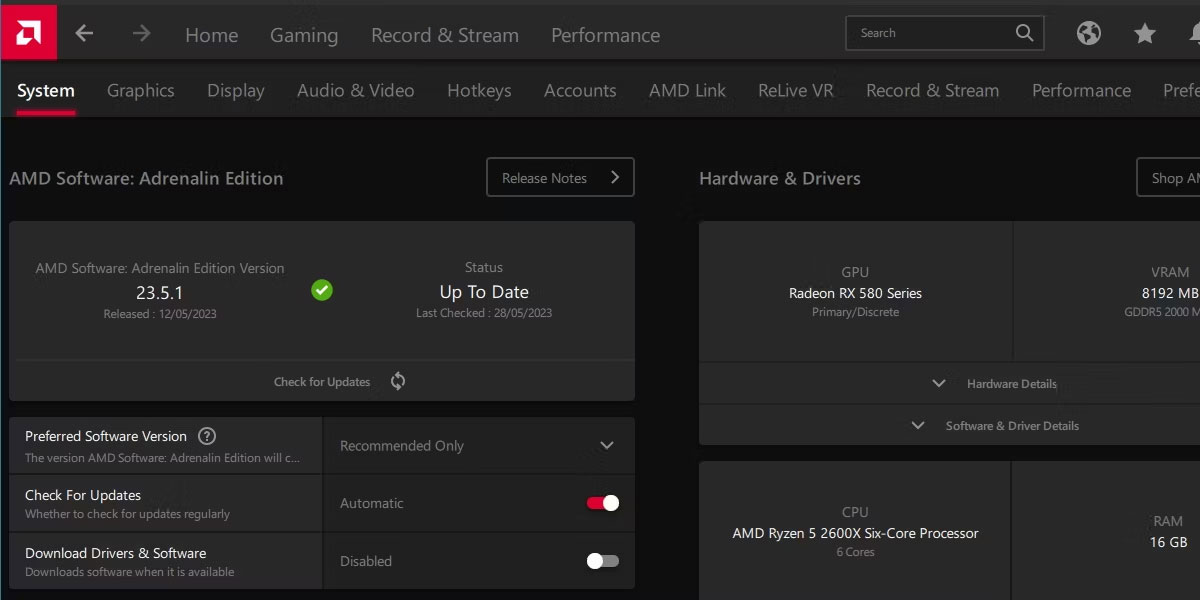
<p style="text-align: justify;">Các biểu tượng bị chụm lại trên thanh tác vụ là một lỗi như vậy. Đây là cách sắp xếp lại các biểu tượng của bạn trên Windows.</p>

<h2 style="text-align: justify;">Tại sao các biểu tượng lại bị chụm lại?</h2>

<figure>
<div style="text-align: justify;"><img alt="Các biểu tượng trên thanh tác vụ chụm lại trong Windows 11" data-i="0" data-src="https://st.quantrimang.com/photos/image/2023/06/01/bieu-tuong-chum-lai-tren-taskbar-1.jpg" data-was-processed="true" height="600" src="https://st.quantrimang.com/photos/image/2023/06/01/bieu-tuong-chum-lai-tren-taskbar-1.jpg" width="1200" /></div>

<figcaption>
<div style="text-align: justify;">Các biểu tượng trên thanh tác vụ chụm lại trong Windows 11</div>
</figcaption>
</figure>

<p style="text-align: justify;">Lỗi kỳ lạ này có thể xảy ra vì một vài lý do khác nhau. Thông thường, nó liên quan đến một số chương trình đồ họa nặng hoạt động sai. Ví dụ, bạn có thể gặp lỗi này khi nhấn Alt + Tab để chuyển đổi tab game hoặc nếu bạn điều chỉnh vị trí của các biểu tượng trong khi đang diễn ra sự cố nặng về đồ họa.</p>

<p style="text-align: justify;">Nguyên nhân của lỗi này không hoàn toàn được xác nhận hoặc hiểu rõ, nhưng nó có thể dễ dàng sửa chữa.</p>

<h2 style="text-align: justify;">Cách khắc phục các biểu tượng bị chụm lại trên Windows</h2>

<figure>
<div style="text-align: justify;"><img alt="Trình quản lý tác vụ Windows với Windows Explorer hiển thị" data-i="1" data-src="https://st.quantrimang.com/photos/image/2023/06/01/bieu-tuong-chum-lai-tren-taskbar-2.jpg" data-was-processed="true" height="600" src="https://st.quantrimang.com/photos/image/2023/06/01/bieu-tuong-chum-lai-tren-taskbar-2.jpg" width="1200" /></div>

<figcaption>
<div style="text-align: justify;">Trình quản lý tác vụ Windows với Windows Explorer hiển thị</div>
</figcaption>
</figure>

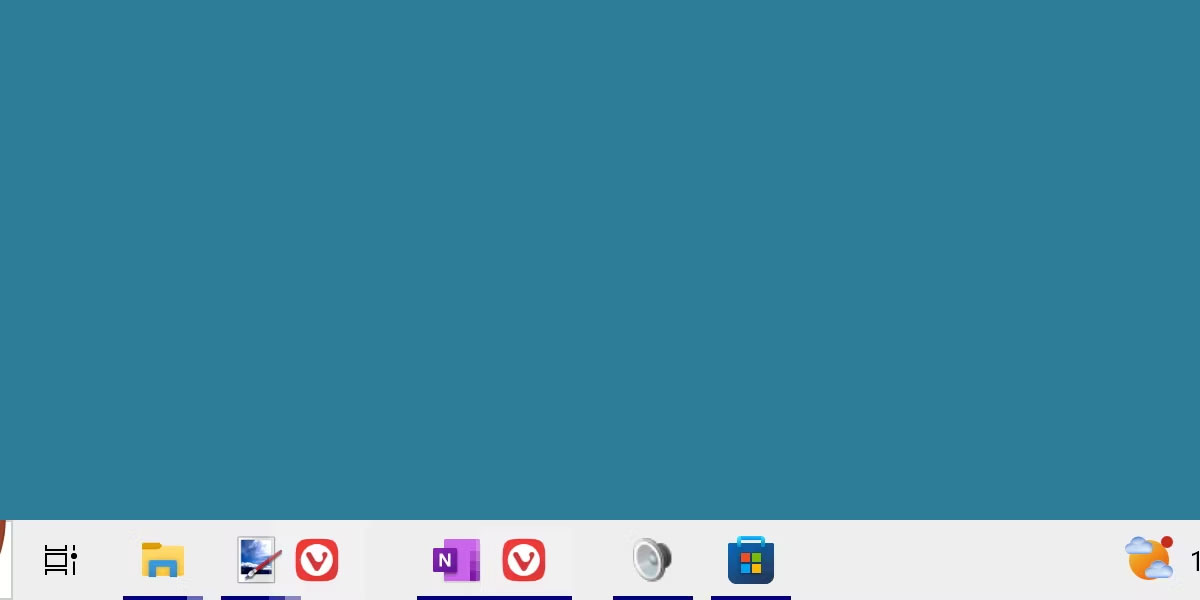
<p style="text-align: justify;">Có hai bản sửa lỗi chính cho lỗi này. Bạn có thể chỉ cần&nbsp;khởi động lại máy tính&nbsp;của mình, điều này chắc chắn sẽ khắc phục được sự cố, nhưng có thể gây khó chịu nếu đây là cách khắc phục mà bạn phải lặp đi lặp lại nhiều lần.</p>

<p style="text-align: justify;">Một cách khác là chỉ cần&nbsp;khởi động lại Windows File Explorer. Điều này có thể được thực hiện thông qua trình quản lý tác vụ và sẽ khôi phục các biểu tượng trên thanh tác vụ của bạn mà không cần khởi động lại tốn thời gian.</p>

<p style="text-align: justify;">Cũng có khả năng bạn có thể khắc phục lỗi hình ảnh này bằng cách di chuyển hoặc thay đổi kích thước thanh tác vụ, nhưng theo kinh nghiệm, phương pháp này không mấy khi có tác dụng.</p>

<h2 style="text-align: justify;">Làm cách nào có thể ngăn các biểu tượng bị chụm lại?</h2>

<figure>
<div style="text-align: justify;"><img alt="Chương trình AMD Radeon cập nhật driver" data-i="2" data-src="https://st.quantrimang.com/photos/image/2023/06/01/bieu-tuong-chum-lai-tren-taskbar-3.jpg" data-was-processed="true" height="600" src="https://st.quantrimang.com/photos/image/2023/06/01/bieu-tuong-chum-lai-tren-taskbar-3.jpg" width="1200" /></div>

<figcaption>
<div style="text-align: justify;">Chương trình AMD Radeon cập nhật driver</div>
</figcaption>
</figure>

<p style="text-align: justify;">Cho đến khi Microsoft giải quyết lỗi này bằng một bản cập nhật hệ thống, sẽ chẳng ai có thể đảm bảo khắc phục được sự cố cụ thể này.</p>

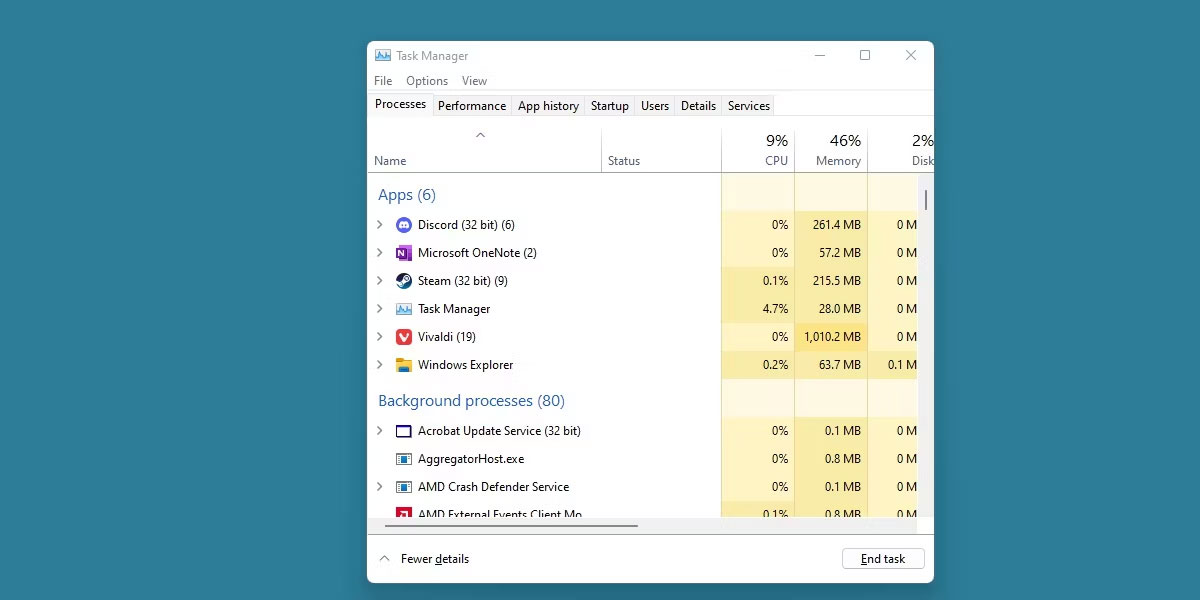
<p style="text-align: justify;">Tuy nhiên, người dùng đã báo cáo một số thành công trong việc loại bỏ sự cố lặp lại này bằng&nbsp;cách cập nhật driver đồ họa. Nếu cách đó không hiệu quả, bạn có thể thử nhanh chóng reset driver đồ họa của mình.</p>

<p style="text-align: justify;">Luôn cập nhật driver đồ họa của bạn không bao giờ là một ý tưởng tồi, vì vậy cách khắc phục này đáng để thử.</p>

<p style="text-align: justify;">Những loại lỗi hình ảnh này có thể khó coi và không ai thích phải thường xuyên áp dụng cách khắc phục cho sự cố như thế này. Rất may, sự cố cụ thể này có thể dễ dàng khắc phục bằng các giải pháp nhanh chóng, chẳng hạn như chỉ cần khởi động lại File Explorer.</p>

<p style="text-align: justify;">Hy vọng rằng bản cập nhật driver đồ họa đã khắc phục sự cố này cho bạn về lâu dài. Nếu không, hãy chờ đợi Microsoft đưa ra một bản vá cho vấn đề này.</p>

<div style="text-align: justify;">&nbsp;</div>
		</div>
				<div id="author">
						<p>
				<strong>Nguồn tin:</strong>
				Quantrimang.com
			</p>
		</div>
	</div>
	<div id="footer" class="clearfix">
		<div id="url">
			<strong>URL của bản tin này: </strong><a href="https://www.nguoicodonvn2008.info/vi/news/savefile/kien-thuc-may-tinh/cach-khac-phuc-bieu-tuong-bi-chum-lai-tren-thanh-tac-vu-windows-11-7145.html" title="Cách khắc phục biểu tượng bị chụm lại trên thanh tác vụ Windows 11">https://www.nguoicodonvn2008.info/vi/news/savefile/kien-thuc-may-tinh/cach-khac-phuc-bieu-tuong-bi-chum-lai-tren-thanh-tac-vu-windows-11-7145.html</a>

		</div>
		<div class="clear"></div>
		<div class="copyright">
			&copy; .&#x3A; Nguoicodonvn2008.info - Cõi lòng người cô đơn &#x3A;.
		</div>
		<div id="contact">
			<a href="mailto:admin@nguoicodonvn2008.info">admin@nguoicodonvn2008.info</a>
		</div>
	</div>
</div>
        <div id="timeoutsess" class="chromeframe">
            Bạn đã không sử dụng Site, <a onclick="timeoutsesscancel();" href="https://nguoicodonvn2008.info/#">Bấm vào đây để duy trì trạng thái đăng nhập</a>. Thời gian chờ: <span id="secField"> 60 </span> giây
        </div>
        <div id="openidResult" class="nv-alert" style="display:none"></div>
        <div id="openidBt" data-result="" data-redirect=""></div>
		</script>
		<div class="car-top">
  <span><img src="https://nguoicodonvn2008.info/themes/default/images/car.png" alt=""></span>
</div>
<div id="run_cronjobs" style="visibility:hidden;display:none;"><img alt="cron" src="/index.php?second=cronjobs&amp;p=m5S56fDJ" width="1" height="1" /></div>
<script src="https://nguoicodonvn2008.info/assets/js/jquery/jquery.min.js"></script>
<script>var nv_base_siteurl="/",nv_lang_data="vi",nv_lang_interface="vi",nv_name_variable="nv",nv_fc_variable="op",nv_lang_variable="language",nv_module_name="news",nv_func_name="savefile",nv_is_user=0, nv_my_ofs=-4,nv_my_abbr="EDT",nv_cookie_prefix="nv4c_e856T",nv_check_pass_mstime=1738000,nv_area_admin=0,nv_safemode=0,theme_responsive=0,nv_recaptcha_ver=2,nv_recaptcha_sitekey="",nv_recaptcha_type="image",XSSsanitize=1;</script>
<script src="https://nguoicodonvn2008.info/assets/js/language/vi.js"></script>
<script src="https://nguoicodonvn2008.info/assets/js/DOMPurify/purify3.js"></script>
<script src="https://nguoicodonvn2008.info/assets/js/global.js"></script>
<script src="https://nguoicodonvn2008.info/assets/js/site.js"></script>
<script src="https://nguoicodonvn2008.info/themes/default/js/news.js"></script>
<script src="https://nguoicodonvn2008.info/themes/default/js/main.js"></script>
<script src="https://nguoicodonvn2008.info/themes/default/js/custom.js"></script>
<script type="application/ld+json">
        {
            "@context": "https://schema.org",
            "@type": "Organization",
            "url": "https://nguoicodonvn2008.info",
            "logo": "https://nguoicodonvn2008.info/uploads/angel.gif"
        }
        </script>
<script src="https://nguoicodonvn2008.info/themes/default/js/bootstrap.min.js"></script>
<script type="text/javascript">
var $scrolltop = $('.car-top');
$scrolltop.on('click', function () {
    $('html,body').animate({
        scrollTop: 0
    }, 800);
    $(this).addClass("car-run");
    setTimeout(function(){ $scrolltop.removeClass('car-run');}, 1000);
    return false;
});
$(window).on('scroll', function ()
{ 
    if($(window).scrollTop() >= 200)
    {
        $scrolltop.addClass("show");
        $scrolltop.addClass("car-down");
    }
    else
    {
       $scrolltop.removeClass("show");
       setTimeout(function(){ $scrolltop.removeClass('car-down');}, 300);
    }
});
</script>
</body>
</html>