<!DOCTYPE html>
    <html lang="vi" xmlns="http://www.w3.org/1999/xhtml" prefix="og: http://ogp.me/ns#">
    <head>
<title>Bài 23&#x3A; Modal trong Bootstrap 5</title>
<meta name="description" content="Bài 23&#x3A; Modal trong Bootstrap 5 - Savefile - Tin Tức - https&#x3A;&#x002F;&#x002F;www.nguoicodonvn2008.info&#x002F;vi&#x002F;news&#x002F;savefile&#x002F;kien-thuc-may-tinh&#x002F;bai-23-modal-trong-bootstrap-5-6422.html">
<meta name="author" content=".: Nguoicodonvn2008.info - Cõi lòng người cô đơn :.">
<meta name="copyright" content=".: Nguoicodonvn2008.info - Cõi lòng người cô đơn :. [admin@nguoicodonvn2008.info]">
<meta name="robots" content="index, archive, follow, noodp">
<meta name="googlebot" content="index,archive,follow,noodp">
<meta name="msnbot" content="all,index,follow">
<meta name="generator" content="NukeViet v4.5">
<meta http-equiv="Content-Type" content="text/html; charset=utf-8">
<meta property="og:title" content="Bài 23&#x3A; Modal trong Bootstrap 5">
<meta property="og:type" content="website">
<meta property="og:description" content="Savefile - Tin Tức - https&#x3A;&#x002F;&#x002F;www.nguoicodonvn2008.info&#x002F;vi&#x002F;news&#x002F;savefile&#x002F;kien-thuc-may-tinh&#x002F;bai-23-modal-trong-bootstrap-5-6422.html">
<meta property="og:site_name" content=".&#x3A; Nguoicodonvn2008.info - Cõi lòng người cô đơn &#x3A;.">
<meta property="og:url" content="https://www.nguoicodonvn2008.info/vi/news/savefile/kien-thuc-may-tinh/bai-23-modal-trong-bootstrap-5-6422.html">
<link rel="shortcut icon" href="https://nguoicodonvn2008.info/favicon.ico">
<link rel="canonical" href="https://www.nguoicodonvn2008.info/vi/news/savefile/kien-thuc-may-tinh/bai-23-modal-trong-bootstrap-5-6422.html">
<link rel="alternate" href="https://nguoicodonvn2008.info/vi/news/rss/" title="Tin Tức" type="application/rss+xml">
<link rel="alternate" href="https://nguoicodonvn2008.info/vi/news/rss/karaoke-dual/" title="Tin Tức - Karaoke Dual" type="application/rss+xml">
<link rel="alternate" href="https://nguoicodonvn2008.info/vi/news/rss/nhac-tre/" title="Tin Tức - Nhạc trẻ" type="application/rss+xml">
<link rel="alternate" href="https://nguoicodonvn2008.info/vi/news/rss/tru-tinh/" title="Tin Tức - Trữ tình" type="application/rss+xml">
<link rel="alternate" href="https://nguoicodonvn2008.info/vi/news/rss/nuoc-ngoai/" title="Tin Tức - Nước ngoài" type="application/rss+xml">
<link rel="alternate" href="https://nguoicodonvn2008.info/vi/news/rss/remix/" title="Tin Tức - Remix" type="application/rss+xml">
<link rel="alternate" href="https://nguoicodonvn2008.info/vi/news/rss/tam-su-tinh-yeu/" title="Tin Tức - Tâm sự tình yêu" type="application/rss+xml">
<link rel="alternate" href="https://nguoicodonvn2008.info/vi/news/rss/tho-suu-tam/" title="Tin Tức - Thơ sưu tầm" type="application/rss+xml">
<link rel="alternate" href="https://nguoicodonvn2008.info/vi/news/rss/cuoc-song/" title="Tin Tức - Cuộc sống" type="application/rss+xml">
<link rel="alternate" href="https://nguoicodonvn2008.info/vi/news/rss/phan-mem/" title="Tin Tức - Phần mềm" type="application/rss+xml">
<link rel="alternate" href="https://nguoicodonvn2008.info/vi/news/rss/kien-thuc-may-tinh/" title="Tin Tức - Kiến thức máy tính" type="application/rss+xml">
<link rel="alternate" href="https://nguoicodonvn2008.info/vi/news/rss/hoc-tap/" title="Tin Tức - Học tập" type="application/rss+xml">
<link rel="alternate" href="https://nguoicodonvn2008.info/vi/news/rss/tai-lieu/" title="Tin Tức - Tài liệu" type="application/rss+xml">
<link rel="alternate" href="https://nguoicodonvn2008.info/vi/news/rss/de-thi/" title="Tin Tức - Đề thi" type="application/rss+xml">
<link rel="preload" as="style" href="https://nguoicodonvn2008.info/assets/css/font-awesome.min.css" type="text/css">
<link rel="preload" as="style" href="https://nguoicodonvn2008.info/themes/default/css/bootstrap.non-responsive.css" type="text/css">
<link rel="preload" as="style" href="https://nguoicodonvn2008.info/themes/default/css/style.css" type="text/css">
<link rel="preload" as="style" href="https://nguoicodonvn2008.info/themes/default/css/style.non-responsive.css" type="text/css">
<link rel="preload" as="style" href="https://nguoicodonvn2008.info/themes/default/css/news.css" type="text/css">
<link rel="preload" as="style" href="https://nguoicodonvn2008.info/themes/default/css/custom.css" type="text/css">
<link rel="preload" as="script" href="https://nguoicodonvn2008.info/assets/js/jquery/jquery.min.js" type="text/javascript">
<link rel="preload" as="script" href="https://nguoicodonvn2008.info/assets/js/language/vi.js" type="text/javascript">
<link rel="preload" as="script" href="https://nguoicodonvn2008.info/assets/js/DOMPurify/purify3.js" type="text/javascript">
<link rel="preload" as="script" href="https://nguoicodonvn2008.info/assets/js/global.js" type="text/javascript">
<link rel="preload" as="script" href="https://nguoicodonvn2008.info/assets/js/site.js" type="text/javascript">
<link rel="preload" as="script" href="https://nguoicodonvn2008.info/themes/default/js/news.js" type="text/javascript">
<link rel="preload" as="script" href="https://nguoicodonvn2008.info/themes/default/js/main.js" type="text/javascript">
<link rel="preload" as="script" href="https://nguoicodonvn2008.info/themes/default/js/custom.js" type="text/javascript">
<link rel="preload" as="script" href="https://nguoicodonvn2008.info/themes/default/js/bootstrap.min.js" type="text/javascript">
<link rel="stylesheet" href="https://nguoicodonvn2008.info/assets/css/font-awesome.min.css">
<link rel="stylesheet" href="https://nguoicodonvn2008.info/themes/default/css/bootstrap.non-responsive.css">
<link rel="stylesheet" href="https://nguoicodonvn2008.info/themes/default/css/style.css">
<link rel="stylesheet" href="https://nguoicodonvn2008.info/themes/default/css/style.non-responsive.css">
<link rel="StyleSheet" href="https://nguoicodonvn2008.info/themes/default/css/news.css">
<link rel="stylesheet" href="https://nguoicodonvn2008.info/themes/default/css/custom.css">
<style type="text/css">
	body{background: #fff;}
</style>
    </head>
    <body>
<div id="print">
	<div id="hd_print">
		<h2 class="pull-left">.&#x3A; Nguoicodonvn2008.info - Cõi lòng người cô đơn &#x3A;.</h2>
		<p class="pull-right"><a title=".&#x3A; Nguoicodonvn2008.info - Cõi lòng người cô đơn &#x3A;." href="https://nguoicodonvn2008.info/">https://nguoicodonvn2008.info</a></p>
	</div>
	<div class="clear"></div>
	<hr />
	<div id="content">
		<h1>Bài 23&#x3A; Modal trong Bootstrap 5</h1>
		<ul class="list-inline">
			<li>Thứ hai - 05/12/2022 23:58</li>
			<li class="hidden-print txtrequired"><em class="fa fa-print">&nbsp;</em><a title="In ra" href="javascript:;" onclick="window.print()">In ra</a></li>
			<li class="hidden-print txtrequired"><em class="fa fa-power-off">&nbsp;</em><a title="Đóng cửa sổ này" href="javascript:;" onclick="window.close()">Đóng cửa sổ này</a></li>
		</ul>
		<div class="clear"></div>
		<div id="hometext">
		</div>
				<div class="imghome">
			<img alt="Bài 23&#x3A; Modal trong Bootstrap 5" src="https://st.quantrimang.com/photos/image/2022/12/05/bootstrap-modal-10.gif" width="460" class="img-thumbnail" />
		</div>
		<div class="clear"></div>
		<div id="bodytext" class="clearfix">
			<p style="text-align: justify;"><strong>Modal trong Bootstrap 5</strong>&nbsp;là thành phần hiện cửa sổ popup ở phía trên trang hiện tại. Dưới đây là&nbsp;<strong>cách tạo hộp thoại hay popup bằng Bootstrap&nbsp;</strong>5.</p>

<h2 style="text-align: justify;">Cách tạo modal trong Bootstrap 5</h2>

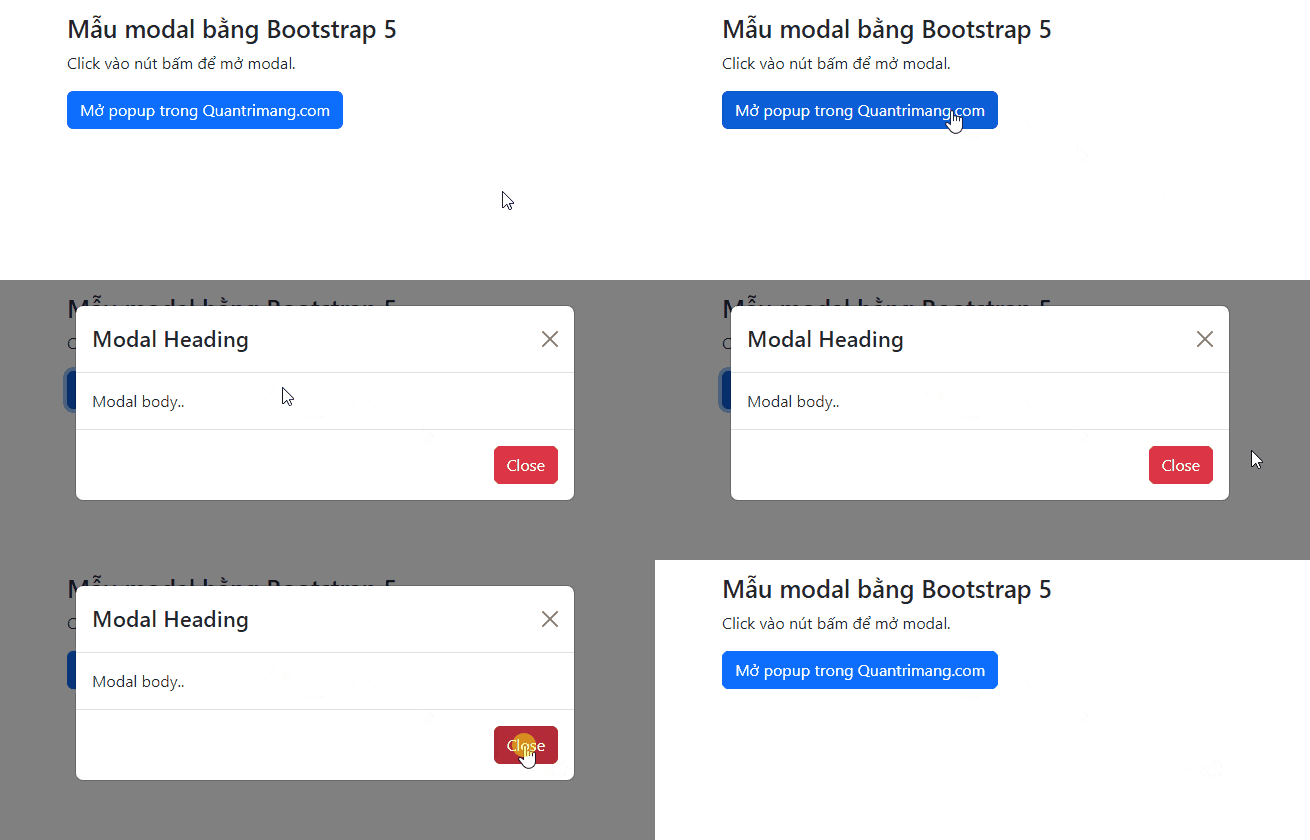
<p style="text-align: justify;">Code mẫu sau sẽ hiện cách tạo một modal cơ bản:</p>

<pre id="pre0" style="text-align: justify;">
&lt;!-- Button to Open the Modal --&gt;
&lt;button type=&quot;button&quot; class=&quot;btn btn-primary&quot; data-bs-toggle=&quot;modal&quot; data-bs-target=&quot;#myModal&quot;&gt;
Open modal
&lt;/button&gt;

&lt;!-- The Modal --&gt;
&lt;div class=&quot;modal&quot; id=&quot;myModal&quot;&gt;
&lt;div class=&quot;modal-dialog&quot;&gt;
&lt;div class=&quot;modal-content&quot;&gt;

&lt;!-- Modal Header --&gt;
&lt;div class=&quot;modal-header&quot;&gt;
&lt;h4 class=&quot;modal-title&quot;&gt;Modal Heading&lt;/h4&gt;
&lt;button type=&quot;button&quot; class=&quot;btn-close&quot; data-bs-dismiss=&quot;modal&quot;&gt;&lt;/button&gt;
&lt;/div&gt;

&lt;!-- Modal body --&gt;
&lt;div class=&quot;modal-body&quot;&gt;
Modal body..
&lt;/div&gt;

&lt;!-- Modal footer --&gt;
&lt;div class=&quot;modal-footer&quot;&gt;
&lt;button type=&quot;button&quot; class=&quot;btn btn-danger&quot; data-bs-dismiss=&quot;modal&quot;&gt;Close&lt;/button&gt;
&lt;/div&gt;

&lt;/div&gt;
&lt;/div&gt;
&lt;/div&gt;</pre>

<p style="text-align: justify;">Ví dụ:</p>

<pre id="pre1" style="text-align: justify;">
&lt;!DOCTYPE html&gt;
&lt;html lang=&quot;en&quot;&gt;
&lt;head&gt;
  &lt;title&gt;Bootstrap Example&lt;/title&gt;
  &lt;meta charset=&quot;utf-8&quot;&gt;
  &lt;meta name=&quot;viewport&quot; content=&quot;width=device-width, initial-scale=1&quot;&gt;
  &lt;link href=&quot;https://cdn.jsdelivr.net/npm/bootstrap@5.2.3/dist/css/bootstrap.min.css&quot; rel=&quot;stylesheet&quot;&gt;
  &lt;script src=&quot;https://cdn.jsdelivr.net/npm/bootstrap@5.2.3/dist/js/bootstrap.bundle.min.js&quot;&gt;&lt;/script&gt;
&lt;/head&gt;
&lt;body&gt;

&lt;div class=&quot;container mt-3&quot;&gt;
  &lt;h3&gt;Mẫu modal bằng Bootstrap 5&lt;/h3&gt;
  &lt;p&gt;Click vào nút bấm để mở modal.&lt;/p&gt;
  &lt;button type=&quot;button&quot; class=&quot;btn btn-primary&quot; data-bs-toggle=&quot;modal&quot; data-bs-target=&quot;#myModal&quot;&gt;
    Mở popup trong Quantrimang.com
  &lt;/button&gt;
&lt;/div&gt;

&lt;!-- The Modal --&gt;
&lt;div class=&quot;modal&quot; id=&quot;myModal&quot;&gt;
  &lt;div class=&quot;modal-dialog&quot;&gt;
    &lt;div class=&quot;modal-content&quot;&gt;

      &lt;!-- Modal Header --&gt;
      &lt;div class=&quot;modal-header&quot;&gt;
        &lt;h4 class=&quot;modal-title&quot;&gt;Modal Heading&lt;/h4&gt;
        &lt;button type=&quot;button&quot; class=&quot;btn-close&quot; data-bs-dismiss=&quot;modal&quot;&gt;&lt;/button&gt;
      &lt;/div&gt;

      &lt;!-- Modal body --&gt;
      &lt;div class=&quot;modal-body&quot;&gt;
        Modal body..
      &lt;/div&gt;

      &lt;!-- Modal footer --&gt;
      &lt;div class=&quot;modal-footer&quot;&gt;
        &lt;button type=&quot;button&quot; class=&quot;btn btn-danger&quot; data-bs-dismiss=&quot;modal&quot;&gt;Close&lt;/button&gt;
      &lt;/div&gt;

    &lt;/div&gt;
  &lt;/div&gt;
&lt;/div&gt;
&lt;/body&gt;
&lt;/html&gt;
</pre>

<h2 style="text-align: justify;"><img alt="Tạo cửa sổ popup bằng Bootstrap" data-i="0" data-src="https://st.quantrimang.com/photos/image/2022/12/05/bootstrap-modal-1.gif" data-was-processed="true" height="278" src="https://st.quantrimang.com/photos/image/2022/12/05/bootstrap-modal-1.gif" width="650" /></h2>

<h2 style="text-align: justify;">Thêm hiệu ứng</h2>

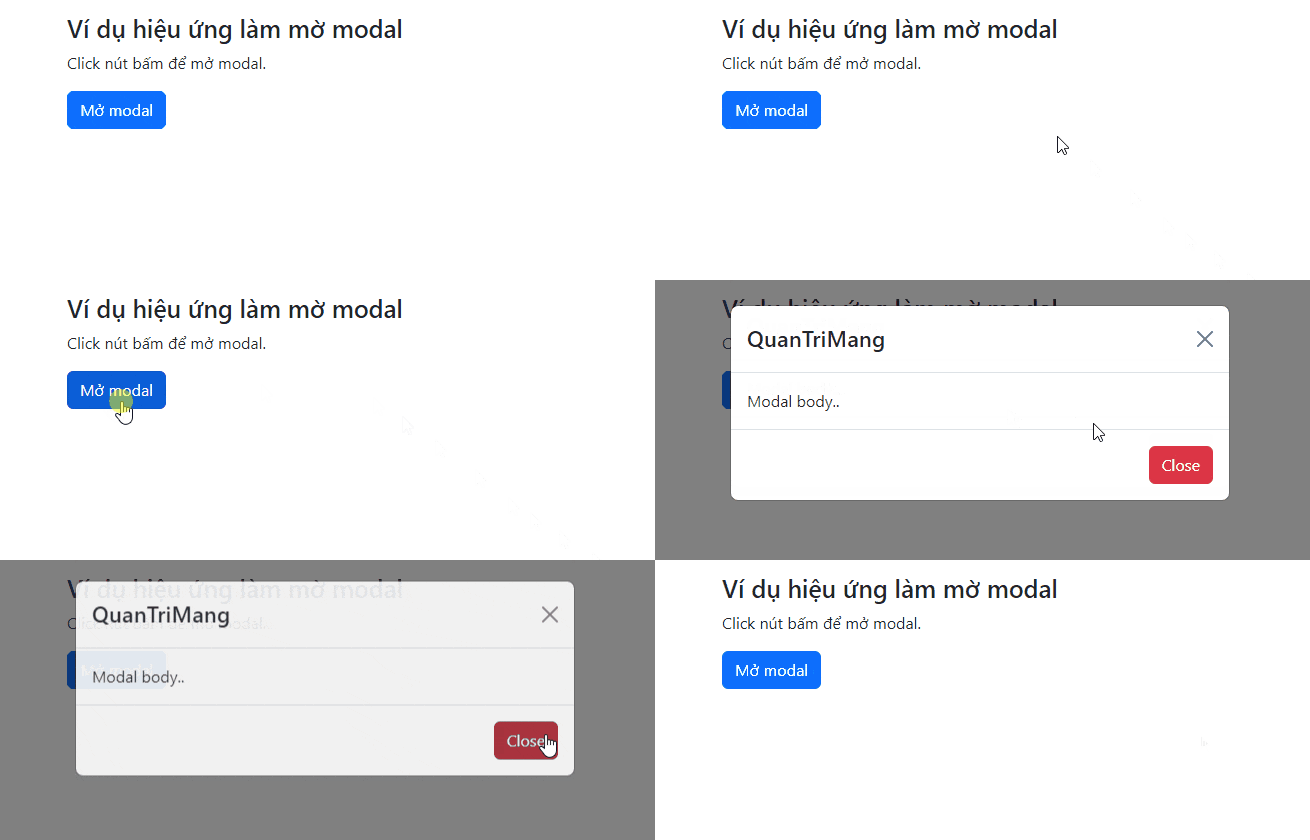
<p style="text-align: justify;">Dùng class&nbsp;<code>.fade</code>&nbsp;để thêm hiệu ứng mờ dần khi mở và đóng modal:</p>

<p style="text-align: justify;">Code mẫu:</p>

<pre id="pre2" style="text-align: justify;">
&lt;!-- Fading modal --&gt;
&lt;div class=&quot;modal fade&quot;&gt;&lt;/div&gt;

&lt;!-- Modal without animation --&gt;
&lt;div class=&quot;modal&quot;&gt;&lt;/div&gt;</pre>

<p style="text-align: justify;">Ví dụ:</p>

<pre id="pre3" style="text-align: justify;">
&lt;!DOCTYPE html&gt;
&lt;html lang=&quot;en&quot;&gt;
&lt;head&gt;
  &lt;title&gt;Bootstrap Example&lt;/title&gt;
  &lt;meta charset=&quot;utf-8&quot;&gt;
  &lt;meta name=&quot;viewport&quot; content=&quot;width=device-width, initial-scale=1&quot;&gt;
  &lt;link href=&quot;https://cdn.jsdelivr.net/npm/bootstrap@5.2.3/dist/css/bootstrap.min.css&quot; rel=&quot;stylesheet&quot;&gt;
  &lt;script src=&quot;https://cdn.jsdelivr.net/npm/bootstrap@5.2.3/dist/js/bootstrap.bundle.min.js&quot;&gt;&lt;/script&gt;
&lt;/head&gt;
&lt;body&gt;

&lt;div class=&quot;container mt-3&quot;&gt;
  &lt;h3&gt;Ví dụ hiệu ứng làm mờ modal&lt;/h3&gt;
  &lt;p&gt;Click nút bấm để mở modal.&lt;/p&gt;
  &lt;button type=&quot;button&quot; class=&quot;btn btn-primary&quot; data-bs-toggle=&quot;modal&quot; data-bs-target=&quot;#myModal&quot;&gt;
    Mở modal
  &lt;/button&gt;
&lt;/div&gt;

&lt;!-- The Modal --&gt;
&lt;div class=&quot;modal fade&quot; id=&quot;myModal&quot;&gt;
  &lt;div class=&quot;modal-dialog&quot;&gt;
    &lt;div class=&quot;modal-content&quot;&gt;

      &lt;!-- Modal Header --&gt;
      &lt;div class=&quot;modal-header&quot;&gt;
        &lt;h4 class=&quot;modal-title&quot;&gt;QuanTriMang&lt;/h4&gt;
        &lt;button type=&quot;button&quot; class=&quot;btn-close&quot; data-bs-dismiss=&quot;modal&quot;&gt;&lt;/button&gt;
      &lt;/div&gt;

      &lt;!-- Modal body --&gt;
      &lt;div class=&quot;modal-body&quot;&gt;
        Modal body..
      &lt;/div&gt;

      &lt;!-- Modal footer --&gt;
      &lt;div class=&quot;modal-footer&quot;&gt;
        &lt;button type=&quot;button&quot; class=&quot;btn btn-danger&quot; data-bs-dismiss=&quot;modal&quot;&gt;Close&lt;/button&gt;
      &lt;/div&gt;

    &lt;/div&gt;
  &lt;/div&gt;
&lt;/div&gt;
&lt;/body&gt;
&lt;/html&gt;
</pre>

<p style="text-align: justify;"><img alt="Thêm hiệu ứng cho Modal trong Bootstrap 5" data-i="1" data-src="https://st.quantrimang.com/photos/image/2022/12/05/bootstrap-modal-2.gif" data-was-processed="true" height="278" src="https://st.quantrimang.com/photos/image/2022/12/05/bootstrap-modal-2.gif" width="650" /></p>

<h2 style="text-align: justify;">Kích thước modal</h2>

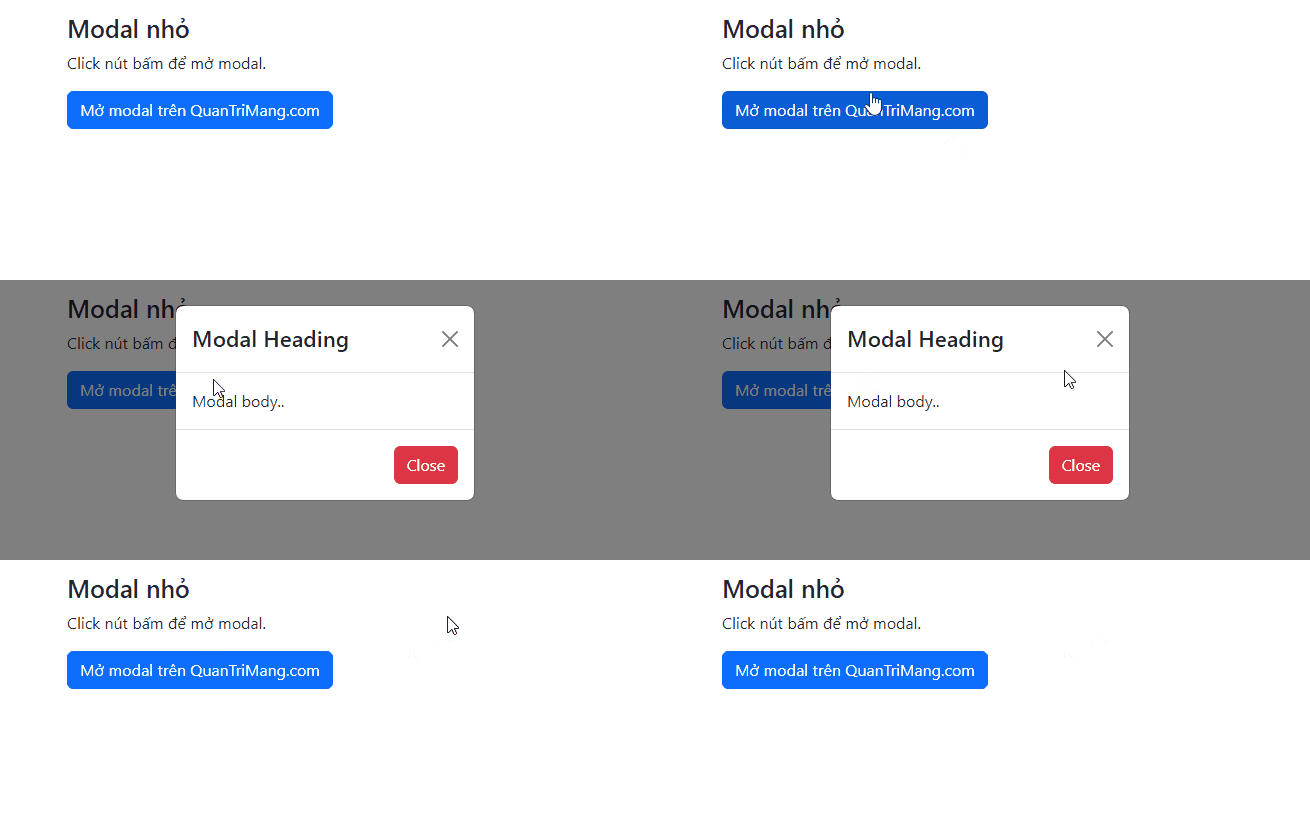
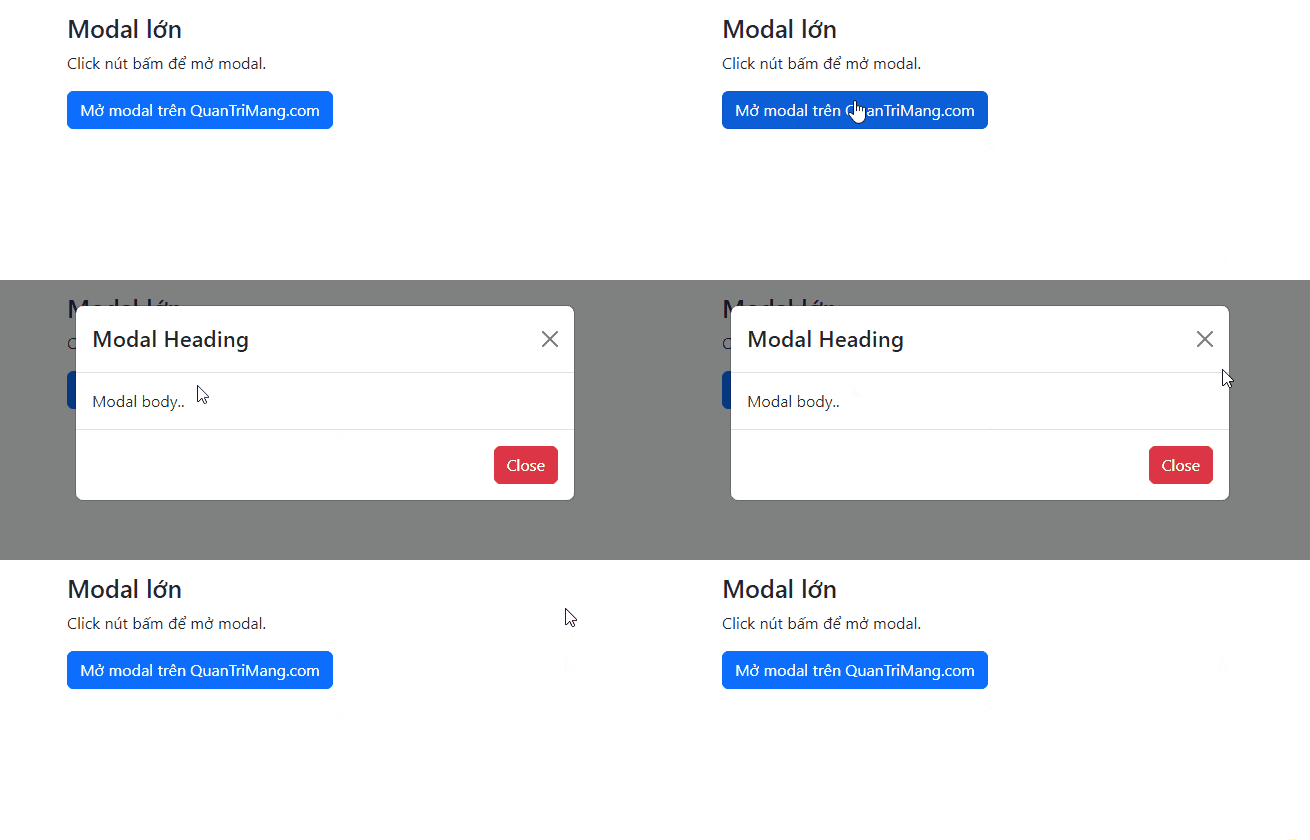
<p style="text-align: justify;">Thay đổi kích thước modal bằng cách thêm class&nbsp;<code>.modal-sm</code>&nbsp;cho các modal nhỏ (độ rộng tối đa là 300px), class&nbsp;<code>.modal-lg</code>&nbsp;cho những modal lớn (độ rộng tối đa 800px), hoặc&nbsp;<code>.modal-xl</code>&nbsp;cho các modal cực lớn (độ rộng tối đa 1140px). Mặc định chiều rộng tối đa là 500px.</p>

<p style="text-align: justify;">Thêm class kích thước vào thành phần<strong>&nbsp;&lt;div&gt;</strong>&nbsp;với class &nbsp;<code>.modal-dialog</code>:</p>

<p style="text-align: justify;"><strong>Modal nhỏ:</strong></p>

<p style="text-align: justify;"><code>&lt;div class=&quot;modal-dialog modal-sm&quot;&gt;</code></p>

<p style="text-align: justify;">Ví dụ:</p>

<pre id="pre4" style="text-align: justify;">
&lt;!DOCTYPE html&gt;
&lt;html lang=&quot;en&quot;&gt;
&lt;head&gt;
  &lt;title&gt;Bootstrap Example&lt;/title&gt;
  &lt;meta charset=&quot;utf-8&quot;&gt;
  &lt;meta name=&quot;viewport&quot; content=&quot;width=device-width, initial-scale=1&quot;&gt;
  &lt;link href=&quot;https://cdn.jsdelivr.net/npm/bootstrap@5.2.3/dist/css/bootstrap.min.css&quot; rel=&quot;stylesheet&quot;&gt;
  &lt;script src=&quot;https://cdn.jsdelivr.net/npm/bootstrap@5.2.3/dist/js/bootstrap.bundle.min.js&quot;&gt;&lt;/script&gt;
&lt;/head&gt;
&lt;body&gt;

&lt;div class=&quot;container mt-3&quot;&gt;
  &lt;h3&gt;Modal nhỏ&lt;/h3&gt;
  &lt;p&gt;Click nút bấm để mở modal.&lt;/p&gt;
  &lt;button type=&quot;button&quot; class=&quot;btn btn-primary&quot; data-bs-toggle=&quot;modal&quot; data-bs-target=&quot;#myModal&quot;&gt;
    Mở modal trên QuanTriMang.com
  &lt;/button&gt;
&lt;/div&gt;

&lt;!-- The Modal --&gt;
&lt;div class=&quot;modal&quot; id=&quot;myModal&quot;&gt;
  &lt;div class=&quot;modal-dialog modal-sm&quot;&gt;
    &lt;div class=&quot;modal-content&quot;&gt;

      &lt;!-- Modal Header --&gt;
      &lt;div class=&quot;modal-header&quot;&gt;
        &lt;h4 class=&quot;modal-title&quot;&gt;Modal Heading&lt;/h4&gt;
        &lt;button type=&quot;button&quot; class=&quot;btn-close&quot; data-bs-dismiss=&quot;modal&quot;&gt;&lt;/button&gt;
      &lt;/div&gt;

      &lt;!-- Modal body --&gt;
      &lt;div class=&quot;modal-body&quot;&gt;
        Modal body..
      &lt;/div&gt;

      &lt;!-- Modal footer --&gt;
      &lt;div class=&quot;modal-footer&quot;&gt;
        &lt;button type=&quot;button&quot; class=&quot;btn btn-danger&quot; data-bs-dismiss=&quot;modal&quot;&gt;Close&lt;/button&gt;
      &lt;/div&gt;

    &lt;/div&gt;
  &lt;/div&gt;
&lt;/div&gt;
&lt;/body&gt;
&lt;/html&gt;
</pre>

<p style="text-align: justify;"><img alt="Modal nhỏ" data-i="2" data-src="https://st.quantrimang.com/photos/image/2022/12/05/bootstrap-modal-3.gif" data-was-processed="true" height="278" src="https://st.quantrimang.com/photos/image/2022/12/05/bootstrap-modal-3.gif" width="650" /></p>

<p style="text-align: justify;"><strong>Modal lớn:</strong></p>

<pre id="pre5" style="text-align: justify;">
&lt;div class=&quot;modal-dialog modal-lg&quot;&gt;</pre>

<p style="text-align: justify;">Ví dụ:</p>

<pre id="pre6" style="text-align: justify;">
&lt;!DOCTYPE html&gt;
&lt;html lang=&quot;en&quot;&gt;
&lt;head&gt;
  &lt;title&gt;Bootstrap Example&lt;/title&gt;
  &lt;meta charset=&quot;utf-8&quot;&gt;
  &lt;meta name=&quot;viewport&quot; content=&quot;width=device-width, initial-scale=1&quot;&gt;
  &lt;link href=&quot;https://cdn.jsdelivr.net/npm/bootstrap@5.2.3/dist/css/bootstrap.min.css&quot; rel=&quot;stylesheet&quot;&gt;
  &lt;script src=&quot;https://cdn.jsdelivr.net/npm/bootstrap@5.2.3/dist/js/bootstrap.bundle.min.js&quot;&gt;&lt;/script&gt;
&lt;/head&gt;
&lt;body&gt;

&lt;div class=&quot;container mt-3&quot;&gt;
  &lt;h3&gt;Modal lớn&lt;/h3&gt;
  &lt;p&gt;Click nút bấm để mở modal.&lt;/p&gt;
  &lt;button type=&quot;button&quot; class=&quot;btn btn-primary&quot; data-bs-toggle=&quot;modal&quot; data-bs-target=&quot;#myModal&quot;&gt;
    Mở modal trên QuanTriMang.com
  &lt;/button&gt;
&lt;/div&gt;

&lt;!-- The Modal --&gt;
&lt;div class=&quot;modal&quot; id=&quot;myModal&quot;&gt;
  &lt;div class=&quot;modal-dialog modal-lg&quot;&gt;
    &lt;div class=&quot;modal-content&quot;&gt;

      &lt;!-- Modal Header --&gt;
      &lt;div class=&quot;modal-header&quot;&gt;
        &lt;h4 class=&quot;modal-title&quot;&gt;Modal Heading&lt;/h4&gt;
        &lt;button type=&quot;button&quot; class=&quot;btn-close&quot; data-bs-dismiss=&quot;modal&quot;&gt;&lt;/button&gt;
      &lt;/div&gt;

      &lt;!-- Modal body --&gt;
      &lt;div class=&quot;modal-body&quot;&gt;
        Modal body..
      &lt;/div&gt;

      &lt;!-- Modal footer --&gt;
      &lt;div class=&quot;modal-footer&quot;&gt;
        &lt;button type=&quot;button&quot; class=&quot;btn btn-danger&quot; data-bs-dismiss=&quot;modal&quot;&gt;Close&lt;/button&gt;
      &lt;/div&gt;

    &lt;/div&gt;
  &lt;/div&gt;
&lt;/div&gt;
&lt;/body&gt;
&lt;/html&gt;
</pre>

<p style="text-align: justify;"><img alt="Modal cỡ lớn trong Bootstrap 5" data-i="3" data-src="https://st.quantrimang.com/photos/image/2022/12/05/bootstrap-modal-4.gif" data-was-processed="true" height="278" src="https://st.quantrimang.com/photos/image/2022/12/05/bootstrap-modal-4.gif" width="650" /></p>

<p style="text-align: justify;"><strong>Modal cực lớn:</strong></p>

<pre id="pre7" style="text-align: justify;">
&lt;div class=&quot;modal-dialog modal-xl&quot;&gt;</pre>

<p style="text-align: justify;">Ví dụ:</p>

<pre id="pre8" style="text-align: justify;">
&lt;!DOCTYPE html&gt;
&lt;html lang=&quot;en&quot;&gt;
&lt;head&gt;
  &lt;title&gt;Bootstrap Example&lt;/title&gt;
  &lt;meta charset=&quot;utf-8&quot;&gt;
  &lt;meta name=&quot;viewport&quot; content=&quot;width=device-width, initial-scale=1&quot;&gt;
  &lt;link href=&quot;https://cdn.jsdelivr.net/npm/bootstrap@5.2.3/dist/css/bootstrap.min.css&quot; rel=&quot;stylesheet&quot;&gt;
  &lt;script src=&quot;https://cdn.jsdelivr.net/npm/bootstrap@5.2.3/dist/js/bootstrap.bundle.min.js&quot;&gt;&lt;/script&gt;
&lt;/head&gt;
&lt;body&gt;

&lt;div class=&quot;container mt-3&quot;&gt;
  &lt;h3&gt;Modal cực lớn&lt;/h3&gt;
  &lt;p&gt;Click vào nút bấm để mở modal này.&lt;/p&gt;
  &lt;button type=&quot;button&quot; class=&quot;btn btn-primary&quot; data-bs-toggle=&quot;modal&quot; data-bs-target=&quot;#myModal&quot;&gt;
    Mở modal trên QuanTriMang.com
  &lt;/button&gt;
&lt;/div&gt;

&lt;!-- The Modal --&gt;
&lt;div class=&quot;modal&quot; id=&quot;myModal&quot;&gt;
  &lt;div class=&quot;modal-dialog modal-xl&quot;&gt;
    &lt;div class=&quot;modal-content&quot;&gt;

      &lt;!-- Modal Header --&gt;
      &lt;div class=&quot;modal-header&quot;&gt;
        &lt;h4 class=&quot;modal-title&quot;&gt;Modal Heading&lt;/h4&gt;
        &lt;button type=&quot;button&quot; class=&quot;btn-close&quot; data-bs-dismiss=&quot;modal&quot;&gt;&lt;/button&gt;
      &lt;/div&gt;

      &lt;!-- Modal body --&gt;
      &lt;div class=&quot;modal-body&quot;&gt;
        Modal body..
      &lt;/div&gt;

      &lt;!-- Modal footer --&gt;
      &lt;div class=&quot;modal-footer&quot;&gt;
        &lt;button type=&quot;button&quot; class=&quot;btn btn-danger&quot; data-bs-dismiss=&quot;modal&quot;&gt;Close&lt;/button&gt;
      &lt;/div&gt;

    &lt;/div&gt;
  &lt;/div&gt;
&lt;/div&gt;
&lt;/body&gt;
&lt;/html&gt;
</pre>

<p style="text-align: justify;">Mặc định, các modal có kích thước trung bình (medium) (chiều rộng tối đa 500px).</p>

<h2 style="text-align: justify;">Modal toàn màn hình</h2>

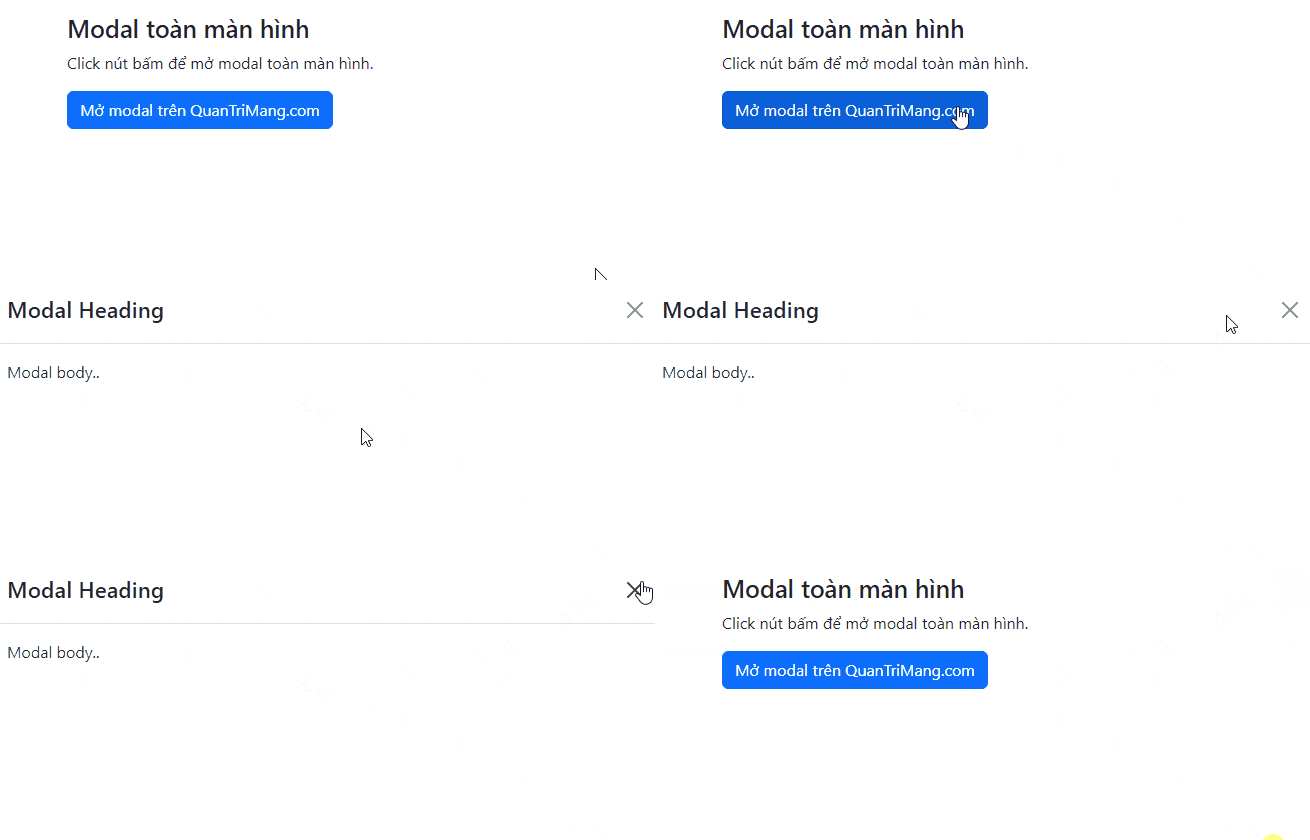
<p style="text-align: justify;">Nếu muốn modal mở rộng toàn bộ chiều rộng và cao của trang, dùng class&nbsp;<code>.modal-fullscreen</code>:</p>

<p style="text-align: justify;">Code mẫu:</p>

<pre id="pre9" style="text-align: justify;">
&lt;div class=&quot;modal-dialog modal-fullscreen&quot;&gt;</pre>

<p style="text-align: justify;">Ví dụ:</p>

<pre id="pre10" style="text-align: justify;">
&lt;!DOCTYPE html&gt;
&lt;html lang=&quot;en&quot;&gt;
&lt;head&gt;
  &lt;title&gt;Bootstrap Example&lt;/title&gt;
  &lt;meta charset=&quot;utf-8&quot;&gt;
  &lt;meta name=&quot;viewport&quot; content=&quot;width=device-width, initial-scale=1&quot;&gt;
  &lt;link href=&quot;https://cdn.jsdelivr.net/npm/bootstrap@5.2.3/dist/css/bootstrap.min.css&quot; rel=&quot;stylesheet&quot;&gt;
  &lt;script src=&quot;https://cdn.jsdelivr.net/npm/bootstrap@5.2.3/dist/js/bootstrap.bundle.min.js&quot;&gt;&lt;/script&gt;
&lt;/head&gt;
&lt;body&gt;

&lt;div class=&quot;container mt-3&quot;&gt;
  &lt;h3&gt;Modal toàn màn hình&lt;/h3&gt;
  &lt;p&gt;Click nút bấm để mở modal toàn màn hình.&lt;/p&gt;
  &lt;button type=&quot;button&quot; class=&quot;btn btn-primary&quot; data-bs-toggle=&quot;modal&quot; data-bs-target=&quot;#myModal&quot;&gt;
    Mở modal trên QuanTriMang.com
  &lt;/button&gt;
&lt;/div&gt;

&lt;!-- The Modal --&gt;
&lt;div class=&quot;modal&quot; id=&quot;myModal&quot;&gt;
  &lt;div class=&quot;modal-dialog modal-fullscreen&quot;&gt;
    &lt;div class=&quot;modal-content&quot;&gt;

      &lt;!-- Modal Header --&gt;
      &lt;div class=&quot;modal-header&quot;&gt;
        &lt;h4 class=&quot;modal-title&quot;&gt;Modal Heading&lt;/h4&gt;
        &lt;button type=&quot;button&quot; class=&quot;btn-close&quot; data-bs-dismiss=&quot;modal&quot;&gt;&lt;/button&gt;
      &lt;/div&gt;

      &lt;!-- Modal body --&gt;
      &lt;div class=&quot;modal-body&quot;&gt;
        Modal body..
      &lt;/div&gt;

      &lt;!-- Modal footer --&gt;
      &lt;div class=&quot;modal-footer&quot;&gt;
        &lt;button type=&quot;button&quot; class=&quot;btn btn-danger&quot; data-bs-dismiss=&quot;modal&quot;&gt;Close&lt;/button&gt;
      &lt;/div&gt;

    &lt;/div&gt;
  &lt;/div&gt;
&lt;/div&gt;
&lt;/body&gt;
&lt;/html&gt;
</pre>

<p style="text-align: justify;"><img alt="Modal toàn màn hình" data-i="4" data-src="https://st.quantrimang.com/photos/image/2022/12/05/bootstrap-modal-5.gif" data-was-processed="true" height="278" src="https://st.quantrimang.com/photos/image/2022/12/05/bootstrap-modal-5.gif" width="650" /></p>

<h2 style="text-align: justify;">Modal phản hồi toàn màn hình</h2>

<p style="text-align: justify;">Bạn cũng có thể kiểm soát cách hiển thị đầy đủ modal theo từng kích thước màn hình, với class&nbsp;<code>.modal-fullscreen-*-*</code>:</p>

<table border="1">
	<tbody>
		<tr>
			<td style="text-align: justify;"><strong>Class</strong></td>
			<td style="text-align: justify;"><strong>Mô tả</strong></td>
		</tr>
		<tr>
			<td style="text-align: justify;"><code>.modal-fullscreen-sm-down</code></td>
			<td style="text-align: justify;">Toàn màn hình dưới 576px</td>
		</tr>
		<tr>
			<td style="text-align: justify;"><code>.modal-fullscreen-md-down</code></td>
			<td style="text-align: justify;">Toàn màn hình dưới 768px</td>
		</tr>
		<tr>
			<td style="text-align: justify;"><code>.modal-fullscreen-lg-down</code></td>
			<td style="text-align: justify;">Toàn màn hình dưới 992px</td>
		</tr>
		<tr>
			<td style="text-align: justify;"><code>.modal-fullscreen-xl-down</code></td>
			<td style="text-align: justify;">Toàn màn hình dưới 1200px</td>
		</tr>
		<tr>
			<td style="text-align: justify;"><code>.modal-fullscreen-xxl-down</code></td>
			<td style="text-align: justify;">Toàn màn hình dưới 1400px</td>
		</tr>
	</tbody>
</table>

<h2 style="text-align: justify;">Căn giữa modal</h2>

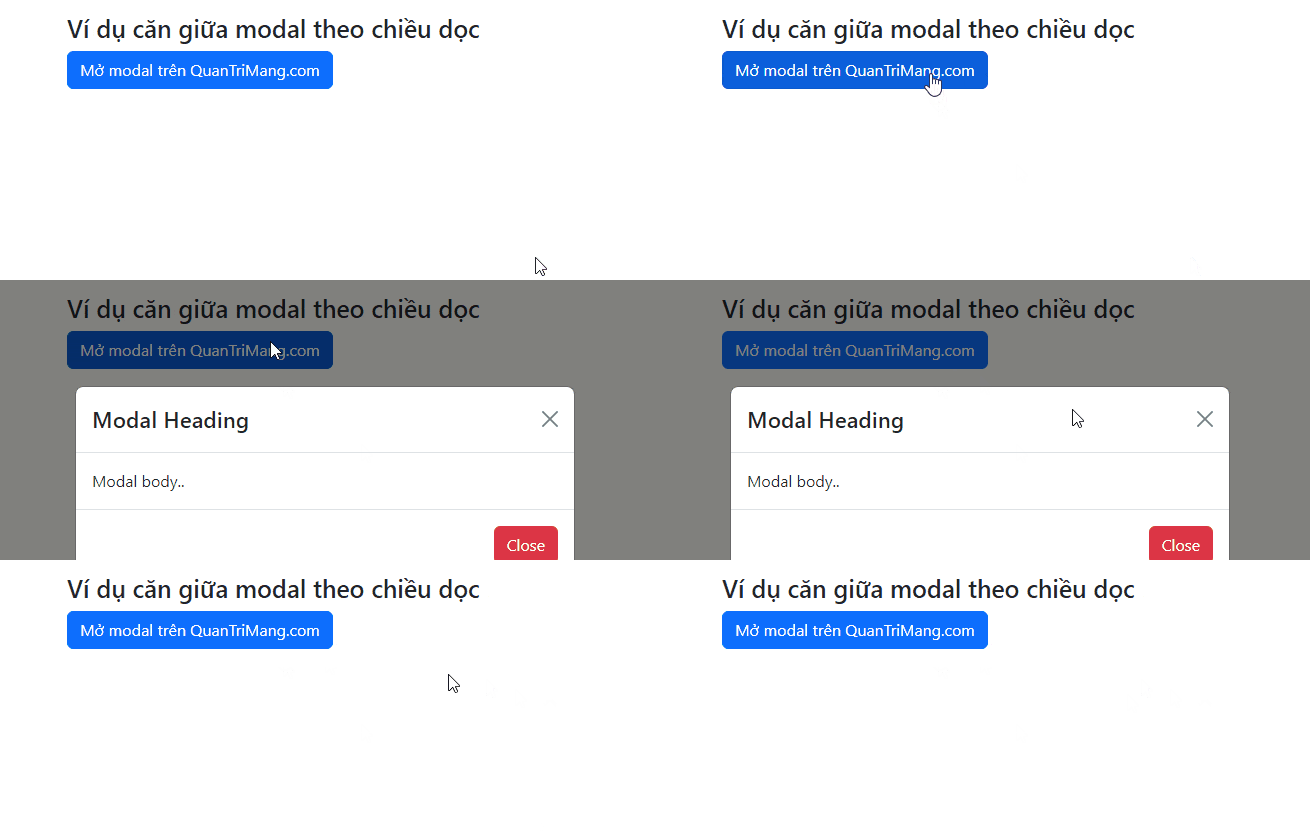
<p style="text-align: justify;">Căn giữa modal theo chiều dọc và ngang trong cùng một trang bằng class&nbsp;<code>.modal-dialog-centered</code>:</p>

<pre id="pre11" style="text-align: justify;">
&lt;div class=&quot;modal-dialog modal-dialog-centered&quot;&gt;</pre>

<p style="text-align: justify;">Ví dụ:</p>

<pre id="pre12" style="text-align: justify;">
&lt;!DOCTYPE html&gt;
&lt;html lang=&quot;en&quot;&gt;
&lt;head&gt;
  &lt;title&gt;Bootstrap Example&lt;/title&gt;
  &lt;meta charset=&quot;utf-8&quot;&gt;
  &lt;meta name=&quot;viewport&quot; content=&quot;width=device-width, initial-scale=1&quot;&gt;
  &lt;link href=&quot;https://cdn.jsdelivr.net/npm/bootstrap@5.2.3/dist/css/bootstrap.min.css&quot; rel=&quot;stylesheet&quot;&gt;
  &lt;script src=&quot;https://cdn.jsdelivr.net/npm/bootstrap@5.2.3/dist/js/bootstrap.bundle.min.js&quot;&gt;&lt;/script&gt;
&lt;/head&gt;
&lt;body&gt;

&lt;div class=&quot;container mt-3&quot;&gt;
  &lt;h3&gt;Ví dụ căn giữa modal theo chiều dọc&lt;/h3&gt;
  &lt;button type=&quot;button&quot; class=&quot;btn btn-primary&quot; data-bs-toggle=&quot;modal&quot; data-bs-target=&quot;#myModal&quot;&gt;
    Mở modal trên QuanTriMang.com
  &lt;/button&gt;
&lt;/div&gt;

&lt;!-- The Modal --&gt;
&lt;div class=&quot;modal&quot; id=&quot;myModal&quot;&gt;
  &lt;div class=&quot;modal-dialog modal-dialog-centered&quot;&gt;
    &lt;div class=&quot;modal-content&quot;&gt;

      &lt;!-- Modal Header --&gt;
      &lt;div class=&quot;modal-header&quot;&gt;
        &lt;h4 class=&quot;modal-title&quot;&gt;Modal Heading&lt;/h4&gt;
        &lt;button type=&quot;button&quot; class=&quot;btn-close&quot; data-bs-dismiss=&quot;modal&quot;&gt;&lt;/button&gt;
      &lt;/div&gt;

      &lt;!-- Modal body --&gt;
      &lt;div class=&quot;modal-body&quot;&gt;
        Modal body..
      &lt;/div&gt;

      &lt;!-- Modal footer --&gt;
      &lt;div class=&quot;modal-footer&quot;&gt;
        &lt;button type=&quot;button&quot; class=&quot;btn btn-danger&quot; data-bs-dismiss=&quot;modal&quot;&gt;Close&lt;/button&gt;
      &lt;/div&gt;

    &lt;/div&gt;
  &lt;/div&gt;
&lt;/div&gt;
&lt;/body&gt;
&lt;/html&gt;
</pre>

<p style="text-align: justify;"><img alt="Modal căn giữa theo chiều dọc" data-i="5" data-src="https://st.quantrimang.com/photos/image/2022/12/05/bootstrap-modal-6.gif" data-was-processed="true" height="278" src="https://st.quantrimang.com/photos/image/2022/12/05/bootstrap-modal-6.gif" width="650" /></p>

<h2 style="text-align: justify;">Modal dạng cuộn</h2>

<p style="text-align: justify;">Khi có nhiều nội dung bên trong modal, một thanh cuộn sẽ được thêm vào trang. Code cơ bản như sau:</p>

<pre id="pre13" style="text-align: justify;">
&lt;div class=&quot;modal-dialog&quot;&gt;</pre>

<p style="text-align: justify;">Ví dụ:</p>

<pre id="pre14" style="text-align: justify;">
&lt;!DOCTYPE html&gt;
&lt;html lang=&quot;en&quot;&gt;
&lt;head&gt;
  &lt;title&gt;Bootstrap Example&lt;/title&gt;
  &lt;meta charset=&quot;utf-8&quot;&gt;
  &lt;meta name=&quot;viewport&quot; content=&quot;width=device-width, initial-scale=1&quot;&gt;
  &lt;link href=&quot;https://cdn.jsdelivr.net/npm/bootstrap@5.2.3/dist/css/bootstrap.min.css&quot; rel=&quot;stylesheet&quot;&gt;
  &lt;script src=&quot;https://cdn.jsdelivr.net/npm/bootstrap@5.2.3/dist/js/bootstrap.bundle.min.js&quot;&gt;&lt;/script&gt;
&lt;/head&gt;
&lt;body&gt;

&lt;div class=&quot;container mt-3&quot;&gt;
  &lt;h2&gt;Modal dạng cuộn&lt;/h2&gt;
  &lt;button type=&quot;button&quot; class=&quot;btn btn-primary&quot; data-bs-toggle=&quot;modal&quot; data-bs-target=&quot;#myModal&quot;&gt;
    Open modal QuanTriMang.com
  &lt;/button&gt;
&lt;/div&gt;

&lt;!-- The Modal --&gt;
&lt;div class=&quot;modal&quot; id=&quot;myModal&quot;&gt;
  &lt;div class=&quot;modal-dialog&quot;&gt;
    &lt;div class=&quot;modal-content&quot;&gt;

      &lt;!-- Modal Header --&gt;
      &lt;div class=&quot;modal-header&quot;&gt;
        &lt;h4 class=&quot;modal-title&quot;&gt;Modal Heading&lt;/h4&gt;
        &lt;button type=&quot;button&quot; class=&quot;btn-close&quot; data-bs-dismiss=&quot;modal&quot;&gt;&lt;/button&gt;
      &lt;/div&gt;

      &lt;!-- Modal body --&gt;
      &lt;div class=&quot;modal-body&quot;&gt;
        &lt;h3&gt;Some text to enable scrolling..&lt;/h3&gt;
        &lt;p&gt;Some text to enable scrolling.. Lorem ipsum dolor sit amet, consectetur adipiscing elit, sed do eiusmod tempor incididunt ut labore et dolore magna aliqua. Ut enim ad minim veniam, quis nostrud exercitation ullamco laboris nisi ut aliquip ex ea commodo consequat. Duis aute irure dolor in reprehenderit in voluptate velit esse cillum dolore eu fugiat nulla pariatur. Excepteur sint occaecat cupidatat non proident, sunt in culpa qui officia deserunt mollit anim id est laborum consectetur adipiscing elit, sed do eiusmod tempor incididunt ut labore et dolore magna aliqua. Ut enim ad minim veniam, quis nostrud exercitation ullamco laboris nisi ut aliquip ex ea commodo consequat.&lt;/p&gt;
        &lt;p&gt;Some text to enable scrolling.. Lorem ipsum dolor sit amet, consectetur adipiscing elit, sed do eiusmod tempor incididunt ut labore et dolore magna aliqua. Ut enim ad minim veniam, quis nostrud exercitation ullamco laboris nisi ut aliquip ex ea commodo consequat. Duis aute irure dolor in reprehenderit in voluptate velit esse cillum dolore eu fugiat nulla pariatur. Excepteur sint occaecat cupidatat non proident, sunt in culpa qui officia deserunt mollit anim id est laborum consectetur adipiscing elit, sed do eiusmod tempor incididunt ut labore et dolore magna aliqua. Ut enim ad minim veniam, quis nostrud exercitation ullamco laboris nisi ut aliquip ex ea commodo consequat.&lt;/p&gt;

        &lt;p&gt;Some text to enable scrolling.. Lorem ipsum dolor sit amet, consectetur adipiscing elit, sed do eiusmod tempor incididunt ut labore et dolore magna aliqua. Ut enim ad minim veniam, quis nostrud exercitation ullamco laboris nisi ut aliquip ex ea commodo consequat. Duis aute irure dolor in reprehenderit in voluptate velit esse cillum dolore eu fugiat nulla pariatur. Excepteur sint occaecat cupidatat non proident, sunt in culpa qui officia deserunt mollit anim id est laborum consectetur adipiscing elit, sed do eiusmod tempor incididunt ut labore et dolore magna aliqua. Ut enim ad minim veniam, quis nostrud exercitation ullamco laboris nisi ut aliquip ex ea commodo consequat.&lt;/p&gt; 
      &lt;/div&gt;

      &lt;!-- Modal footer --&gt;
      &lt;div class=&quot;modal-footer&quot;&gt;
        &lt;button type=&quot;button&quot; class=&quot;btn btn-danger&quot; data-bs-dismiss=&quot;modal&quot;&gt;Close&lt;/button&gt;
      &lt;/div&gt;

    &lt;/div&gt;
  &lt;/div&gt;
&lt;/div&gt;
&lt;/body&gt;
&lt;/html&gt;
</pre>

<p style="text-align: justify;"><img alt="Modal dạng cuộn" data-i="6" data-src="https://st.quantrimang.com/photos/image/2022/12/05/bootstrap-modal-9.gif" data-was-processed="true" height="361" src="https://st.quantrimang.com/photos/image/2022/12/05/bootstrap-modal-9.gif" width="650" /></p>

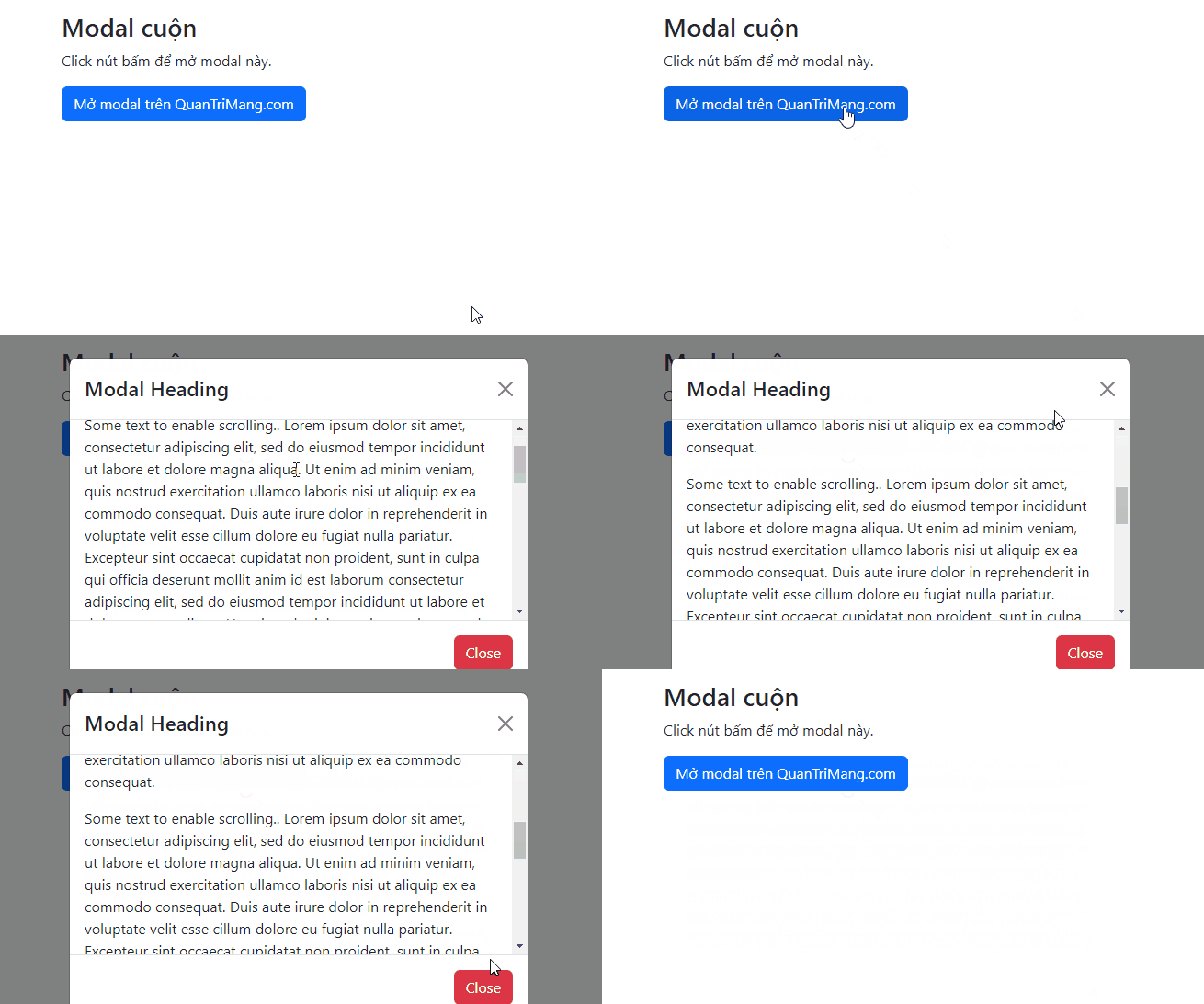
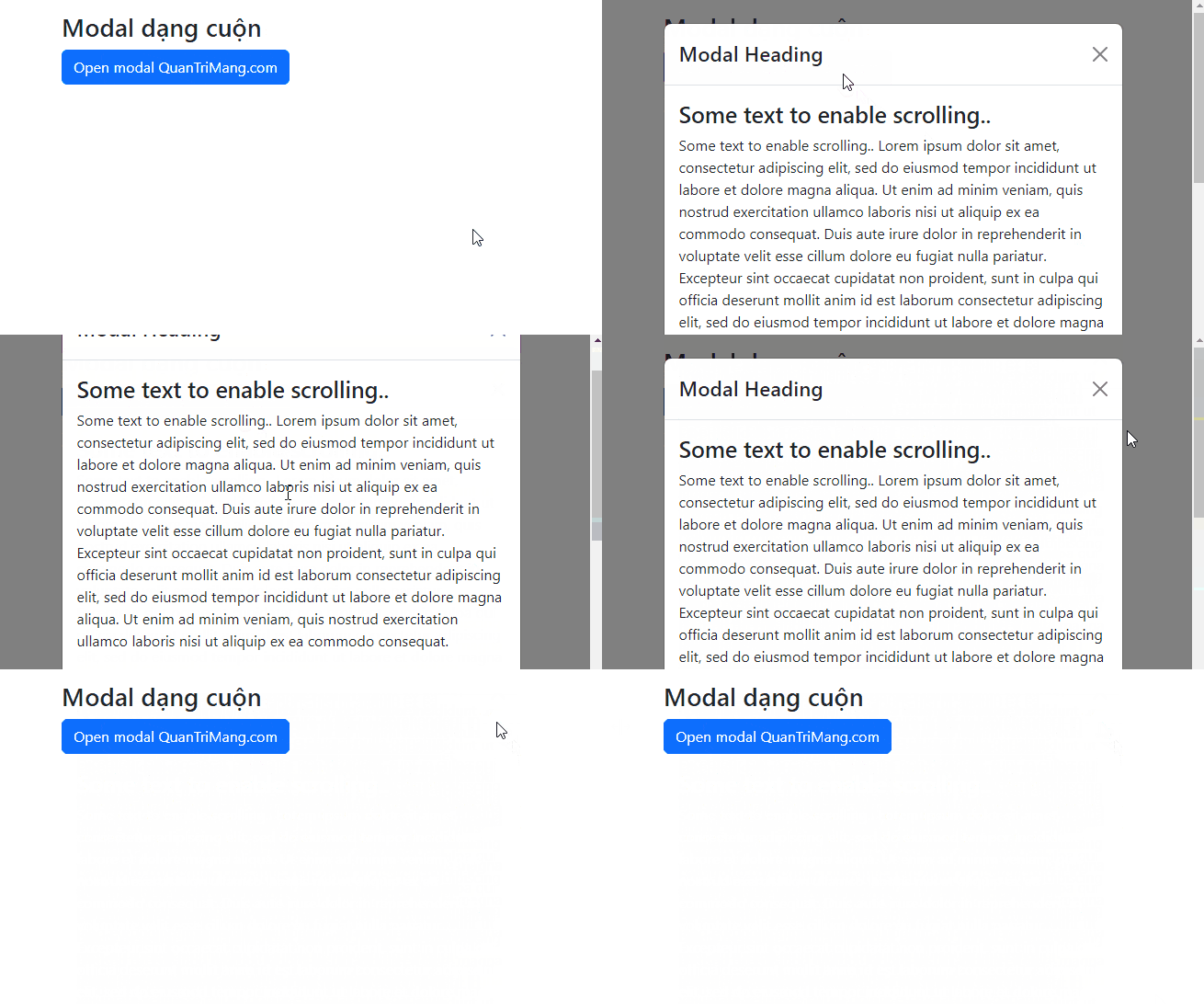
<p style="text-align: justify;">Tuy nhiên, bạn có thể chỉ cuộn bên trong modal, thay vì chính trang đó, bằng cách thêm&nbsp;<code>.modal-dialog-scrollable</code>&nbsp;vào&nbsp;<code>.modal-dialog:</code></p>

<pre id="pre15" style="text-align: justify;">
&lt;div class=&quot;modal-dialog modal-dialog-scrollable&quot;&gt;</pre>

<p style="text-align: justify;">Ví dụ:</p>

<pre id="pre16" style="text-align: justify;">
&lt;!DOCTYPE html&gt;
&lt;html lang=&quot;en&quot;&gt;
&lt;head&gt;
  &lt;title&gt;Bootstrap Example&lt;/title&gt;
  &lt;meta charset=&quot;utf-8&quot;&gt;
  &lt;meta name=&quot;viewport&quot; content=&quot;width=device-width, initial-scale=1&quot;&gt;
  &lt;link href=&quot;https://cdn.jsdelivr.net/npm/bootstrap@5.2.3/dist/css/bootstrap.min.css&quot; rel=&quot;stylesheet&quot;&gt;
  &lt;script src=&quot;https://cdn.jsdelivr.net/npm/bootstrap@5.2.3/dist/js/bootstrap.bundle.min.js&quot;&gt;&lt;/script&gt;
&lt;/head&gt;
&lt;body&gt;

&lt;div class=&quot;container mt-3&quot;&gt;
  &lt;h2&gt;Modal cuộn&lt;/h2&gt;
  &lt;p&gt;Click nút bấm để mở modal này.&lt;/p&gt;
  &lt;button type=&quot;button&quot; class=&quot;btn btn-primary&quot; data-bs-toggle=&quot;modal&quot; data-bs-target=&quot;#myModal&quot;&gt;
    Mở modal trên QuanTriMang.com
  &lt;/button&gt;
&lt;/div&gt;

&lt;!-- The Modal --&gt;
&lt;div class=&quot;modal&quot; id=&quot;myModal&quot;&gt;
  &lt;div class=&quot;modal-dialog modal-dialog-scrollable&quot;&gt;
    &lt;div class=&quot;modal-content&quot;&gt;

      &lt;!-- Modal Header --&gt;
      &lt;div class=&quot;modal-header&quot;&gt;
        &lt;h4 class=&quot;modal-title&quot;&gt;Modal Heading&lt;/h4&gt;
        &lt;button type=&quot;button&quot; class=&quot;btn-close&quot; data-bs-dismiss=&quot;modal&quot;&gt;&lt;/button&gt;
      &lt;/div&gt;

      &lt;!-- Modal body --&gt;
      &lt;div class=&quot;modal-body&quot;&gt;
        &lt;h3&gt;Some text to enable scrolling..&lt;/h3&gt;
        &lt;p&gt;Some text to enable scrolling.. Lorem ipsum dolor sit amet, consectetur adipiscing elit, sed do eiusmod tempor incididunt ut labore et dolore magna aliqua. Ut enim ad minim veniam, quis nostrud exercitation ullamco laboris nisi ut aliquip ex ea commodo consequat. Duis aute irure dolor in reprehenderit in voluptate velit esse cillum dolore eu fugiat nulla pariatur. Excepteur sint occaecat cupidatat non proident, sunt in culpa qui officia deserunt mollit anim id est laborum consectetur adipiscing elit, sed do eiusmod tempor incididunt ut labore et dolore magna aliqua. Ut enim ad minim veniam, quis nostrud exercitation ullamco laboris nisi ut aliquip ex ea commodo consequat.&lt;/p&gt;
        &lt;p&gt;Some text to enable scrolling.. Lorem ipsum dolor sit amet, consectetur adipiscing elit, sed do eiusmod tempor incididunt ut labore et dolore magna aliqua. Ut enim ad minim veniam, quis nostrud exercitation ullamco laboris nisi ut aliquip ex ea commodo consequat. Duis aute irure dolor in reprehenderit in voluptate velit esse cillum dolore eu fugiat nulla pariatur. Excepteur sint occaecat cupidatat non proident, sunt in culpa qui officia deserunt mollit anim id est laborum consectetur adipiscing elit, sed do eiusmod tempor incididunt ut labore et dolore magna aliqua. Ut enim ad minim veniam, quis nostrud exercitation ullamco laboris nisi ut aliquip ex ea commodo consequat.&lt;/p&gt;

        &lt;p&gt;Some text to enable scrolling.. Lorem ipsum dolor sit amet, consectetur adipiscing elit, sed do eiusmod tempor incididunt ut labore et dolore magna aliqua. Ut enim ad minim veniam, quis nostrud exercitation ullamco laboris nisi ut aliquip ex ea commodo consequat. Duis aute irure dolor in reprehenderit in voluptate velit esse cillum dolore eu fugiat nulla pariatur. Excepteur sint occaecat cupidatat non proident, sunt in culpa qui officia deserunt mollit anim id est laborum consectetur adipiscing elit, sed do eiusmod tempor incididunt ut labore et dolore magna aliqua. Ut enim ad minim veniam, quis nostrud exercitation ullamco laboris nisi ut aliquip ex ea commodo consequat.&lt;/p&gt; 
      &lt;/div&gt;

      &lt;!-- Modal footer --&gt;
      &lt;div class=&quot;modal-footer&quot;&gt;
        &lt;button type=&quot;button&quot; class=&quot;btn btn-danger&quot; data-bs-dismiss=&quot;modal&quot;&gt;Close&lt;/button&gt;
      &lt;/div&gt;

    &lt;/div&gt;
  &lt;/div&gt;
&lt;/div&gt;
&lt;/body&gt;
&lt;/html&gt;
</pre>

<p style="text-align: justify;"><img alt="Modal dạng cuộn trong popup" data-i="7" data-src="https://st.quantrimang.com/photos/image/2022/12/05/bootstrap-modal-10.gif" data-was-processed="true" height="361" src="https://st.quantrimang.com/photos/image/2022/12/05/bootstrap-modal-10.gif" width="650" /></p>

<p style="text-align: justify;">Trên đây là những điều bạn cần biết về cách tạo modal trong Bootstrap 5. Hi vọng bài viết giúp bạn hiểu rõ hơn về&nbsp;<strong>cách xây dựng một cửa sổ popup cho web hoặc ứng dụng bằng Bootstrap 5</strong>.</p>
		</div>
				<div id="author">
						<p>
				<strong>Nguồn tin:</strong>
				Quantrimang.com
			</p>
		</div>
	</div>
	<div id="footer" class="clearfix">
		<div id="url">
			<strong>URL của bản tin này: </strong><a href="https://www.nguoicodonvn2008.info/vi/news/savefile/kien-thuc-may-tinh/bai-23-modal-trong-bootstrap-5-6422.html" title="Bài 23&#x3A; Modal trong Bootstrap 5">https://www.nguoicodonvn2008.info/vi/news/savefile/kien-thuc-may-tinh/bai-23-modal-trong-bootstrap-5-6422.html</a>

		</div>
		<div class="clear"></div>
		<div class="copyright">
			&copy; .&#x3A; Nguoicodonvn2008.info - Cõi lòng người cô đơn &#x3A;.
		</div>
		<div id="contact">
			<a href="mailto:admin@nguoicodonvn2008.info">admin@nguoicodonvn2008.info</a>
		</div>
	</div>
</div>
        <div id="timeoutsess" class="chromeframe">
            Bạn đã không sử dụng Site, <a onclick="timeoutsesscancel();" href="https://nguoicodonvn2008.info/#">Bấm vào đây để duy trì trạng thái đăng nhập</a>. Thời gian chờ: <span id="secField"> 60 </span> giây
        </div>
        <div id="openidResult" class="nv-alert" style="display:none"></div>
        <div id="openidBt" data-result="" data-redirect=""></div>
		</script>
		<div class="car-top">
  <span><img src="https://nguoicodonvn2008.info/themes/default/images/car.png" alt=""></span>
</div>
<script src="https://nguoicodonvn2008.info/assets/js/jquery/jquery.min.js"></script>
<script>var nv_base_siteurl="/",nv_lang_data="vi",nv_lang_interface="vi",nv_name_variable="nv",nv_fc_variable="op",nv_lang_variable="language",nv_module_name="news",nv_func_name="savefile",nv_is_user=0, nv_my_ofs=-4,nv_my_abbr="EDT",nv_cookie_prefix="nv4c_e856T",nv_check_pass_mstime=1738000,nv_area_admin=0,nv_safemode=0,theme_responsive=0,nv_recaptcha_ver=2,nv_recaptcha_sitekey="",nv_recaptcha_type="image",XSSsanitize=1;</script>
<script src="https://nguoicodonvn2008.info/assets/js/language/vi.js"></script>
<script src="https://nguoicodonvn2008.info/assets/js/DOMPurify/purify3.js"></script>
<script src="https://nguoicodonvn2008.info/assets/js/global.js"></script>
<script src="https://nguoicodonvn2008.info/assets/js/site.js"></script>
<script src="https://nguoicodonvn2008.info/themes/default/js/news.js"></script>
<script src="https://nguoicodonvn2008.info/themes/default/js/main.js"></script>
<script src="https://nguoicodonvn2008.info/themes/default/js/custom.js"></script>
<script type="application/ld+json">
        {
            "@context": "https://schema.org",
            "@type": "Organization",
            "url": "https://nguoicodonvn2008.info",
            "logo": "https://nguoicodonvn2008.info/uploads/angel.gif"
        }
        </script>
<script src="https://nguoicodonvn2008.info/themes/default/js/bootstrap.min.js"></script>
<script type="text/javascript">
var $scrolltop = $('.car-top');
$scrolltop.on('click', function () {
    $('html,body').animate({
        scrollTop: 0
    }, 800);
    $(this).addClass("car-run");
    setTimeout(function(){ $scrolltop.removeClass('car-run');}, 1000);
    return false;
});
$(window).on('scroll', function ()
{ 
    if($(window).scrollTop() >= 200)
    {
        $scrolltop.addClass("show");
        $scrolltop.addClass("car-down");
    }
    else
    {
       $scrolltop.removeClass("show");
       setTimeout(function(){ $scrolltop.removeClass('car-down');}, 300);
    }
});
</script>
</body>
</html>