<!DOCTYPE html>
    <html lang="vi" xmlns="http://www.w3.org/1999/xhtml" prefix="og: http://ogp.me/ns#">
    <head>
<title>ách tạo hệ thống camera cho game 2D trong Godot</title>
<meta name="description" content="ách tạo hệ thống camera cho game 2D trong Godot - Savefile - Tin Tức -...">
<meta name="author" content=".: Nguoicodonvn2008.info - Cõi lòng người cô đơn :.">
<meta name="copyright" content=".: Nguoicodonvn2008.info - Cõi lòng người cô đơn :. [admin@nguoicodonvn2008.info]">
<meta name="robots" content="index, archive, follow, noodp">
<meta name="googlebot" content="index,archive,follow,noodp">
<meta name="msnbot" content="all,index,follow">
<meta name="generator" content="NukeViet v4.5">
<meta http-equiv="Content-Type" content="text/html; charset=utf-8">
<meta property="og:title" content="ách tạo hệ thống camera cho game 2D trong Godot">
<meta property="og:type" content="website">
<meta property="og:description" content="Savefile - Tin Tức - https&#x3A;&#x002F;&#x002F;www.nguoicodonvn2008.info&#x002F;vi&#x002F;news&#x002F;savefile&#x002F;kien-thuc-may-tinh&#x002F;ach-tao-he-thong-camera-cho-game-2d-trong-godot-7410.html">
<meta property="og:site_name" content=".&#x3A; Nguoicodonvn2008.info - Cõi lòng người cô đơn &#x3A;.">
<meta property="og:url" content="https://www.nguoicodonvn2008.info/vi/news/savefile/kien-thuc-may-tinh/ach-tao-he-thong-camera-cho-game-2d-trong-godot-7410.html">
<link rel="shortcut icon" href="https://nguoicodonvn2008.info/favicon.ico">
<link rel="canonical" href="https://www.nguoicodonvn2008.info/vi/news/savefile/kien-thuc-may-tinh/ach-tao-he-thong-camera-cho-game-2d-trong-godot-7410.html">
<link rel="alternate" href="https://nguoicodonvn2008.info/vi/news/rss/" title="Tin Tức" type="application/rss+xml">
<link rel="alternate" href="https://nguoicodonvn2008.info/vi/news/rss/karaoke-dual/" title="Tin Tức - Karaoke Dual" type="application/rss+xml">
<link rel="alternate" href="https://nguoicodonvn2008.info/vi/news/rss/nhac-tre/" title="Tin Tức - Nhạc trẻ" type="application/rss+xml">
<link rel="alternate" href="https://nguoicodonvn2008.info/vi/news/rss/tru-tinh/" title="Tin Tức - Trữ tình" type="application/rss+xml">
<link rel="alternate" href="https://nguoicodonvn2008.info/vi/news/rss/nuoc-ngoai/" title="Tin Tức - Nước ngoài" type="application/rss+xml">
<link rel="alternate" href="https://nguoicodonvn2008.info/vi/news/rss/remix/" title="Tin Tức - Remix" type="application/rss+xml">
<link rel="alternate" href="https://nguoicodonvn2008.info/vi/news/rss/tam-su-tinh-yeu/" title="Tin Tức - Tâm sự tình yêu" type="application/rss+xml">
<link rel="alternate" href="https://nguoicodonvn2008.info/vi/news/rss/tho-suu-tam/" title="Tin Tức - Thơ sưu tầm" type="application/rss+xml">
<link rel="alternate" href="https://nguoicodonvn2008.info/vi/news/rss/cuoc-song/" title="Tin Tức - Cuộc sống" type="application/rss+xml">
<link rel="alternate" href="https://nguoicodonvn2008.info/vi/news/rss/phan-mem/" title="Tin Tức - Phần mềm" type="application/rss+xml">
<link rel="alternate" href="https://nguoicodonvn2008.info/vi/news/rss/kien-thuc-may-tinh/" title="Tin Tức - Kiến thức máy tính" type="application/rss+xml">
<link rel="alternate" href="https://nguoicodonvn2008.info/vi/news/rss/hoc-tap/" title="Tin Tức - Học tập" type="application/rss+xml">
<link rel="alternate" href="https://nguoicodonvn2008.info/vi/news/rss/tai-lieu/" title="Tin Tức - Tài liệu" type="application/rss+xml">
<link rel="alternate" href="https://nguoicodonvn2008.info/vi/news/rss/de-thi/" title="Tin Tức - Đề thi" type="application/rss+xml">
<link rel="preload" as="style" href="https://nguoicodonvn2008.info/assets/css/font-awesome.min.css" type="text/css">
<link rel="preload" as="style" href="https://nguoicodonvn2008.info/themes/default/css/bootstrap.non-responsive.css" type="text/css">
<link rel="preload" as="style" href="https://nguoicodonvn2008.info/themes/default/css/style.css" type="text/css">
<link rel="preload" as="style" href="https://nguoicodonvn2008.info/themes/default/css/style.non-responsive.css" type="text/css">
<link rel="preload" as="style" href="https://nguoicodonvn2008.info/themes/default/css/news.css" type="text/css">
<link rel="preload" as="style" href="https://nguoicodonvn2008.info/themes/default/css/custom.css" type="text/css">
<link rel="preload" as="script" href="https://nguoicodonvn2008.info/assets/js/jquery/jquery.min.js" type="text/javascript">
<link rel="preload" as="script" href="https://nguoicodonvn2008.info/assets/js/language/vi.js" type="text/javascript">
<link rel="preload" as="script" href="https://nguoicodonvn2008.info/assets/js/DOMPurify/purify3.js" type="text/javascript">
<link rel="preload" as="script" href="https://nguoicodonvn2008.info/assets/js/global.js" type="text/javascript">
<link rel="preload" as="script" href="https://nguoicodonvn2008.info/assets/js/site.js" type="text/javascript">
<link rel="preload" as="script" href="https://nguoicodonvn2008.info/themes/default/js/news.js" type="text/javascript">
<link rel="preload" as="script" href="https://nguoicodonvn2008.info/themes/default/js/main.js" type="text/javascript">
<link rel="preload" as="script" href="https://nguoicodonvn2008.info/themes/default/js/custom.js" type="text/javascript">
<link rel="preload" as="script" href="https://nguoicodonvn2008.info/themes/default/js/bootstrap.min.js" type="text/javascript">
<link rel="stylesheet" href="https://nguoicodonvn2008.info/assets/css/font-awesome.min.css">
<link rel="stylesheet" href="https://nguoicodonvn2008.info/themes/default/css/bootstrap.non-responsive.css">
<link rel="stylesheet" href="https://nguoicodonvn2008.info/themes/default/css/style.css">
<link rel="stylesheet" href="https://nguoicodonvn2008.info/themes/default/css/style.non-responsive.css">
<link rel="StyleSheet" href="https://nguoicodonvn2008.info/themes/default/css/news.css">
<link rel="stylesheet" href="https://nguoicodonvn2008.info/themes/default/css/custom.css">
<style type="text/css">
	body{background: #fff;}
</style>
    </head>
    <body>
<div id="print">
	<div id="hd_print">
		<h2 class="pull-left">.&#x3A; Nguoicodonvn2008.info - Cõi lòng người cô đơn &#x3A;.</h2>
		<p class="pull-right"><a title=".&#x3A; Nguoicodonvn2008.info - Cõi lòng người cô đơn &#x3A;." href="https://nguoicodonvn2008.info/">https://nguoicodonvn2008.info</a></p>
	</div>
	<div class="clear"></div>
	<hr />
	<div id="content">
		<h1>ách tạo hệ thống camera cho game 2D trong Godot</h1>
		<ul class="list-inline">
			<li>Thứ tư - 16/08/2023 00:49</li>
			<li class="hidden-print txtrequired"><em class="fa fa-print">&nbsp;</em><a title="In ra" href="javascript:;" onclick="window.print()">In ra</a></li>
			<li class="hidden-print txtrequired"><em class="fa fa-power-off">&nbsp;</em><a title="Đóng cửa sổ này" href="javascript:;" onclick="window.close()">Đóng cửa sổ này</a></li>
		</ul>
		<div class="clear"></div>
		<div id="hometext">
		</div>
				<div class="imghome">
			<img alt="ách tạo hệ thống camera cho game 2D trong Godot" src="https://st.quantrimang.com/photos/image/2023/08/15/camera-game-godot-3.jpg" width="460" class="img-thumbnail" />
		</div>
		<div class="clear"></div>
		<div id="bodytext" class="clearfix">
			<p style="text-align: justify;">Hệ thống camera được thiết kế tốt có thể hấp dẫn người chơi và cho họ góc nhìn tốt hơn.&nbsp;<strong>Tạo hệ thống camera trong&nbsp;Godot</strong>&nbsp;đơn giản nhưng hiệu quả. Dưới đây là hướng dẫn chi tiết.</p>

<p style="text-align: justify;"><img alt="Mario" data-i="0" data-src="https://st.quantrimang.com/photos/image/2023/08/15/Godot-camera-2D-7.jpg" data-was-processed="true" height="340" src="https://st.quantrimang.com/photos/image/2023/08/15/Godot-camera-2D-7.jpg" width="650" /></p>

<h2 style="text-align: justify;">Tạo một game đơn giản</h2>

<p style="text-align: justify;">Trước khi bắt đầu, bạn cần tạo một thế giới game 2D và nhân vật trong Godot Game Engine mà camera có thể theo dõi.</p>

<p style="text-align: justify;">Tạo cảnh 2D mới và thêm node&nbsp;<strong>CharacterBody2D</strong>. Nó sẽ hoạt động như nhân vật người chơi. Bên trong&nbsp;<strong>CharacterBody2D</strong>, thêm&nbsp;<strong>CollisionShape2D&nbsp;</strong>và đặt hình dạng của nó sang&nbsp;<strong>RectangleShape2D&nbsp;</strong>để cung cấp sự hiện diện vật lý của người chơi trong thế giới này.</p>

<p style="text-align: justify;">Ngoài ra, bên trong CharacterBody2D, thêm node&nbsp;<strong>Sprite2D</strong>&nbsp;và gắn ảnh nhân vật người chơi vào nó. Tạo một script mới được gắn vào node CharacterBody2D và thêm code sau:</p>

<pre id="pre0" style="text-align: justify;">
extends CharacterBody2D

var speed = 200

func _physics_process(delta):
    var velocity = Vector2()

    if Input.is_action_pressed(&#039;ui_right&#039;):
        velocity.x += 1

    if Input.is_action_pressed(&#039;ui_left&#039;):
        velocity.x -= 1

    if Input.is_action_pressed(&#039;ui_down&#039;):
        velocity.y += 1

    if Input.is_action_pressed(&#039;ui_up&#039;):
        velocity.y -= 1

    velocity = velocity.normalized() * speed
    move_and_collide(velocity * delta)</pre>

<div style="text-align: justify;">&nbsp;</div>

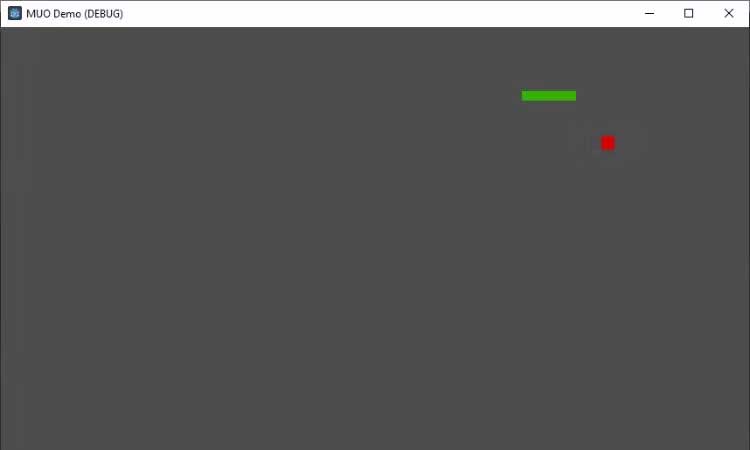
<p style="text-align: justify;">Với code này, nhân vật người chơi giờ có thể di chuyển theo cả 4 hướng và sẽ va chạm với các nền tảng.</p>

<p style="text-align: justify;"><img alt="Tạo game Godot đơn giản" data-adbro-processed="true" data-i="1" data-src="https://st.quantrimang.com/photos/image/2023/08/15/camera-game-godot-1.jpg" data-was-processed="true" height="390" src="https://st.quantrimang.com/photos/image/2023/08/15/camera-game-godot-1.jpg" width="650" /></p>

<h2 style="text-align: justify;">Triển khai hệ thống camera theo dõi</h2>

<p style="text-align: justify;">Bước tiếp theo là tạo camera theo dõi chuyển động của người chơi. Thêm node&nbsp;<strong>Camera2D&nbsp;</strong>làm con của node&nbsp;<strong>CharacterBody2D</strong>. Điều này đảm bảo camera sẽ luôn theo dõi người chơi. Để làm chuyển động mượt mà hơn, kích hoạt thuộc tính làm mượt vị trí của node&nbsp;<strong>Camera2D</strong>.</p>

<pre id="pre1" style="text-align: justify;">
$Camera2D.enabled = true
$Camera2D.position_smoothing_enabled = true</pre>

<h2 style="text-align: justify;">Triển khai phạm vi và hạn chế camera</h2>

<p style="text-align: justify;">Việc hạn chế tầm nhìn của người chơi trong khu vực game thường rất quan trọng. Tuy nhiên, nếu không xử lý việc này đúng cách, camera có thể mở ra các vùng nằm ngoài phạm vi của game. Chúng có thể bao gồm các khoảng trống hoặc khu vực chưa hoàn thiện.</p>

<p style="text-align: justify;">Godot cung cấp cách dễ dàng đặt các giới hạn camera và hạn chế chuyển động của nó trong khu vực chơi.</p>

<p style="text-align: justify;">Trong thuộc tính node&nbsp;<strong>Camera2D</strong>, bạn có 4 biến:<strong>&nbsp;limit_left</strong>,&nbsp;<strong>limit_top</strong>,<strong>&nbsp;limit_right</strong>, và&nbsp;<strong>limit_bottom</strong>. Chúng quyết định các ranh giới của camera. Bạn có thể đặt những giá trị này theo kích thước thế giới game.</p>

<pre id="pre2" style="text-align: justify;">
$Camera2D.limit_left = 0
$Camera2D.limit_top = 0
$Camera2D.limit_right = your_game_area_width
$Camera2D.limit_bottom = your_game_area_height</pre>

<p style="text-align: justify;">Thay thế y<strong>our_game_area_width&nbsp;</strong>và&nbsp;<strong>your_game_area_height&nbsp;</strong>bằng chiều rộng &amp; cao của thế giới game. Tập lệnh này hạn chế hiệu quả camera trong khu vực mong muốn, cung cấp cách chơi rõ ràng và tập trung.</p>

<div style="text-align: justify;">&nbsp;</div>

<h2 style="text-align: justify;">Xử lý tỷ lệ và độ thu phóng của camera</h2>

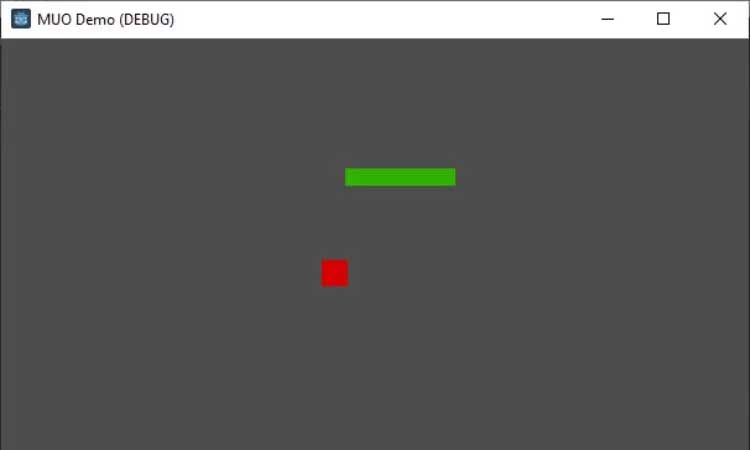
<p style="text-align: justify;">Tính năng phóng to và thu nhỏ có thể là công cụ giúp tạo ra những khoảnh khắc ấn tượng trong game. Ví dụ, bạn có thể muốn phóng to nhân vật người chơi trong một hành động mạnh mẽ hoặc thu nhỏ để hiện kẻ thù lớn hay xem toàn cảnh thế giới game.</p>

<p style="text-align: justify;"><img alt="Thế giới game" data-i="2" data-src="https://st.quantrimang.com/photos/image/2023/08/15/camera-game-godot-2.jpg" data-was-processed="true" height="366" src="https://st.quantrimang.com/photos/image/2023/08/15/camera-game-godot-2.jpg" width="650" /></p>

<p style="text-align: justify;">Godot khiến việc thu nhỏ, phóng to dễ dàng với thuộc tính&nbsp;<strong>zoom</strong>&nbsp;của node&nbsp;<strong>Camera2D</strong>. Thuộc tính này là Vector2, cấp thu phóng mặc định là (1,1). Giá trị cao hơn sẽ thu nhỏ, khiến các đối tượng được xem xuất hiện nhỏ hơn, còn giá trị thấp hơn sẽ phóng to, làm đối tượng xuất hiện lớn hơn.</p>

<p style="text-align: justify;">Để phóng to, dùng:</p>

<pre id="pre3" style="text-align: justify;">
$Camera2D.zoom = Vector2(0.7, 0.7)</pre>

<p style="text-align: justify;">Để reset chế độ thu phóng, dùng:</p>

<pre id="pre4" style="text-align: justify;">
$Camera2D.zoom = Vector2(1, 1)</pre>

<p style="text-align: justify;">Giá trị bạn chuyển sang Vector2() quyết định cấp thu phóng trên trục X và Y. Một giá trị zoom (0.7, 0.7) có nghĩa camera sẽ phóng to, còn (1.5, 1.5) có nghĩa camera sẽ thu nhỏ.</p>

<p style="text-align: justify;"><img alt="Thiết kế game hoàn thiện" data-i="3" data-src="https://st.quantrimang.com/photos/image/2023/08/15/camera-game-godot-3.jpg" data-was-processed="true" height="390" src="https://st.quantrimang.com/photos/image/2023/08/15/camera-game-godot-3.jpg" width="650" /></p>

<p style="text-align: justify;">Bạn nên giữ giá trị giống nhau cho cả hai trục để duy trì tỉ lệ khung hình, nhưng bạn có thể thử nghiệm các giá trị khác để đạt được hiệu ứng độc đáo.</p>

<p style="text-align: justify;">Hi vọng bài viết hữu ích với các bạn!</p>
		</div>
				<div id="author">
						<p>
				<strong>Nguồn tin:</strong>
				Quantrimang.com
			</p>
		</div>
	</div>
	<div id="footer" class="clearfix">
		<div id="url">
			<strong>URL của bản tin này: </strong><a href="https://www.nguoicodonvn2008.info/vi/news/savefile/kien-thuc-may-tinh/ach-tao-he-thong-camera-cho-game-2d-trong-godot-7410.html" title="ách tạo hệ thống camera cho game 2D trong Godot">https://www.nguoicodonvn2008.info/vi/news/savefile/kien-thuc-may-tinh/ach-tao-he-thong-camera-cho-game-2d-trong-godot-7410.html</a>

		</div>
		<div class="clear"></div>
		<div class="copyright">
			&copy; .&#x3A; Nguoicodonvn2008.info - Cõi lòng người cô đơn &#x3A;.
		</div>
		<div id="contact">
			<a href="mailto:admin@nguoicodonvn2008.info">admin@nguoicodonvn2008.info</a>
		</div>
	</div>
</div>
        <div id="timeoutsess" class="chromeframe">
            Bạn đã không sử dụng Site, <a onclick="timeoutsesscancel();" href="https://nguoicodonvn2008.info/#">Bấm vào đây để duy trì trạng thái đăng nhập</a>. Thời gian chờ: <span id="secField"> 60 </span> giây
        </div>
        <div id="openidResult" class="nv-alert" style="display:none"></div>
        <div id="openidBt" data-result="" data-redirect=""></div>
		</script>
		<div class="car-top">
  <span><img src="https://nguoicodonvn2008.info/themes/default/images/car.png" alt=""></span>
</div>
<script src="https://nguoicodonvn2008.info/assets/js/jquery/jquery.min.js"></script>
<script>var nv_base_siteurl="/",nv_lang_data="vi",nv_lang_interface="vi",nv_name_variable="nv",nv_fc_variable="op",nv_lang_variable="language",nv_module_name="news",nv_func_name="savefile",nv_is_user=0, nv_my_ofs=-4,nv_my_abbr="EDT",nv_cookie_prefix="nv4c_e856T",nv_check_pass_mstime=1738000,nv_area_admin=0,nv_safemode=0,theme_responsive=0,nv_recaptcha_ver=2,nv_recaptcha_sitekey="",nv_recaptcha_type="image",XSSsanitize=1;</script>
<script src="https://nguoicodonvn2008.info/assets/js/language/vi.js"></script>
<script src="https://nguoicodonvn2008.info/assets/js/DOMPurify/purify3.js"></script>
<script src="https://nguoicodonvn2008.info/assets/js/global.js"></script>
<script src="https://nguoicodonvn2008.info/assets/js/site.js"></script>
<script src="https://nguoicodonvn2008.info/themes/default/js/news.js"></script>
<script src="https://nguoicodonvn2008.info/themes/default/js/main.js"></script>
<script src="https://nguoicodonvn2008.info/themes/default/js/custom.js"></script>
<script type="application/ld+json">
        {
            "@context": "https://schema.org",
            "@type": "Organization",
            "url": "https://nguoicodonvn2008.info",
            "logo": "https://nguoicodonvn2008.info/uploads/angel.gif"
        }
        </script>
<script src="https://nguoicodonvn2008.info/themes/default/js/bootstrap.min.js"></script>
<script type="text/javascript">
var $scrolltop = $('.car-top');
$scrolltop.on('click', function () {
    $('html,body').animate({
        scrollTop: 0
    }, 800);
    $(this).addClass("car-run");
    setTimeout(function(){ $scrolltop.removeClass('car-run');}, 1000);
    return false;
});
$(window).on('scroll', function ()
{ 
    if($(window).scrollTop() >= 200)
    {
        $scrolltop.addClass("show");
        $scrolltop.addClass("car-down");
    }
    else
    {
       $scrolltop.removeClass("show");
       setTimeout(function(){ $scrolltop.removeClass('car-down');}, 300);
    }
});
</script>
</body>
</html>